


Page layout, margins and paper size
Paper size, font size and columns come from the \documentclass options, such as \documentclass[a4paper,11pt,twocolumn]{article}; margins, orientation and any other page size come from the geometry package, such as \usepackage[a5paper,landscape,margin=1.5cm]{geometry}. Scissor LaTeX applies both.
Class options that work
The options in square brackets after \documentclass set up the page. Scissor LaTeX reads these:
| Option | Values | In Scissor LaTeX |
|---|---|---|
| Paper size | a4paper, a5paper, b5paper, letterpaper, legalpaper, executivepaper | Works. Without an option the paper is US letter, as in LaTeX. |
| Orientation | landscape | Works: the page is turned. |
| Font size | 10pt, 11pt, 12pt | Works. Other sizes fall back to 10pt. |
| Columns | twocolumn, onecolumn | Works. |
| Anything else | draft, fleqn, leqno, titlepage, openany ... | Ignored. |
A4 paper, 11 points, two columns
\documentclass[a4paper,11pt,twocolumn]{article}
\title{Two Columns on A4}
\author{Erika Mustermann}
\date{}
\begin{document}
\maketitle
\section{Introduction}
This document is set on A4 paper at 11 points in two columns.
The text fills the left column first and then continues in the
right one. Each column is a little less than half the text width.
\section{Method}
We measured 44 samples and wrote down every value.
\end{document}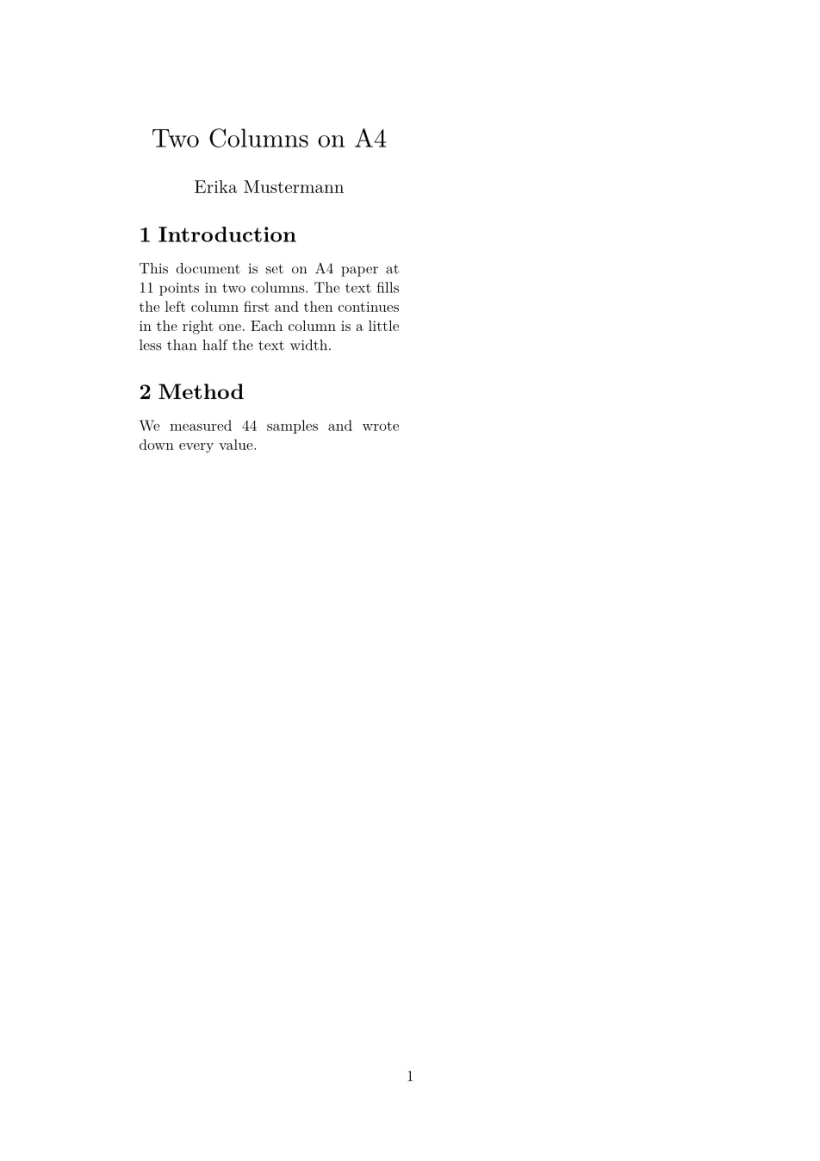
In a two-column article the title block stays in the first column; it does not span the page.
Paper sizes and orientation
For a size the class options do not have, or to turn the page, load geometry. Name a paper (a0paper to a6paper, b5paper, letterpaper, legalpaper, executivepaper), or give any size with paperwidth and paperheight. landscape turns the page, and portrait turns it back.
| You want | Write |
|---|---|
| A4 in landscape | \usepackage[a4paper,landscape]{geometry} |
| A3, or a poster on A1 | \usepackage[a3paper]{geometry}, \usepackage[a1paper,margin=3cm]{geometry} |
| A DL envelope | \usepackage[paperwidth=220mm,paperheight=110mm,margin=10mm]{geometry} |
| A business card | \usepackage[paperwidth=85mm,paperheight=55mm,margin=4mm]{geometry} |
| Slides at 16:9 | \usepackage[paperwidth=254mm,paperheight=142.9mm,margin=12mm]{geometry} |
A5 in landscape with 1.5 cm margins
\documentclass{article}
\usepackage[a5paper,landscape,margin=1.5cm]{geometry}
\begin{document}
\section*{A wide page}
This page is A5 turned on its side, with margins of 1.5 cm all
round. Erika Mustermann uses it for handouts that lie next to a
keyboard. Lorem ipsum dolor sit amet, consectetuer adipiscing elit.
Ut purus elit, vestibulum ut, placerat ac, adipiscing vitae, felis.
\end{document}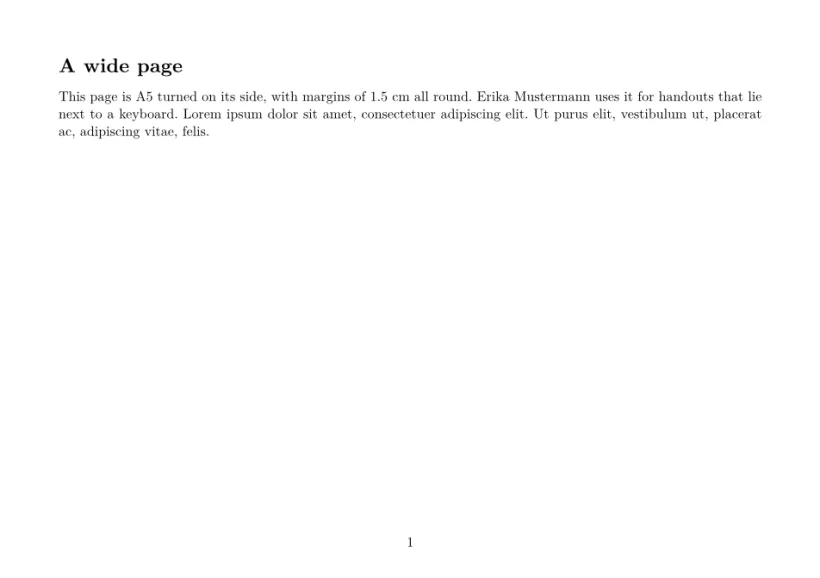
A DL envelope: any size with paperwidth and paperheight
\documentclass{article}
\usepackage[paperwidth=220mm,paperheight=110mm,margin=12mm]{geometry}
\pagestyle{empty}
\begin{document}
Erika Mustermann, Musterstraße 44, 12345 Musterstadt

\begin{flushright}
Hans Mustermann\\
Beispielweg 44\\
54321 Beispielstadt
\end{flushright}
\end{document}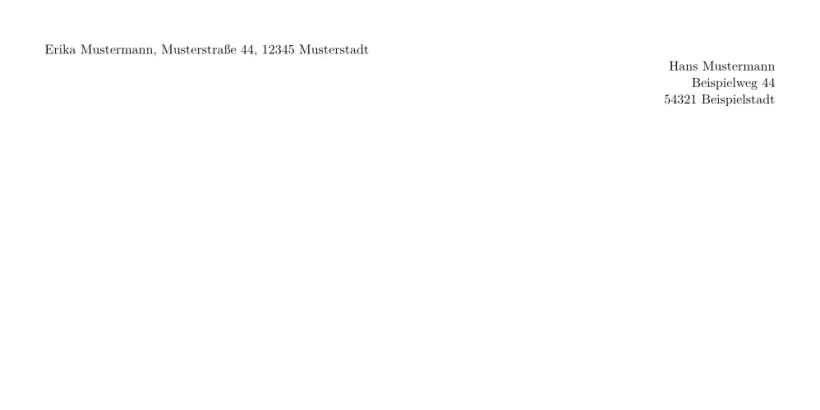
In the editor, New project sets this up for you: the paper list has standard sizes, envelopes, cards, posters and slides, and a Portrait / Landscape switch. Standard sizes go into the class options; the others, and landscape, into a geometry line.
Margins
Without geometry, the margins follow the paper size, close to the standard LaTeX classes:
| Paper | Left and right | Top and bottom |
|---|---|---|
| A4 | 1.4 in (3.6 cm) | 1.3 in (3.3 cm) |
| Letter, A5, B5, Legal and Executive | 1.5 in (3.8 cm) | 1.25 in (3.2 cm) |
With geometry you set them yourself, in the preamble with \usepackage[...]{geometry} or \geometry{...}:
| Key | Meaning |
|---|---|
margin, hmargin, vmargin | All four margins; left and right; top and bottom (one value, or two as {2cm,3cm}) |
left, right, top, bottom (also inner, outer, lmargin ...) | One margin |
textwidth, textheight, text={w,h}, scale | The size of the text block; the margins follow |
centering, hmarginratio, vmarginratio | How the free space is shared when only the text block or one margin is given |
includehead, includefoot, headheight, headsep, footskip | Room for the head and the foot inside the margins |
bindingoffset | Extra room on the left |
columnsep | The gap between columns |
As in the geometry package, two of margin, text block and margin on each axis are enough: left=2cm, textwidth=15cm gives the right margin. With one margin only, the other is the same across the page and half as large again down the page (geometry's ratios 1:1 and 2:3). On a page that is not a standard size and has no margins given, the text block takes 70 % of the page, as with geometry's scale=0.7.
A5 with 1 cm margins
\documentclass[a5paper]{article}
\usepackage[margin=1cm]{geometry}
\begin{document}
This page asks for 1 cm margins on A5 paper, and gets them: the text
runs almost to the edge of the paper, as it does in a TeX
installation. Lorem ipsum dolor sit amet, consectetuer adipiscing
elit. Ut purus elit, vestibulum ut, placerat ac, adipiscing vitae,
felis. Curabitur dictum gravida mauris.
\end{document}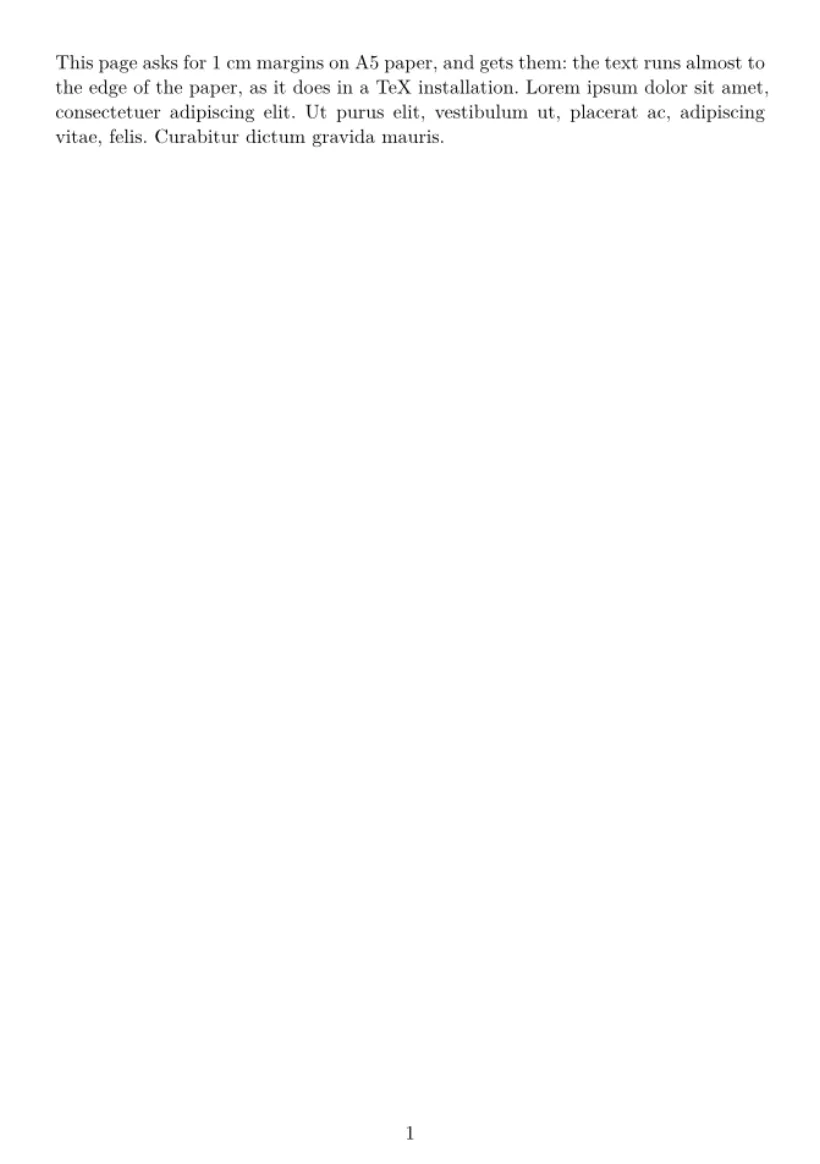
Options that change nothing on screen, such as showframe, drivers (pdftex, dvips), twoside and the margin note settings, are accepted quietly. Any other option is ignored, and one note in the Problems tab names it. \newgeometry and \restoregeometry in the body are ignored: the whole document keeps the page of the preamble.
Headers, footers and page numbers
Every page of an ordinary document has its number centred at the bottom.
| Command or package | In Scissor LaTeX |
|---|---|
\pagestyle{empty}, \pagenumbering{gobble} in the preamble | Works: no page numbers. |
\pagestyle in the body, \thispagestyle{...} | Ignored: the page number stays. |
\pagenumbering{roman} | Ignored: numbers are Arabic. |
fancyhdr: \fancyhead, \fancyfoot, \lhead ... | Ignored: no running headers. |
The conference layouts draw their own running heads and footers where their formats have them.
Line spacing and paragraphs
Line spacing and paragraph settings come from the class:
| Setting | In Scissor LaTeX |
|---|---|
\onehalfspacing, \doublespacing, \linespread{1.5} (setspace) | Ignored. |
\setlength{\parindent}{0pt} | Ignored: paragraphs keep their indent. |
\setlength{\parskip}{1em} | Ignored. |
\noindent | Ignored. |
Spacing settings do not change the text
\documentclass{article}
\usepackage{setspace}
\onehalfspacing
\setlength{\parindent}{0pt}
\begin{document}
The first paragraph is set with the normal line spacing,
although the preamble asks for one and a half.

The second paragraph still starts with an indent, although
the preamble sets the indent to zero.
\end{document}
Page breaks
\newpage, \clearpage and \cleardoublepage start a new page. \pagebreak does too. \enlargethispage and \nopagebreak are ignored.
What differs from a TeX installation
A document laid out here keeps its options in a TeX installation, where fancyhdr and setspace then take effect too. See geometry for the package page; the full manuals are on CTAN: geometry, fancyhdr and setspace.
Questions and answers
How do I set A4 paper in LaTeX?
Add a4paper to the class options: \documentclass[a4paper]{article}. Scissor LaTeX reads it and uses A4 paper with slightly narrower margins than letter paper.
How do I change the margins in LaTeX?
Load geometry, for example \usepackage[margin=2.5cm]{geometry}. Scissor LaTeX applies it, as a TeX installation does.
How do I make a page landscape?
Write \usepackage[a4paper,landscape]{geometry}. The class option landscape works too.
How do I make a two-column document?
Write \documentclass[twocolumn]{article}. For a paper in a conference format, use one of the conference templates, which also span titles and wide figures across both columns.
Every example on this page is typeset by Scissor LaTeX when the site is built. Last updated 2026-11-07.