


LaTeX figure placement: [h], [t], [H] and floats
In an ordinary document Scissor LaTeX keeps every figure and table where you write it in the source, whatever placement letters you give; only the conference layouts move floats to the top or bottom of a page.
What a float is
A float is a figure or table environment. In a TeX installation LaTeX may move it away from where you wrote it, to the top or bottom of a page or to a page of its own, so that pages fill up evenly. The letters in square brackets after \begin{figure} say where it may go.
A figure float with a caption
Some text before the figure.

\begin{figure}[ht]
  \centering
  \begin{tikzpicture}
    \draw[thick] (0,0) rectangle (3,1.5);
    \draw (0,0) -- (3,1.5);
  \end{tikzpicture}
  \caption{A rectangle with one diagonal.}
  \label{fig:rect}
\end{figure}

Figure~\ref{fig:rect} sits right where it was written.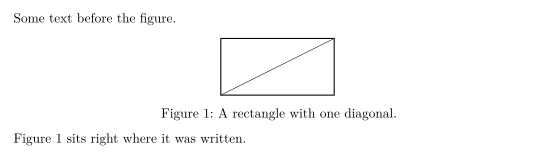
Where floats go in Scissor LaTeX
Scissor LaTeX handles floats in two ways, depending on the layout of the document.
| Document | What the placement letters do |
|---|---|
article, report, book and every other ordinary class | Nothing. The float is set exactly where it is in the source, with a little space above and below. |
Conference layouts (IEEEtran, acmart, llncs and the kit packages such as neurips_2026 or cvpr) | A first letter h or H keeps it in place; t alone moves it to the top of a page or column, b alone to the bottom; anything else lets it go to the nearer of top and bottom. |
In both cases ! is ignored, and so is p (a page of floats). Without any letters, a float in a conference layout may go to the top or the bottom.
The next example asks for the bottom of the page with [b]. In an article the figure stays between the two paragraphs:
[b] in an article: the figure stays in place
The paragraph before the figure.

\begin{figure}[b]
  \centering
  \begin{tikzpicture}
    \fill[gray!30] (0,0) circle (0.6);
    \draw (0,0) circle (0.6);
  \end{tikzpicture}
  \caption{A circle that asked for the bottom.}
\end{figure}

The paragraph after the figure.
In a conference layout the same letters move the float. Here [t] sends the figure to the top of the first column, above the text that comes before it in the source. The Problems tab notes which conference layout is used.
[t] in an IEEEtran document: the figure goes to the top
\documentclass[conference]{IEEEtran}
\begin{document}
\section{Introduction}
This paragraph comes first in the source. The figure below asks for the
top of the column, so the layout moves it above this text.

\begin{figure}[t]
  \centering
  \begin{tikzpicture}
    \draw[thick] (0,0) rectangle (3,1.2);
    \node at (1.5,0.6) {Erika Mustermann};
  \end{tikzpicture}
  \caption{A figure placed with [t].}
\end{figure}

This paragraph follows the figure in the source.
\end{document}
Problems tab: Layout in the style of the IEEE conference format (final mode). Not official. To compile elsewhere, add IEEEtran.cls from ctan.org/pkg/ieeetran.
Captions and numbers
\caption{...} numbers the float and prints "Figure 1:" or "Table 1:" before the text. A \label after the caption lets you refer to the number with \ref (see Labels and cross-references).
There are two details to know:
- The kind comes from the content. A
figurethat holds only atabularis numbered as a table ("Table 1"), and atablethat holds an image or a picture is numbered as a figure. If you want "Figure" on a table of data, put it in afigurewith something else, or keep it a table. - The caption position is fixed. Table captions are always set above the table and figure captions below the figure, wherever you write
\caption.
A figure that only holds a tabular is numbered as a table
\begin{figure}[h]
  \centering
  \caption{Points per round.}
  \begin{tabular}{lr}
    Erika & 44 \\
    John  & 38 \\
  \end{tabular}
\end{figure}
Wide and special floats
Several environments from other packages are read as ordinary floats:
| Environment | Package | In Scissor LaTeX |
|---|---|---|
figure*, table* | standard classes | Set like figure and table. In a two-column article they stay in one column; in the two-column conference layouts they span both columns. |
wrapfigure, wraptable | wrapfig | Set as a normal figure; text does not flow around it. The width argument is read and dropped. |
sidewaysfigure, sidewaystable | rotating | Set as a normal figure, not rotated. |
SCfigure | sidecap | Set as a normal figure with the caption below. |
marginfigure, margintable | tufte classes | Set as a normal figure in the text. |
subfigure, subtable | subcaption | Merged into the surrounding figure; see Figures and images. |
wrapfigure becomes a normal figure
\begin{wrapfigure}{r}{0.4\textwidth}
  \centering
  \begin{tikzpicture}
    \draw[->] (0,0) -- (1.5,0);
    \draw[->] (0,0) -- (0,1.2);
  \end{tikzpicture}
  \caption{Two axes.}
\end{wrapfigure}
In a TeX installation this text would flow around the figure on its right.
Here the figure takes its own line and the text continues below it.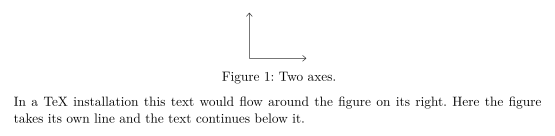
Making it work in both places
If your document must also compile in a TeX installation, write floats the usual way: [htbp] or [t] for most figures, \centering inside, and \caption before \label. Scissor LaTeX keeps them in place and a TeX installation floats them as usual. Commands that control floating, such as \FloatBarrier from placeins or \clearpage, are accepted: \FloatBarrier does nothing here, and \clearpage starts a new page.
What differs from a TeX installation
For the details of the float packages, see float, wrapfig and rotating. The manuals are on CTAN: float, wrapfig and rotating.
Questions and answers
How do I force a figure to stay here in LaTeX?
In Scissor LaTeX you do not need to: figures in ordinary documents always stay where you write them. In a TeX installation, load the float package and write \begin{figure}[H]; that also works here.
Why does my figure appear at the top of the page?
That happens only in the conference layouts, which float figures as LaTeX does. Write [h] as the first letter to keep the figure in the text there.
Why is my figure labelled "Table 1"?
The figure contains only a tabular, so it is numbered as a table. Use a table environment for tables and a figure for images and drawings.
Every example on this page is typeset by Scissor LaTeX when the site is built. Last updated 2026-11-06.