


Document structure
A LaTeX document has two parts. The preamble, from \documentclass to \begin{document}, sets up the document; the body, between \begin{document} and \end{document}, holds what is printed.
The frame
Every document starts with \documentclass{...} and has exactly one document environment. Anything after \end{document} is ignored.
\documentclass[11pt,a4paper]{article}   % the class and its options
\usepackage{amsmath}                    % packages
\title{...}                             % settings for the title
\begin{document}                        % the body starts
  ...
\end{document}                          % the body ends
The document class
The class decides what kind of document you write and how it looks. Scissor LaTeX has its own layout for each family of classes.
| You write | Laid out as | Notes |
|---|---|---|
article, scrartcl and other classes | article | Sections, no chapters |
report, scrreprt | report | Chapters start a new page |
book, scrbook, memoir | book | Chapters, front and back matter |
letter, scrlttr2 | letter | |
beamer | article text | Slides are not made; the frames become plain text |
IEEEtran, acmart, llncs | conference look-alike layouts | See Conference look-alike templates |
The options in square brackets set the paper and the font size. These are read: a4paper, a5paper, b5paper, letterpaper, legalpaper, executivepaper, 10pt, 11pt, 12pt and twocolumn. Other options are accepted and ignored. Without a paper option the page is US Letter, as in a TeX installation. More on this in Document classes and Page layout.
A report in 12 pt on A5 paper: the chapter starts its own page
\documentclass[12pt,a5paper]{report}
\begin{document}
\chapter{Field work}
We spent 44 days by the river and counted
the birds every morning.
\end{document}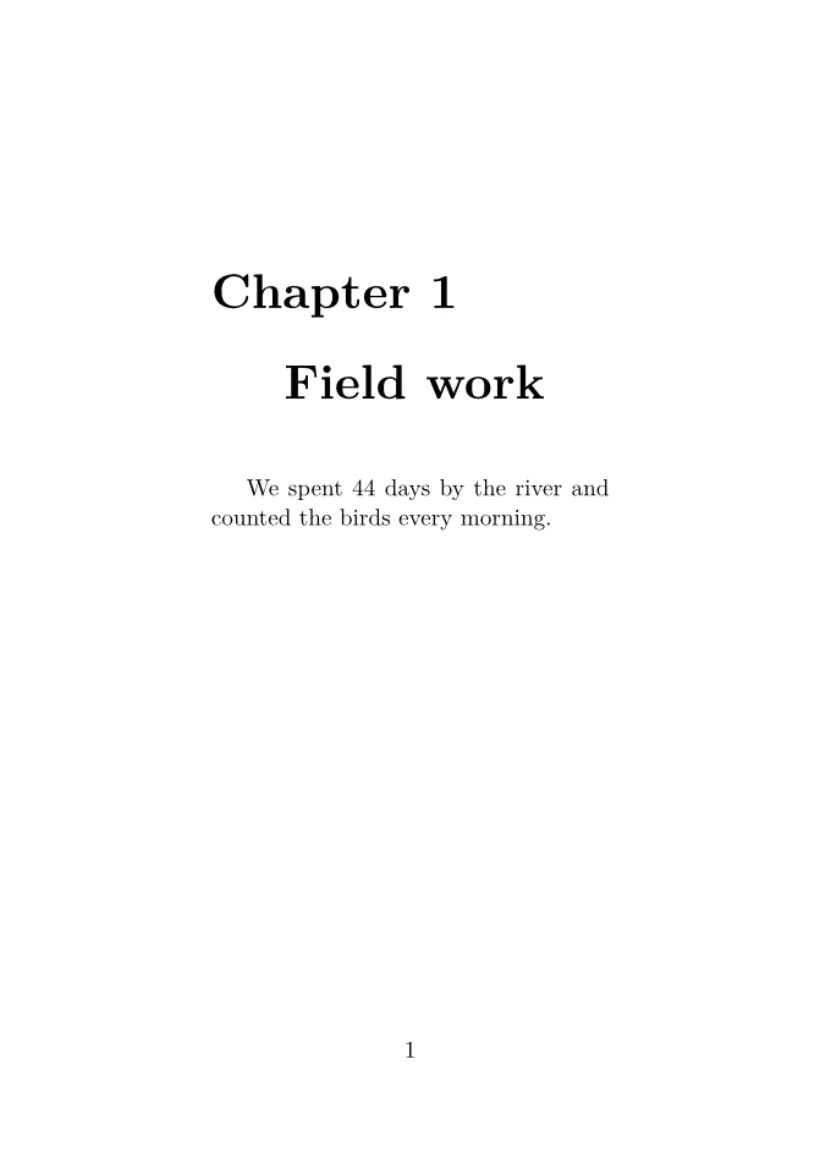
The preamble
Everything between \documentclass and \begin{document} is the preamble. It prints nothing. It is the place for:
\usepackage{...}lines, which load packages;- your own commands, with
\newcommand(see Your own commands); - theorem declarations with
\newtheorem(see Theorems and proofs); - the title, author and date.
\usepackage never stops the document in Scissor LaTeX. Packages are not loaded from files; instead, the commands of popular packages are understood directly. A package the editor does not know is ignored, and the Problems tab says so; commands from it are skipped, with their text kept. The package reference lists what works for each package.
An unknown package is reported, the document still typesets
\documentclass{article}
\usepackage{amsmath}
\usepackage{fancyquotes}
\begin{document}
The document typesets without the package.
\end{document}
Problems tab: Package fancyquotes isn't supported in the preview, so its formatting is not applied. If it is your own package, add fancyquotes.sty to the project.
The title block
\title, \author and \date store the title information, and \maketitle prints it where you put it in the body, usually right at the start. Several authors are joined with \and.
Title, authors and date
\documentclass{article}
\title{Counting Birds by the River}
\author{Erika Mustermann \and Hans Mustermann}
\date{Spring 2026}
\begin{document}
\maketitle
\section{Introduction}
We counted birds every morning for 44 days.
\end{document}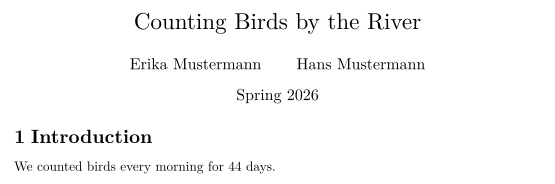
The abstract
In an article or a report, the abstract environment prints a short summary under the heading "Abstract", set a little narrower and smaller than the text. Put it right after \maketitle.
An abstract after the title
\documentclass{article}
\title{Counting Birds by the River}
\author{John Doe}
\date{}
\begin{document}
\maketitle
\begin{abstract}
We report daily bird counts from one river bank over
44 days. Most birds were seen in the first hour after
sunrise.
\end{abstract}
\section{Method}
Two observers counted for one hour each morning.
\end{document}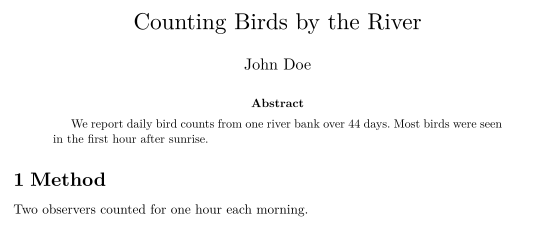
The body
The body holds your text, divided into sections and paragraphs, with lists, math, tables and figures. Long documents can be split into several files; see Projects with several files.
What differs from a TeX installation
Questions and answers
What goes in the LaTeX preamble?
The \documentclass line, \usepackage lines, your own commands and settings such as \title and \author. Nothing in the preamble is printed by itself.
Where does \maketitle go?
In the body, after \begin{document}, at the place where the title should appear: usually the first line.
Can I use a class that is not listed?
Yes. Any class name works; one that Scissor LaTeX does not know is laid out as an article.
Every example on this page is typeset by Scissor LaTeX when the site is built. Last updated 2026-11-07.