


cleveref, nameref and varioref in Scissor LaTeX
The cleveref package mostly works in Scissor LaTeX: \cref and \Cref work with single labels, lists and ranges, along with \cpageref, \namecref, the options capitalise, noabbrev and nameinlink, and \crefname; \nameref prints a number instead of a title, and \vref gives no page hint.
What the packages do
cleveref adds the kind of object to a reference: \cref{fig:plot} prints "fig. 1" without you typing the word, and \cref{a,b} combines several labels into "figs. 1 and 2". nameref prints the title of a section instead of its number. varioref adds page hints such as "on the next page" with \vref.
What works here
| Command | In Scissor LaTeX | Notes |
|---|---|---|
\cref{label} | Works | "section 1", "fig. 1", "table 1", "eq. (1)". |
\Cref{label} | Works | Capitalised, without abbreviations: "Figure 1", "Equation (1)". |
\cref{a,b}, \cref{a,b,c} | Works | "sections 1 and 2". |
\crefrange{a}{b} | Works | "eqs. (1) to (2)". |
\cpageref{label} | Works | "page 1". |
\namecref{label}, \labelcref{label} | Works | The name alone ("eq.") or the number alone ("(1)"). |
\crefname, \Crefname | Works | Your own names, in the preamble. |
Options capitalise, noabbrev, nameinlink | Works | Other options are ignored. |
\nameref{label} (nameref) | Partly | Prints the number, not the title. |
\vref, \Vref (varioref) | Partly | Prints the number, without a page hint. |
Examples
\cref names the kind of object for you, and combines several labels:
\cref and \Cref
\section{Data}\label{sec:data}
\section{Method}\label{sec:method}
\begin{figure}[h]
  \centering
  \fbox{A plot of the 44 samples}
  \caption{Samples.}\label{fig:samples}
\end{figure}
\begin{table}[h]
  \centering
  \begin{tabular}{lr} Erika & 44 \\ Hans & 38 \\ \end{tabular}
  \caption{Counts.}\label{tab:counts}
\end{table}
As \cref{sec:data,sec:method} explain, \cref{fig:samples} shows
the samples. \Cref{tab:counts} counts them.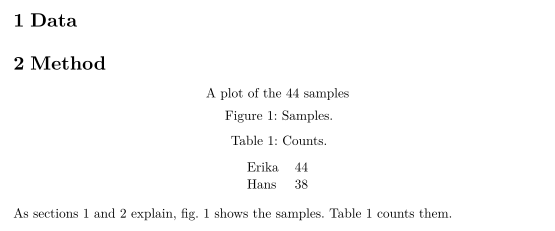
Equations, ranges and page references:
Equations, \crefrange and \cpageref
\begin{equation} a + b = 44 \label{eq:sum} \end{equation}
\begin{equation} a - b = 2 \label{eq:diff} \end{equation}
Adding \crefrange{eq:sum}{eq:diff} gives $a = 23$; \Cref{eq:sum}
is on \cpageref{eq:sum}.
The options capitalise and noabbrev write full, capitalised names everywhere, and \crefname sets your own. With capitalise, \cref uses the capitalised form of your name, so part below prints as "Part":
Options and \crefname
\documentclass{article}
\usepackage[capitalise,noabbrev]{cleveref}
\crefname{section}{part}{parts}
\begin{document}
\section{Overview}\label{sec:overview}
\begin{figure}[h]
  \centering
  \fbox{Diagram}
  \caption{A diagram.}\label{fig:diagram}
\end{figure}
\cref{fig:diagram} belongs to \cref{sec:overview}.
\end{document}
\nameref prints the section number here, not its title:
\nameref prints a number
\section{Related work}\label{sec:related}
John Doe's results are summarised in \nameref{sec:related}.
Compatibility
- From a TeX installation to here: references with
\crefand friends look as they do in a TeX installation.\namerefgives a number instead of a title, and\vrefhas no "on the next page" hint. - From here to a TeX installation: documents compile there unchanged. Load
cleverefafterhyperref, as its manual asks.
The full manuals are on CTAN: ctan.org/pkg/cleveref, ctan.org/pkg/nameref and ctan.org/pkg/varioref. For a guide, see Labels and cross-references, and for \autoref, hyperref.
Questions and answers
What is the difference between \cref and \Cref?
\cref uses short, lower-case names such as "fig. 1" or "eq. (1)". \Cref writes them in full with a capital letter, for the start of a sentence. The option capitalise makes \cref behave like \Cref everywhere.
Does \nameref print the section title?
Not yet. It prints the section number, so the sentence still reads, but differently. Write the title out if it matters.
Every example on this page is typeset by Scissor LaTeX when the site is built. Last updated 2026-11-06.