


Projects with several files
Keep the preamble and \begin{document} in main.tex and pull in the other files with \input{chapters/intro} or \include{chapters/intro}; Scissor LaTeX joins them into one document before it typesets.
Why split a document
A thesis or a long report is easier to work on in pieces: one file per chapter, one for the preamble, one for the appendix. LaTeX has two commands for this, and both work in Scissor LaTeX.
| Command | What it does | In Scissor LaTeX |
|---|---|---|
\input{file} | Puts the file's text right here, as if you had typed it. | Works, also in the preamble and nested. |
\include{file} | Starts a new page, puts the file's text here, and ends the page. | Works. Page breaks in a row make one break, so there are no empty pages. |
\includeonly{a,b} | Leaves out every \include not in the list. | Ignored: all files are included. |
\subfile{file} (subfiles) | Like \input, for files that also compile alone. | Not supported: skipped with a message. Use \input. |
\import{dir/}{file} (import) | \input relative to another folder. | Not supported: skipped with a message. |
A small project
A typical project has a main file and a folder of chapters:
main.tex
preamble.tex
chapters/intro.tex
chapters/method.tex
refs.bib
The main file holds the class, the preamble and the document body, and pulls in the rest:
\documentclass{report}
\input{preamble}

\title{Rainfall at Two Sites}
\author{Erika Mustermann}

\begin{document}
\maketitle
\input{chapters/intro}
\input{chapters/method}
\bibliographystyle{plain}
\bibliography{refs}
\end{document}
Each chapter file holds only its part of the text, with no preamble and no \begin{document}:
\chapter{Introduction}
\label{chap:intro}
Rain gauges were read every morning for 44 days.
The method is described in Chapter~\ref{chap:method}.
Scissor LaTeX replaces each \input and \include with the file's text and typesets the result as one document. Labels, references and citations work across files, because to the typesetter it is all one text.
What the joined document looks like
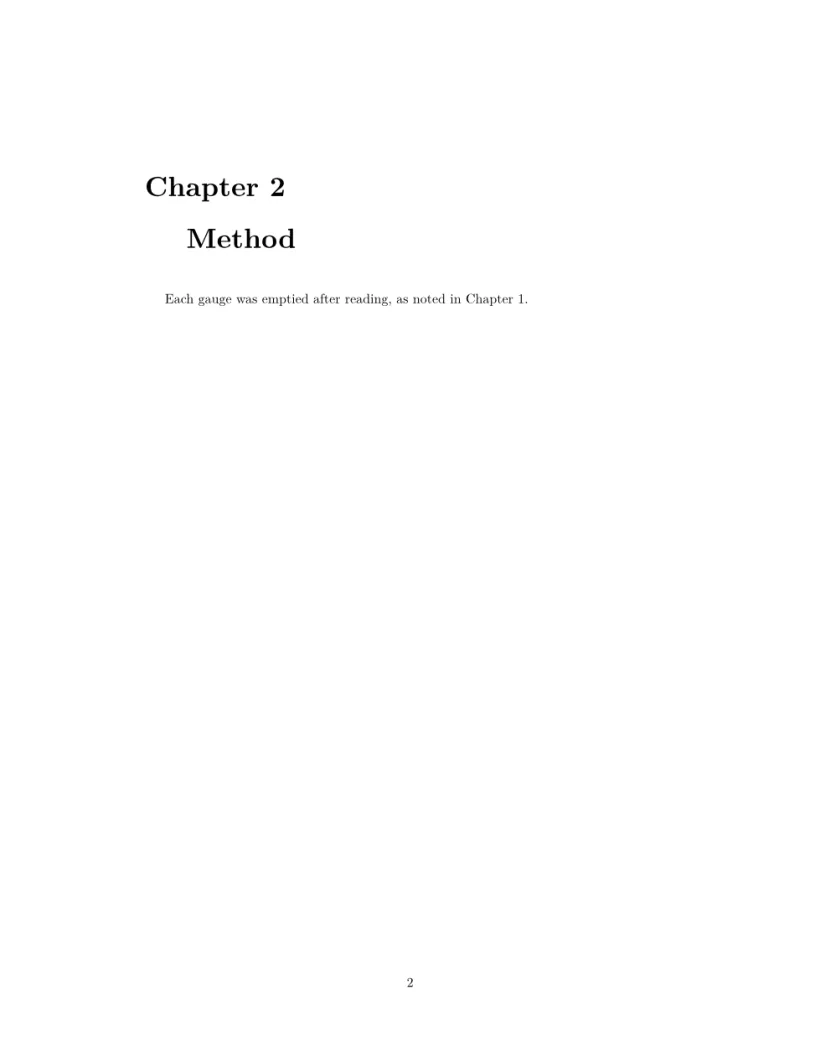
This is what the editor typesets when main.tex pulls in two chapter files with \input: the text of both files, in order. (The example is written as one file so it can be shown here.) In a report or book, \chapter starts each chapter on a new page by itself.
Two chapter files, joined into one document
\documentclass{report}
\begin{document}
\chapter{Introduction}
\label{chap:intro}
Rain gauges were read every morning for 44 days.
The method is described in Chapter~\ref{chap:method}.
\chapter{Method}
\label{chap:method}
Each gauge was emptied after reading, as noted in
Chapter~\ref{chap:intro}.
\end{document}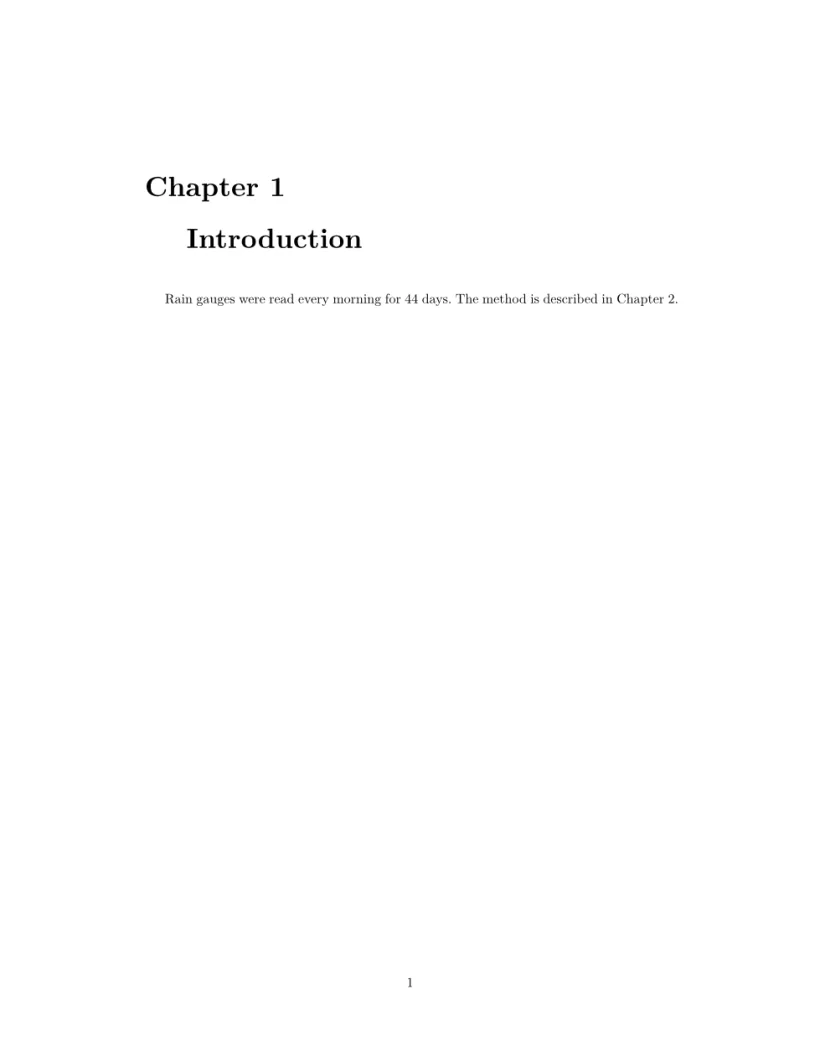
How file names are found
- Paths are relative to the project's top folder, as they are relative to the main file's folder in LaTeX, also inside nested files.
- The
.texextension can be left out:\input{chapters/intro}findschapters/intro.tex. - Quotes around a name, as in
\input{"my file"}, are removed. - A file that is missing is listed as an error in the Problems tab, with the line of the
\input. The rest of the document still typesets. - A file that includes itself, directly or through others, is left out with a message, and nesting stops after 24 levels.
subfiles and \includeonly
The subfiles package lets each chapter compile on its own. Scissor LaTeX does not follow \subfile: the command is skipped and the Problems tab says that a file was not included.
\subfile is not followed
\documentclass{article}
\usepackage{subfiles}
\begin{document}
The chapter below is not included:
\subfile{chapters/intro}
Replace it with an \verb|\input| line.
\end{document}
Problems tab: 1 included file is not part of this conversion
To work on one chapter at a time, comment out the other \include lines with %. \includeonly is accepted but has no effect: every included file is typeset. The same goes for \lstinputlisting and \inputminted, which are skipped with the same message (see Code listings).
Other files in the project
Images, .bib files and data files can live in any folder; refer to them with their path from the top folder, such as \includegraphics{figures/plot.png}. All .bib files in the project are used for citations, whatever \bibliography names (see Bibliographies). To bring a whole project from a TeX installation, see Projects and files.
What differs from a TeX installation
The manuals of the related packages are on CTAN: subfiles and import.
Questions and answers
What is the difference between \input and \include?
\input pastes the file's text in place. \include also starts and ends a new page around it, and in a TeX installation it works with \includeonly. In Scissor LaTeX both work for chapters; \includeonly is ignored, so every \include is typeset.
Why is my \input file not found?
Check the path from the project's top folder and the spelling, including capital letters. The Problems tab shows the name it looked for and the line of the \input.
Does subfiles work in Scissor LaTeX?
No. Replace \subfile{...} with \input{...}; the chapter files then need no preamble of their own.
Every example on this page is typeset by Scissor LaTeX when the site is built. Last updated 2026-11-06.