


Journal look-alike templates
Yes. When your document uses a journal class such as revtex4-2, elsarticle, sn-jnl, amsart, IEEEtran, acmart with acmsmall, aa, iopjournal, mdpi or aastex701, Scissor LaTeX lays it out like that journal's format, with the modes the class has. Twelve templates start from one of them.
What these templates are
Journals publish author kits: a class, a template .tex and a bibliography style. Scissor LaTeX does not run those files. It recognises the \documentclass line (and, for PLOS ONE, the template's page geometry or .bst) and switches to its own layout in the same style: page size, columns, fonts, title block, headings, captions and the reference style. Your .tex stays standard, so the same file compiles with the official kit in a TeX installation.
To start from one, choose New project in the editor and open the Journals tab.
The twelve layouts
| Journal | Line that switches it on | Modes | Page |
|---|---|---|---|
| APS Physical Review | \documentclass[reprint,aps,prb]{revtex4-2} | reprint, preprint | Letter, two columns |
| AIP journals | \documentclass[aip,jap,reprint]{revtex4-2} | reprint, preprint | Letter, two columns |
| Elsevier | \documentclass[preprint,12pt]{elsarticle} | preprint, review, 1p, 3p, 5p | A4, one or two columns |
| Springer Nature | \documentclass[pdflatex,sn-mathphys-num]{sn-jnl} | default, iicol, referee, lineno | A4, one column |
| AMS journals | \documentclass{amsart} | none (reqno puts equation numbers right) | Letter, one column |
| IEEE Transactions | \documentclass[journal]{IEEEtran} | journal, peerreview, draftcls | Letter, two columns |
| ACM journals | \documentclass[acmsmall]{acmart} | review, anonymous, nonacm | Letter, one column |
| Astronomy & Astrophysics | \documentclass{aa} | default, referee, letter | A4, two columns |
| IOP Publishing | \documentclass{iopjournal} | default, anonymous | A4, one column |
| MDPI | \documentclass[journal,article,submit,moreauthors]{Definitions/mdpi} | submit, accept | A4, one column |
| PLOS ONE | \documentclass[10pt,letterpaper]{article} with the template's geometry | none | Letter, one column, wide left margin |
| AAS journals | \documentclass[twocolumn,linenumbers]{aastex701} | default, twocolumn, manuscript, preprint, preprint2, modern, anonymous | Letter, one or two columns |
Every journal document shows one note in the Problems tab that names the layout and mode, and where to get the official files. Options a layout does not draw (such as revtex rmp, IEEEtran compsoc or the older iopart class) use the nearest layout, with a note.
Fonts
Most layouts use Latin Modern, as the kits use Computer Modern. IEEE Transactions is set in TeX Gyre Termes (a free Times), ACM journals in Libertinus, MDPI in TeX Gyre Pagella (a free Palatino) with Pagella Math, and the sans headings of AIP, A&A and IOP in Latin Modern Sans. A&A with txfonts, elsarticle with times and AASTeX with times switch the text to Termes. These fonts are downloaded the first time a document needs them.
Physics
APS Physical Review (revtex4-2)
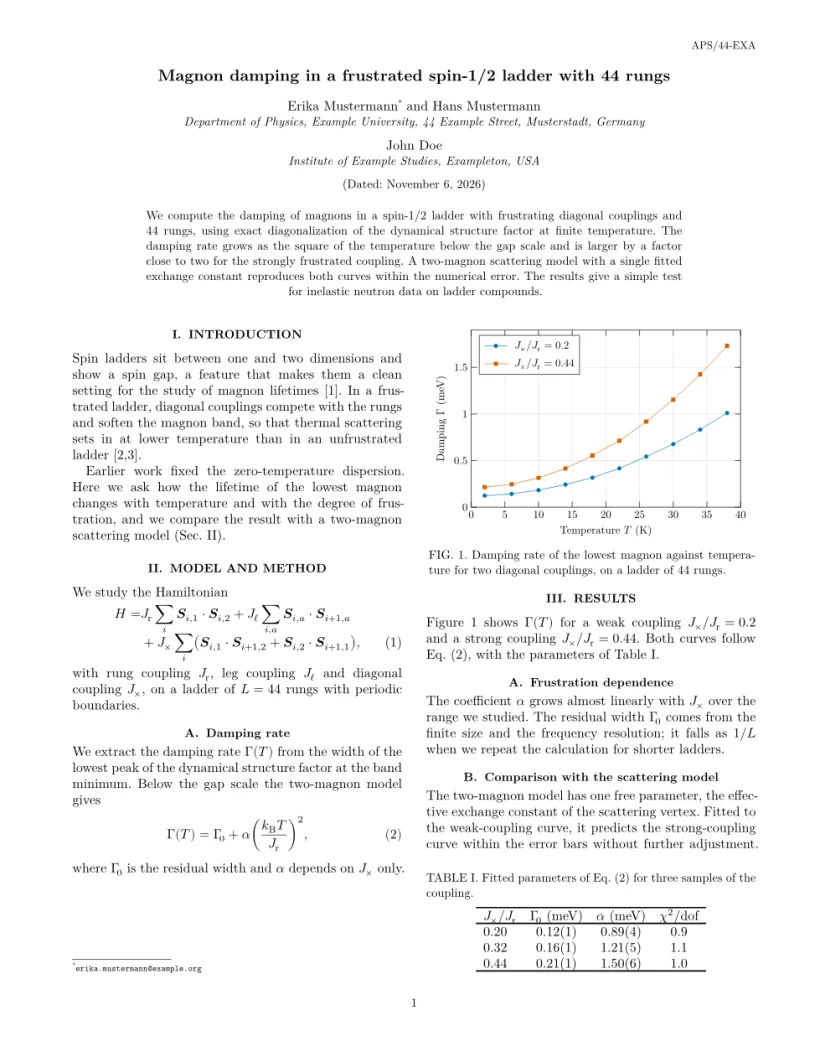
The title block spans both columns; affiliations follow the authors they belong to, or are numbered with superscriptaddress. Sections are numbered in Roman numerals and set in capitals, captions read "FIG. 1." and "TABLE I.", and references are numbered. preprint gives one column at 12 pt.
AIP journals (revtex4-2)
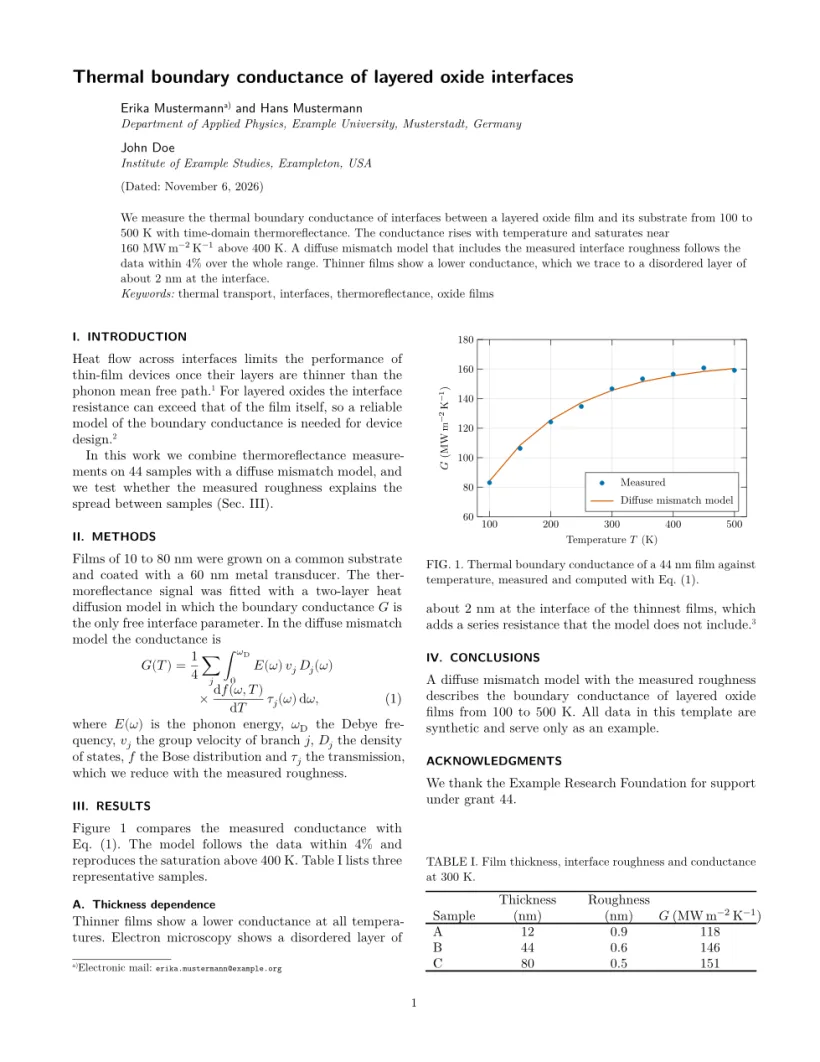
The same class with the aip option and a journal such as jap, jcp or apl: the title, authors and headings are in sans serif and flush left.
IOP Publishing (iopjournal)
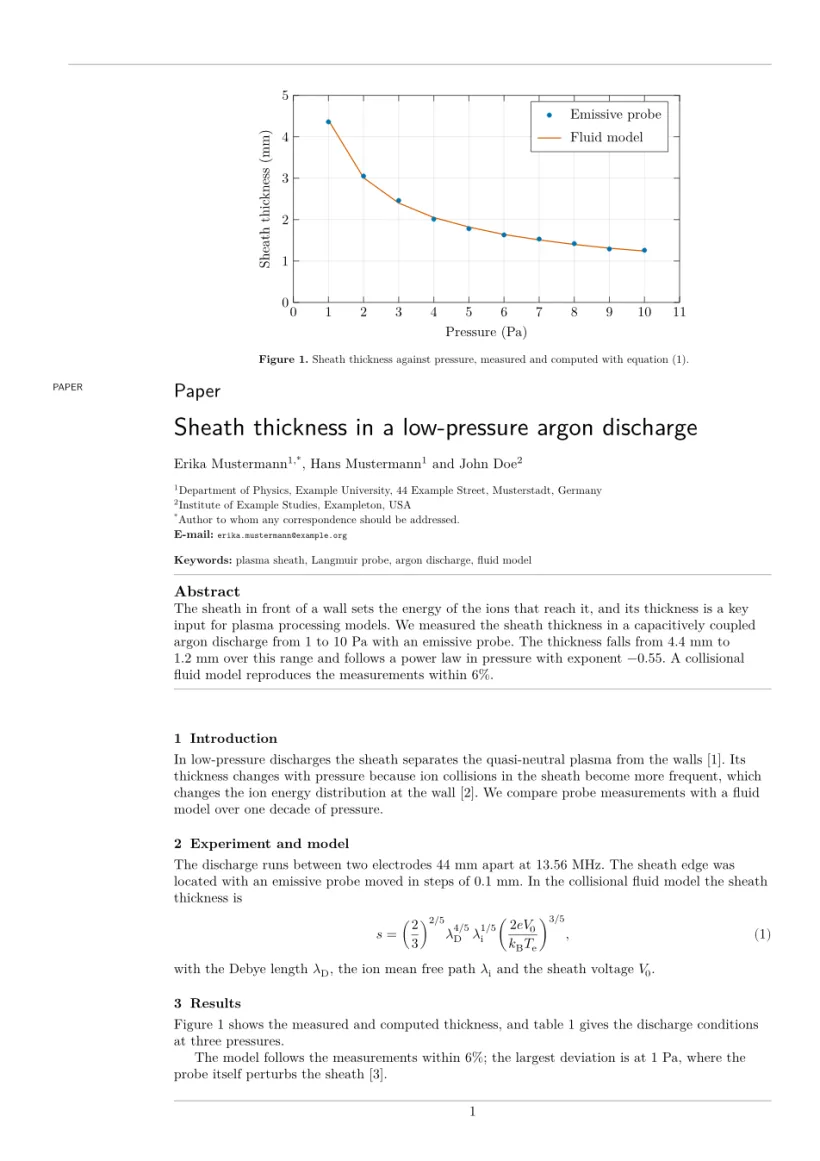
There is no \maketitle: the article type, title, authors, affiliations, keywords and abstract print where they are written. The back-matter commands \ack, \funding, \roles and \data become headed sections, and anonymous hides the authors for review.
Astronomy
Astronomy & Astrophysics (aa)
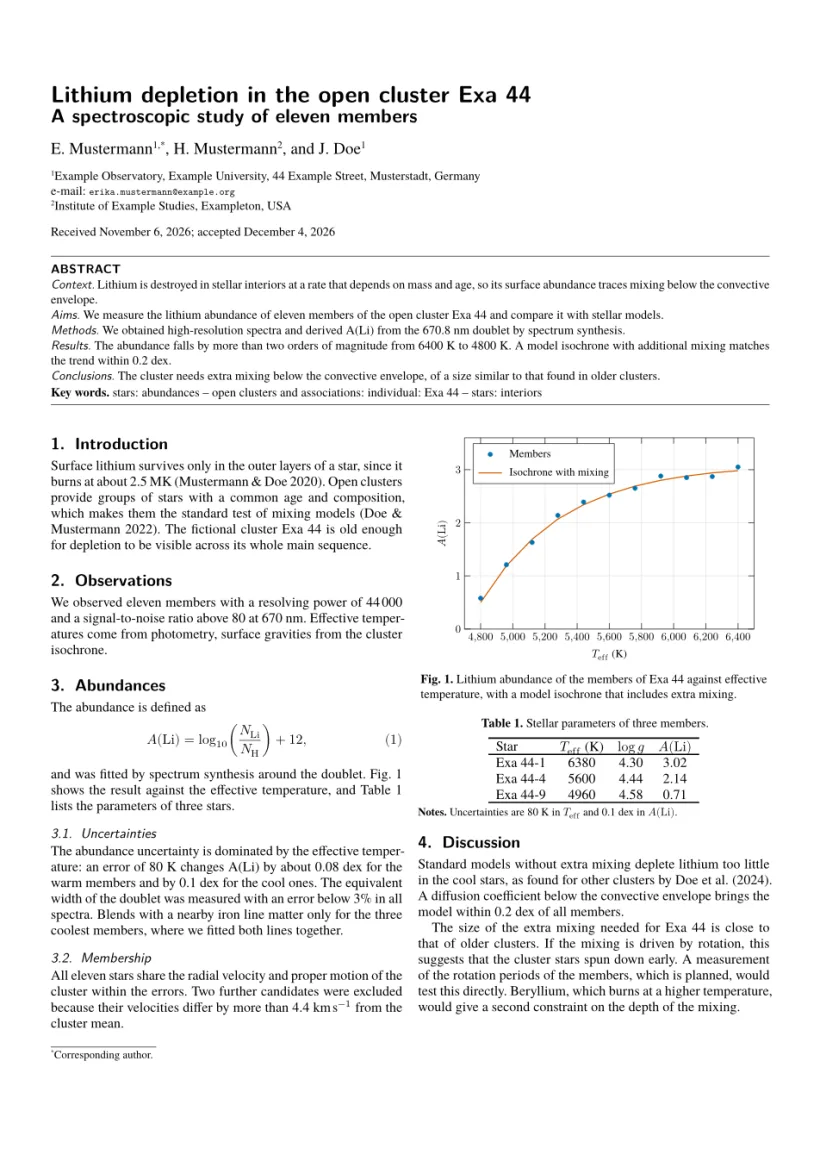
Two columns on A4 with a structured abstract (\abstract{context}{aims}{methods}{results}{conclusions}, five arguments), \tablefoot notes under tables and author-year citations.
AAS journals (AASTeX 7)
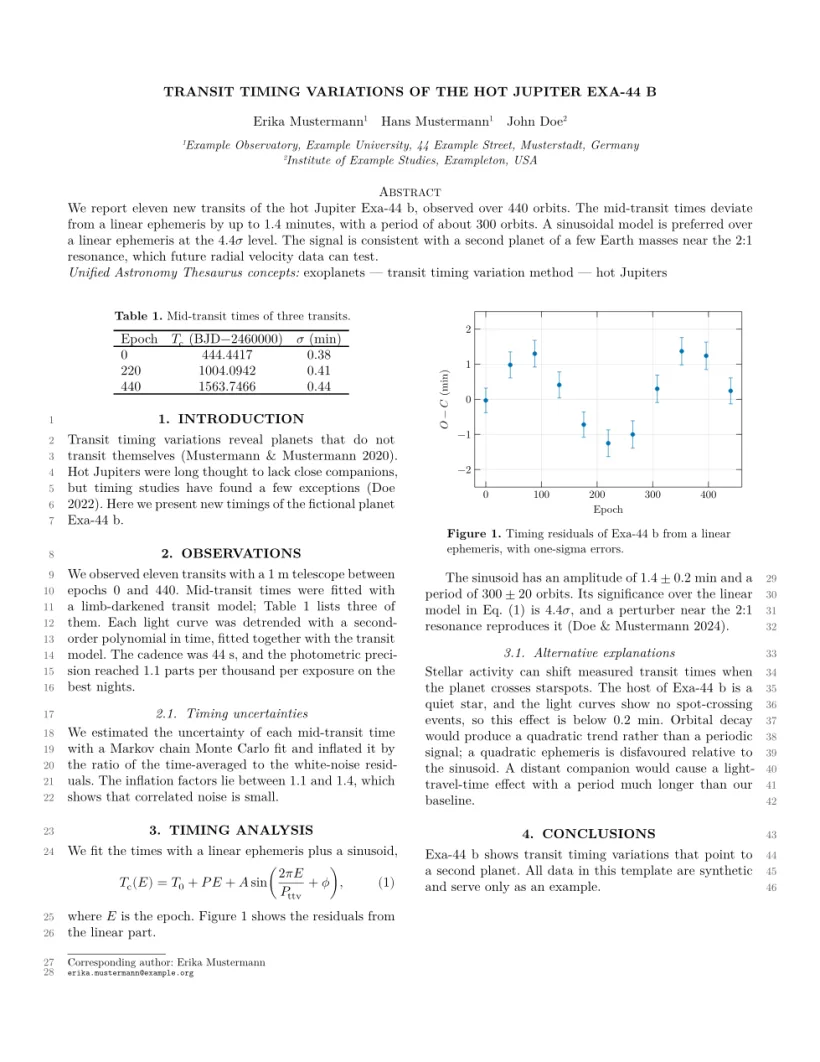
aastex701 (and older names such as aastex631) with its layout options; the template uses twocolumn and linenumbers, as AAS asks for submission. Citations are author-year.
Mathematics and computing
AMS journals (amsart)
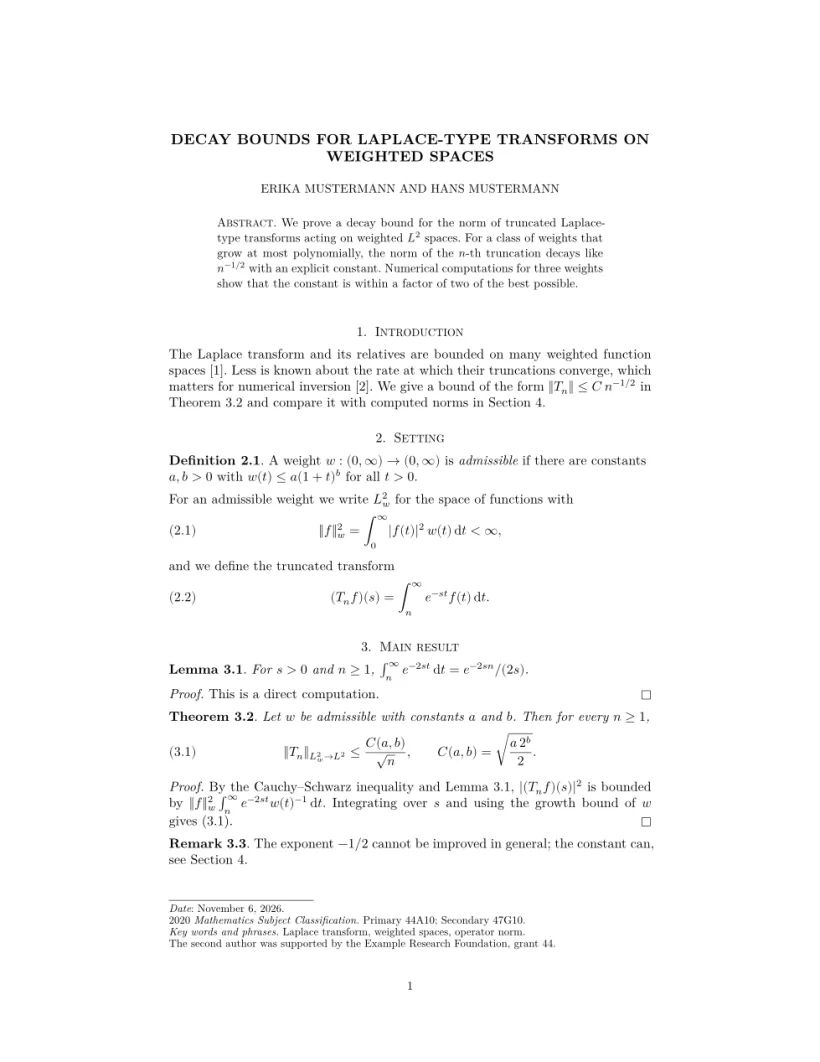
One column with the class's title block and headings, theorems that share a counter (\newtheorem{lemma}[theorem]{Lemma}) and count within sections ([section]), and the authors' addresses at the end of the article, as amsart prints them. amsproc uses the same layout.
IEEE Transactions (IEEEtran)
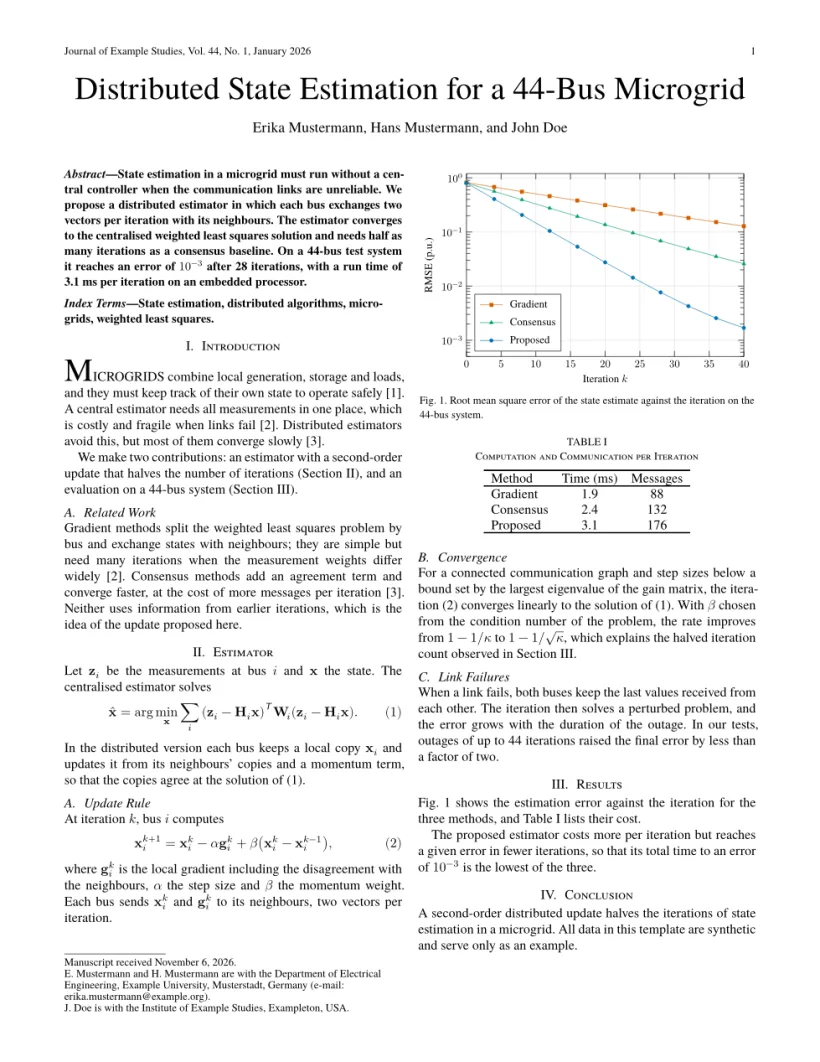
IEEEtran without the conference option is the journal layout: running heads from \markboth, \thanks notes without marks under the title, Roman section numbers and numbered references. See also IEEE conference.
ACM journals (acmart)
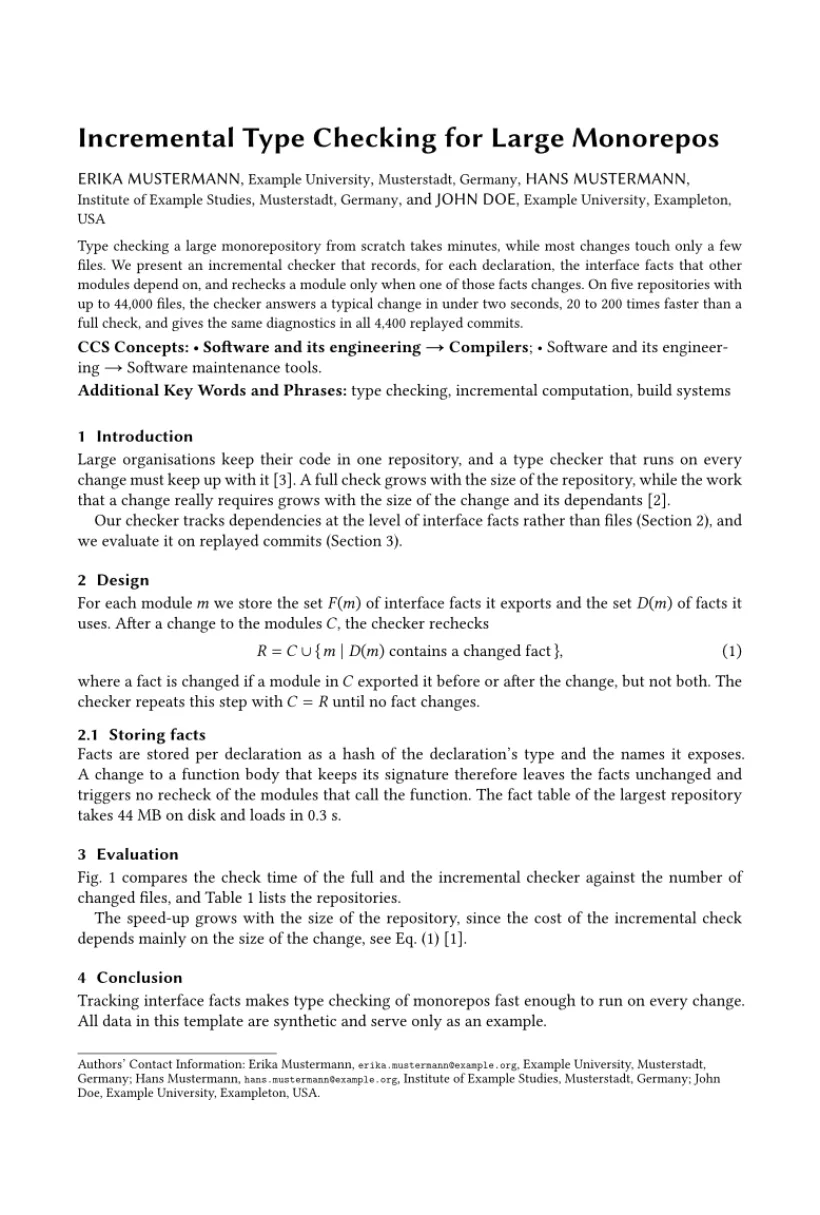
acmart with acmsmall, acmlarge, acmtog or manuscript is drawn in the one-column journal layout, with CCS concepts, keywords and the reference format block. review adds line and page numbers, anonymous hides the authors. See also ACM sigconf.
Multidisciplinary publishers
Elsevier (elsarticle)
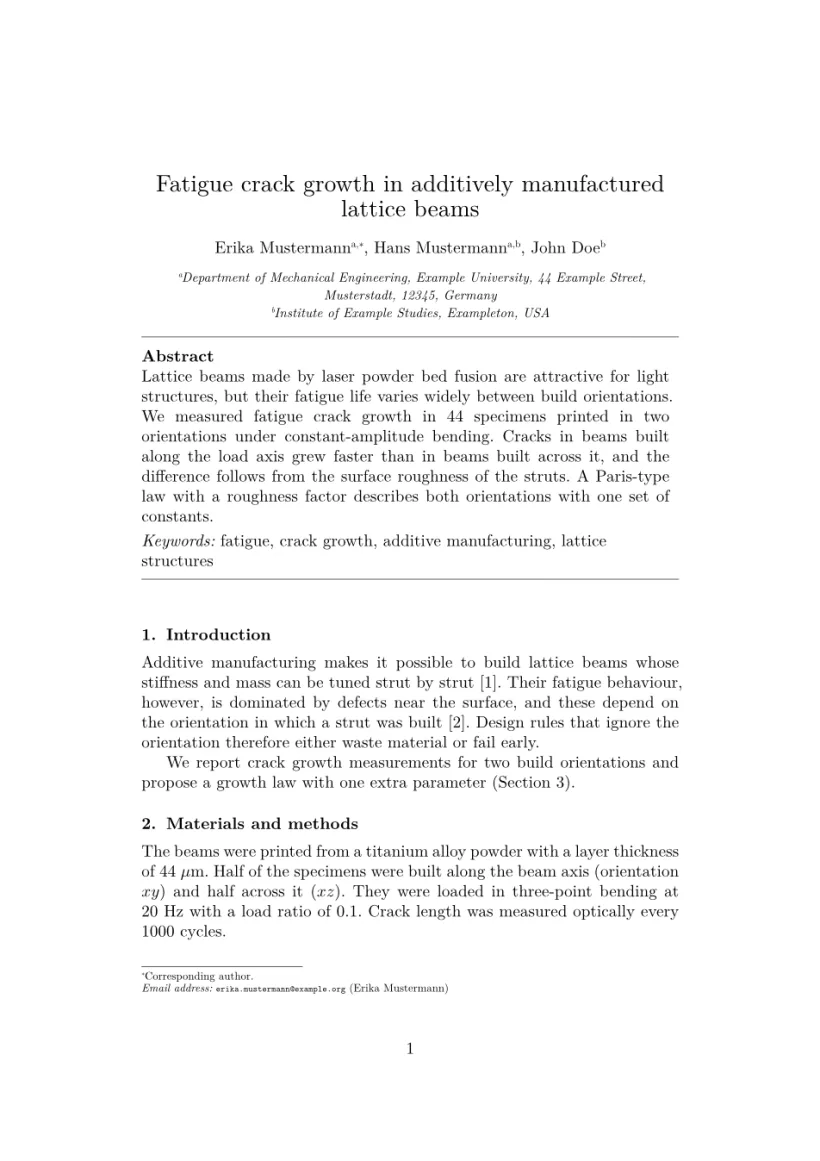
Authors are linked to lettered affiliations, with \ead e-mail notes and \cortext for the corresponding author; the abstract and keyword list sit between two rules in the frontmatter. 1p, 3p and 5p give the journal looks, authoryear author-year references.
Springer Nature (sn-jnl)
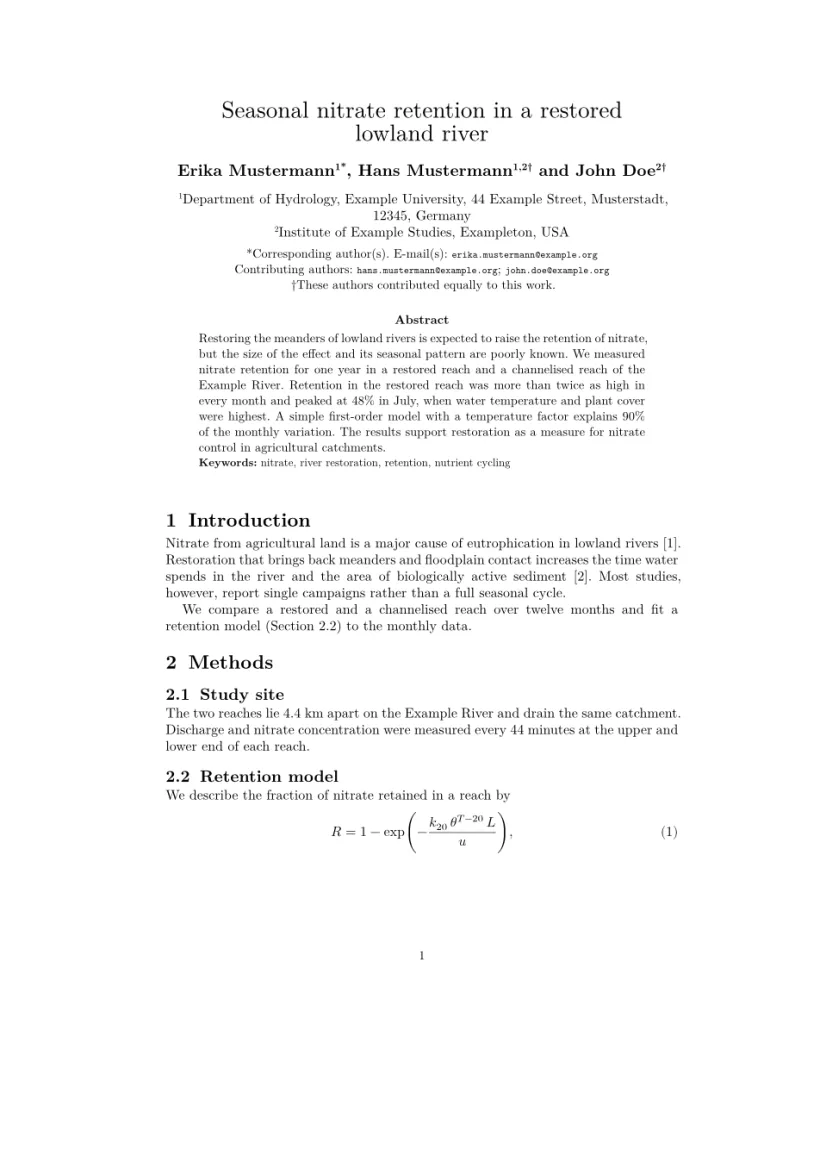
Numbered affiliations, \author* for the corresponding author, and the back-matter statements. The reference option (sn-mathphys-num, sn-basic, sn-nature and the others) chooses the citation style.
MDPI
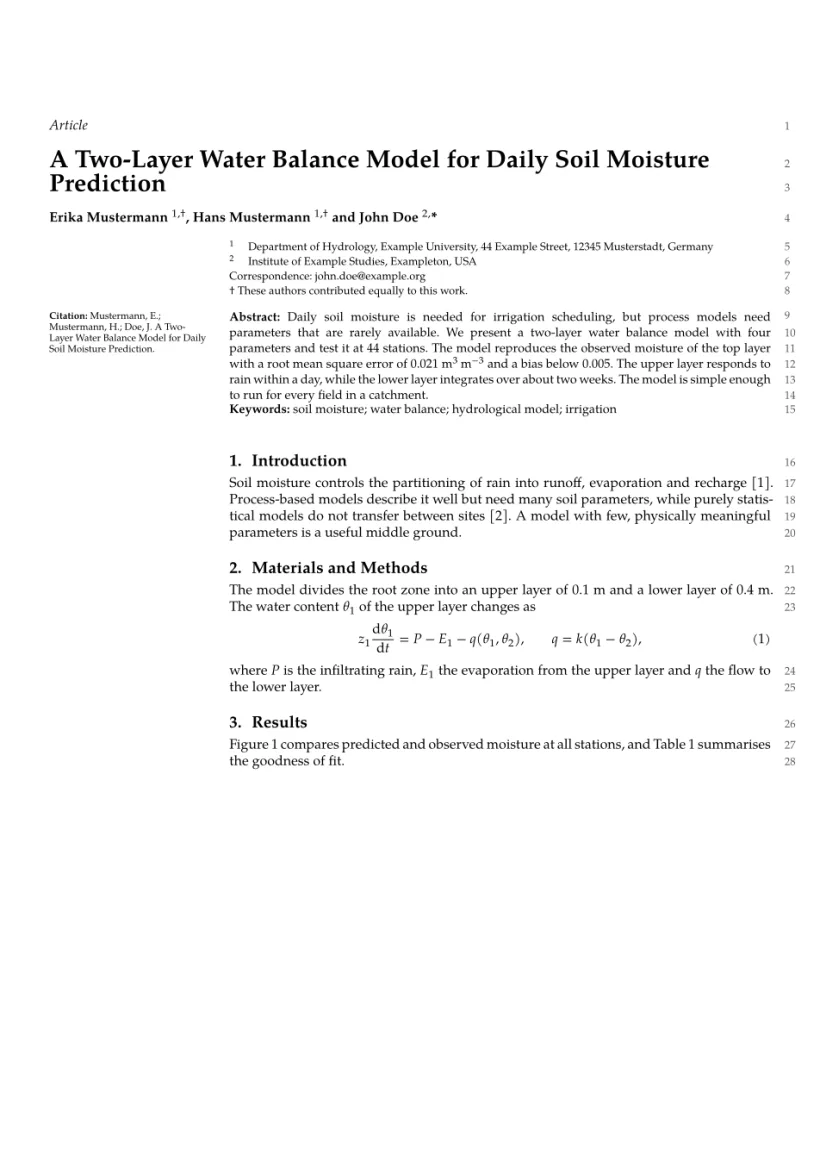
The class name ends in mdpi (the template uses Definitions/mdpi). The first option is the journal, the second the article type; submit turns line numbers on and accept off. The title block comes from preamble commands such as \Title and \Author, with a wide left margin.
PLOS ONE
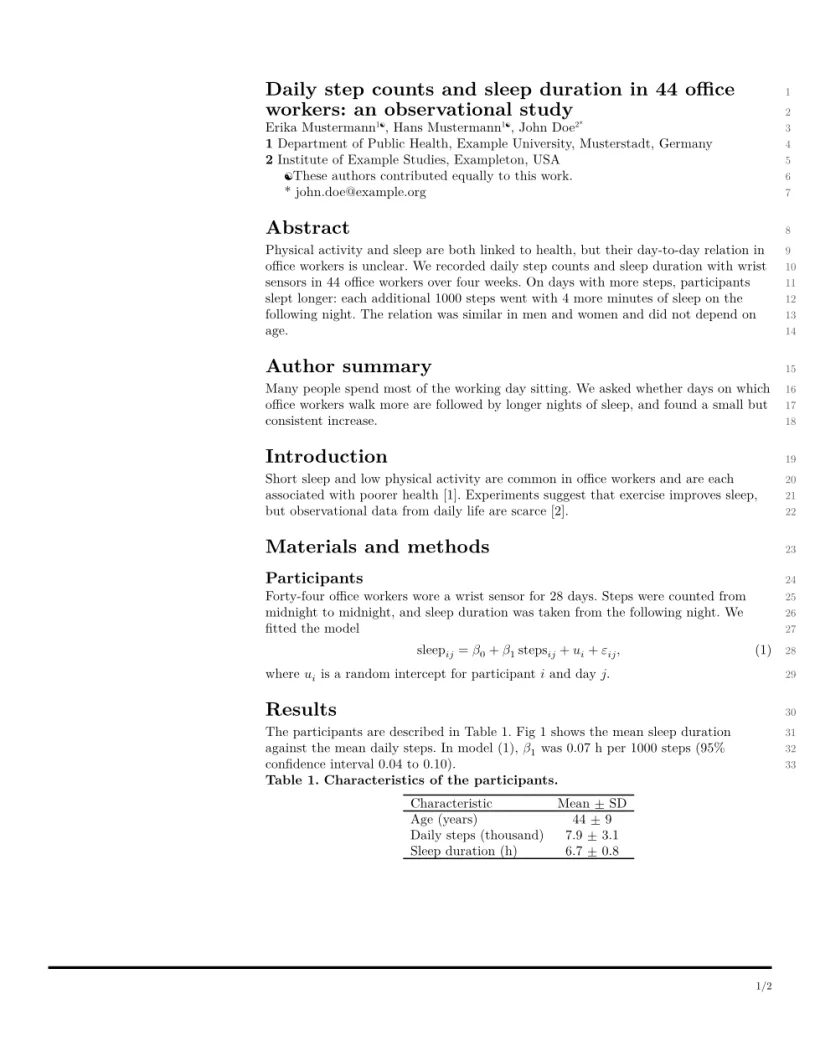
PLOS has no class: the layout is recognised from the template's geometry line (a 2.75 in left margin) or a plos bibliography style. Line numbers come from \linenumbers, as in the official template.
What is the same in every layout
Everything Scissor LaTeX supports works inside a journal document: math, theorems, tables, figures, pgfplots charts, citations and cross-references. figure* and table* span both columns in the two-column layouts. Each layout sets its default bibliography style; see bibliographies.
Also see
- Conference look-alike templates for IEEE, ACM, LNCS, NeurIPS, ICML, ICLR, CVPR, ACL and the arXiv style.
- Document classes for how the class line chooses a layout.
Questions and answers
Are these the official journal templates?
No. They are look-alike layouts for drafting and previewing. For submission, download the journal's official kit; your .tex file works with it unchanged.
My revtex or elsarticle paper looked like a plain article before. Why did it change?
These classes now have their own look-alike layouts. Nothing in your file changes; only the preview follows the class line.
Can I switch an existing paper to another journal?
Change the \documentclass line, and the class-specific commands such as \affiliation or \affil. Standard LaTeX in the body stays as it is.