


Sections and table of contents
Write \section{Title}, \subsection{Title} and \subsubsection{Title} where each part starts; they are numbered for you. \tableofcontents prints a table of contents with page numbers from those headings.
Headings
Each sectioning command takes the heading text in braces. The levels below are numbered automatically: 1, 1.1, 1.1.1.
Three levels of headings
\section{Methods}
We used two instruments.
\subsection{Thermometers}
Both were calibrated in March.
\subsubsection{Placement}
One in the shade, one in the sun.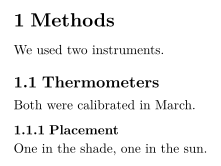
| Command | Level | Available in |
|---|---|---|
\part{...} | parts | all classes (see the note below) |
\chapter{...} | chapters | report and book |
\section{...} | sections | all classes |
\subsection{...} | subsections | all classes |
\subsubsection{...} | subsubsections | all classes |
\paragraph{...} | a bold heading at the start of a paragraph | all classes |
\subparagraph{...} | the same, one level lower | all classes |
\paragraph and \subparagraph are run-in headings: the text continues on the same line.
Run-in headings with \paragraph
\paragraph{Weather.} Sunny on most days, with rain
on the 4th and the 14th.
\paragraph{Equipment.} Nothing broke.
Unnumbered headings
Add a star to leave out the number: \section*{Acknowledgements}. This works for every level.
A starred section has no number
\section{Results}
The mean was 44.
\section*{Acknowledgements}
We thank Hans Mustermann for the thermometers.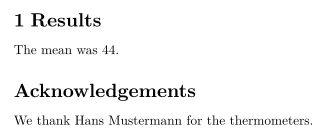
Table of contents
\tableofcontents prints the headings with their numbers and page numbers, at the place where you write it. It is updated on every keystroke, so there is no need to typeset twice as in a TeX installation.
A table of contents at the top
\documentclass{article}
\begin{document}
\tableofcontents
\section{Introduction}
Why we count birds.
\subsection{Earlier work}
What others found.
\section{Method}
How we counted.
\end{document}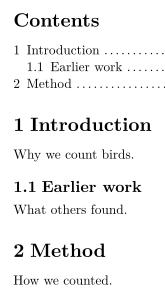
\section[Short title]{Long title} gives a short form for the table of contents in a TeX installation. Scissor LaTeX uses the long title in both places. \setcounter{tocdepth}{...} and \setcounter{secnumdepth}{...} are ignored: every level down to \subsubsection is numbered and listed. \listoffigures and \listoftables print nothing.
Chapters in a report or book
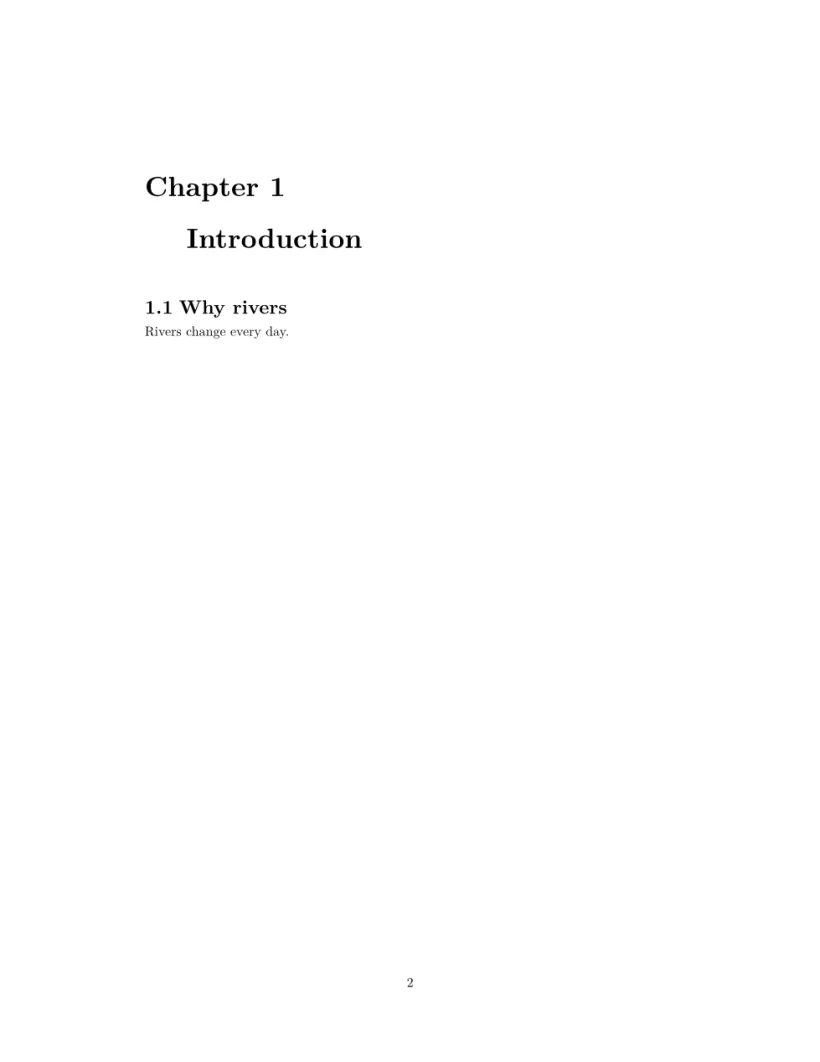
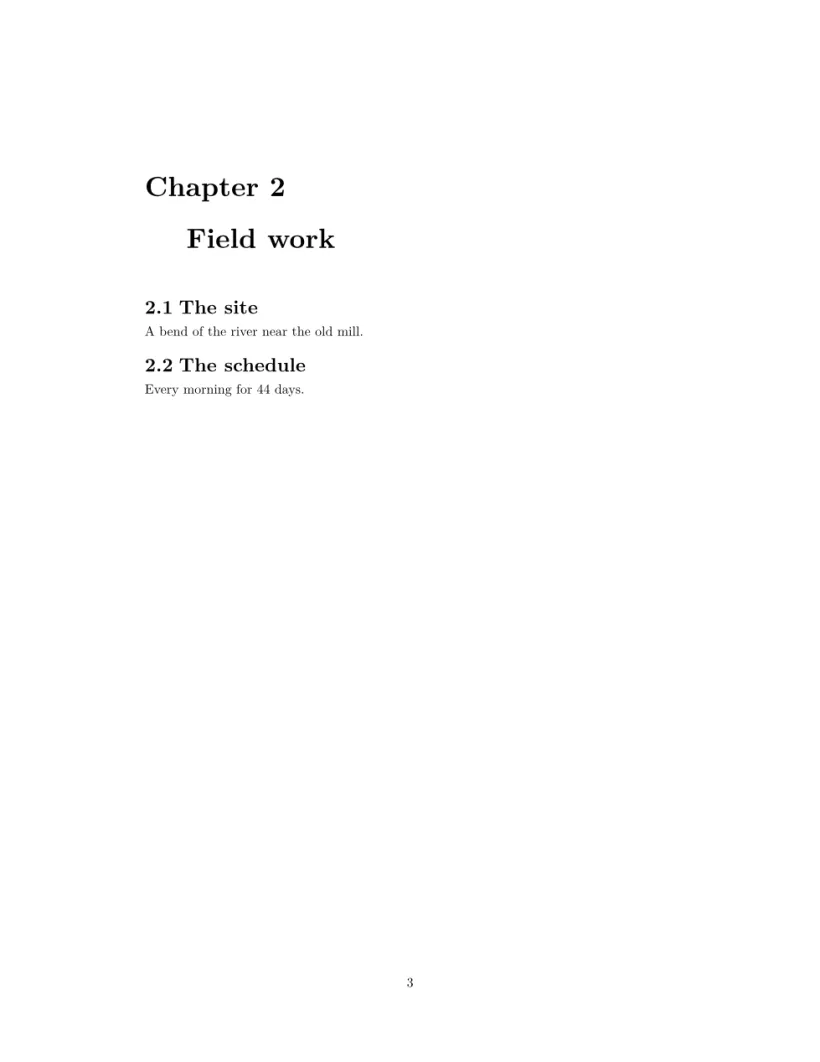
With \documentclass{report} or book, \chapter is the top level. Each chapter starts a new page with "Chapter 1" above its title, sections are numbered 1.1, 1.2, and the table of contents gets a page of its own.
A report: contents page, then one page per chapter
\documentclass{report}
\begin{document}
\tableofcontents
\chapter{Introduction}
\section{Why rivers}
Rivers change every day.
\chapter{Field work}
\section{The site}
A bend of the river near the old mill.
\section{The schedule}
Every morning for 44 days.
\end{document}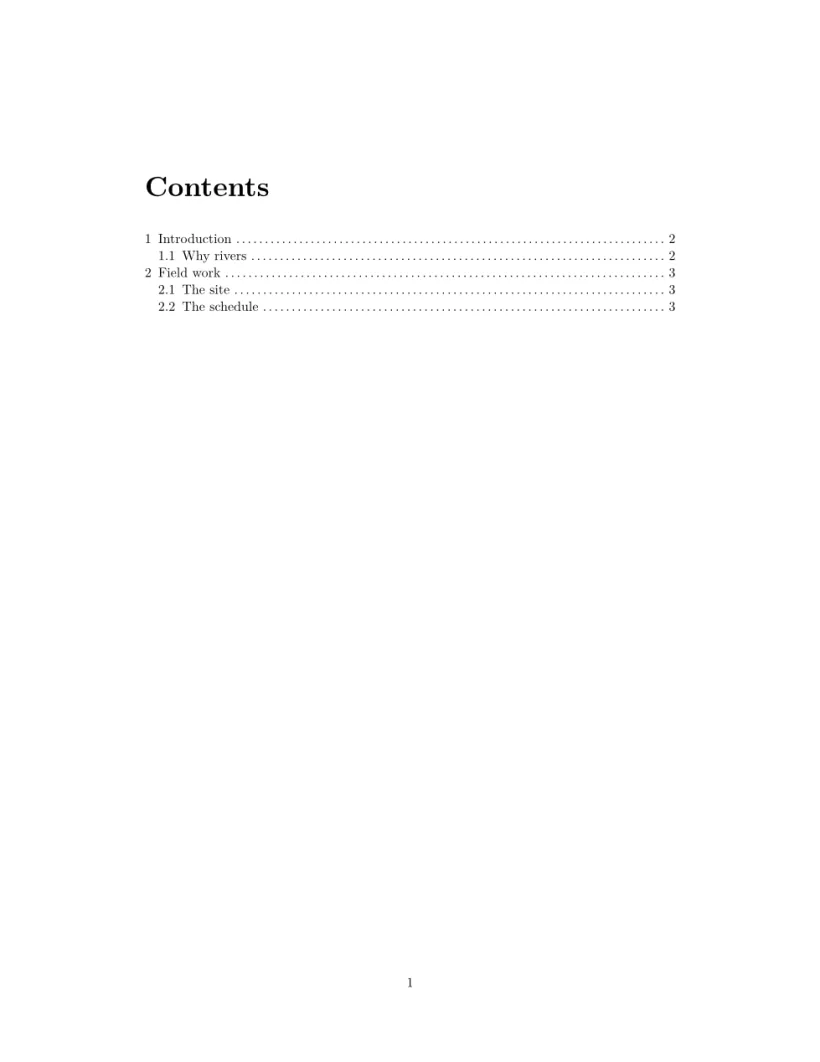
Appendix
After \appendix, sections are lettered A, B, C instead of numbered. Write it once, before the first appendix section. In a report or book, the chapters after \appendix are lettered too, but headed "Chapter A" where a TeX installation writes "Appendix A".
Sections after \appendix are lettered
\section{Conclusion}
Birds prefer mornings.
\appendix
\section{Raw counts}
All 44 daily counts.
\section{Equipment list}
Two thermometers, one notebook.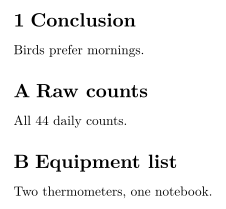
Labels and references to sections
Put \label{sec:method} right after a heading and write \ref{sec:method} anywhere to print its number. See Labels and cross-references.
What differs from a TeX installation
See also Document structure, Cross-references and hyperref, url.
Questions and answers
How do I make an unnumbered section in LaTeX?
Add a star: \section*{Title}. In Scissor LaTeX it still appears in the table of contents, without a number.
Why is my table of contents empty in a TeX installation but not here?
A TeX installation needs two runs to fill the table of contents. Scissor LaTeX builds it in one go, every time you type.
How do I use chapters?
Use \documentclass{report} or \documentclass{book}. Chapters then start on a new page, and sections are numbered within them.
Every example on this page is typeset by Scissor LaTeX when the site is built. Last updated 2026-11-06.