


caption and subcaption in Scissor LaTeX
The caption and subcaption packages work partly in Scissor LaTeX: \caption in figure and table works, \captionsetup is ignored, \captionof prints its text without a number, \caption* still gets a number, and subfigure/subtable count as separate figures, so numbers go wrong; put all parts in one figure with one caption instead.
What the packages do
caption changes how captions look (\captionsetup{font=small, labelfont=bf}), adds \caption* for a caption without a number, and \captionof{figure}{...} for a caption outside a float. subcaption adds the subfigure and subtable environments, which hold the parts of one figure, each with its own caption labelled (a), (b) and so on.
What works here
| Command | In Scissor LaTeX | Notes |
|---|---|---|
\caption{...} in figure and table | Works | "Figure 1: ...", "Table 1: ...". Table captions are always placed above the table. |
\caption[short]{long} | Partly | The long text is shown; the short one is ignored. |
\label after \caption | Works | |
\captionsetup{...} | Left out | Ignored without a message. |
\caption*{...} | Partly | The caption is shown, but with a number. |
\captionof{type}{...} | Partly | The text is shown without "Figure" or a number; a \label after it gives ?? in references. |
subfigure, subtable | Not supported well | Each part counts as a figure of its own. Later figure numbers are off, and \ref and the printed caption number disagree. |
\subcaption{...} | Partly | The text is printed as a line of its own. |
Examples
A figure and a table with captions and references:
\caption in a figure and a table
\begin{figure}[h]
  \centering
  \fbox{A sketch of the setup}
  \caption{The test setup of Erika Mustermann.}\label{fig:setup}
\end{figure}
\begin{table}[h]
  \centering
  \caption{Results of the 44 runs.}\label{tab:runs}
  \begin{tabular}{lr} Mean & 12.5 \\ Best & 9.1 \\ \end{tabular}
\end{table}
Figure~\ref{fig:setup} shows the setup and Table~\ref{tab:runs} the results.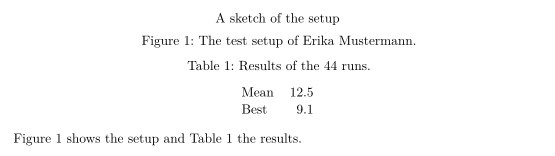
Instead of subfigure, put the parts in one figure and name them in the caption. Each image is placed on its own line here, so the parts appear one under the other. The numbers are correct, and the code works in a TeX installation too:
Two parts in one figure
\begin{figure}[h]
  \centering
  \includegraphics[width=0.4\linewidth]{graphicx-photo.png}
  \includegraphics[width=0.4\linewidth]{graphicx-diagram.svg}
  \caption{Weekly orders: (a) first quarter, top; (b) second quarter, bottom.}
  \label{fig:orders}
\end{figure}
Figure~\ref{fig:orders}(a) shows the first quarter.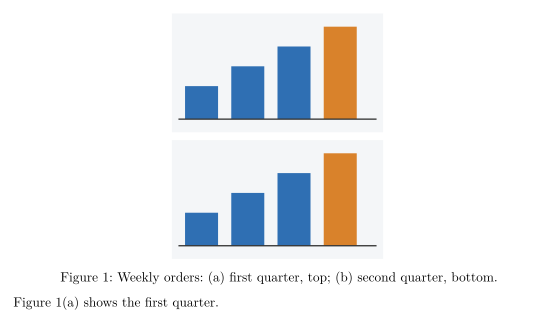
\captionsetup is accepted but changes nothing, so the label here is not bold and the font not smaller:
\captionsetup is ignored
\documentclass{article}
\usepackage{caption}
\captionsetup{font=small, labelfont=bf}
\begin{document}
\begin{figure}[h]
  \centering
  \fbox{Plot}
  \caption{The caption keeps the normal style.}
\end{figure}
\end{document}Compatibility
- From a TeX installation to here: figures and tables with plain
\captionlook right. Documents withsubfiguretypeset, but figure numbers are wrong from the first sub-figure on; caption styles from\captionsetupare not applied. - From here to a TeX installation: documents compile there unchanged. Captions then follow your
\captionsetupsettings.
The full manuals are on CTAN: ctan.org/pkg/caption and ctan.org/pkg/subcaption. See also Figures and images and Floats: placing figures and tables.
Questions and answers
How do I put two figures side by side?
Not directly yet: images are placed on their own lines. Combine the parts into one image file, or keep them stacked in one figure and describe them as (a) and (b) in one caption.
Why is my table caption above the table?
Table captions are always placed above the table here, wherever you write \caption. That is the usual style for tables.
Every example on this page is typeset by Scissor LaTeX when the site is built. Last updated 2026-11-06.