


页面布局、页边距和纸张大小
纸张大小、字号和分栏来自 \documentclass 的选项,例如 \documentclass[a4paper,11pt,twocolumn]{article};页边距、方向和其他任意页面尺寸来自 geometry 宏包,例如 \usepackage[a5paper,landscape,margin=1.5cm]{geometry}。Scissor LaTeX 两者都会应用。
可用的文档类选项
\documentclass 后方括号中的选项用于设置页面。Scissor LaTeX 读取以下选项:
| 选项 | 取值 | 在 Scissor LaTeX 中 |
|---|---|---|
| 纸张大小 | a4paper, a5paper, b5paper, letterpaper, legalpaper, executivepaper | 可用。不指定选项时,纸张为美国 Letter,与 LaTeX 相同。 |
| 方向 | landscape | 可用:页面会被旋转。 |
| 字号 | 10pt, 11pt, 12pt | 可用。其他字号回退为 10pt。 |
| 分栏 | twocolumn, onecolumn | 可用。 |
| 其他选项 | draft, fleqn, leqno, titlepage, openany ... | 忽略。 |
A4 纸、11 磅、双栏
\documentclass[a4paper,11pt,twocolumn]{article}
\title{Two Columns on A4}
\author{Erika Mustermann}
\date{}
\begin{document}
\maketitle
\section{Introduction}
This document is set on A4 paper at 11 points in two columns.
The text fills the left column first and then continues in the
right one. Each column is a little less than half the text width.
\section{Method}
We measured 44 samples and wrote down every value.
\end{document}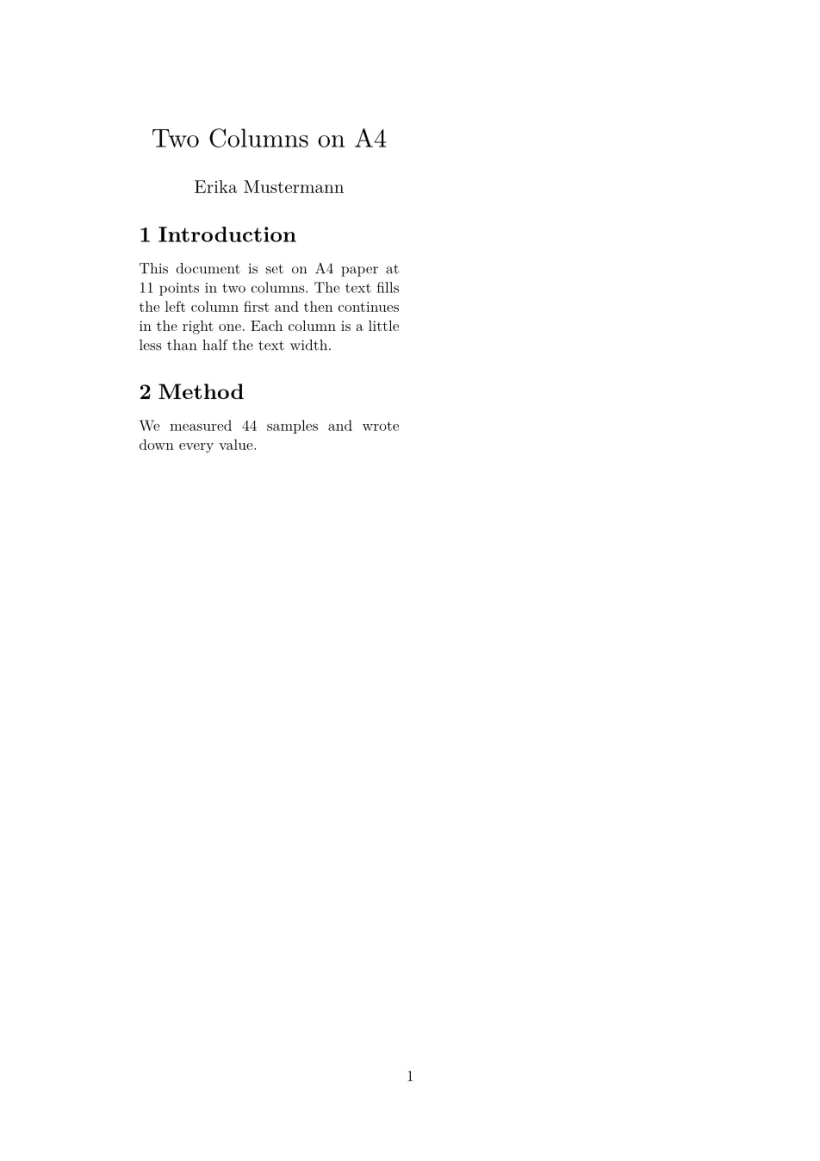
在双栏的 article 中,标题块留在第一栏内,不会横跨整个页面。
纸张大小和方向
如果需要文档类选项中没有的尺寸,或者要旋转页面,请加载 geometry。指定一种纸张(a0paper 到 a6paper、b5paper、letterpaper、legalpaper、executivepaper),或者用 paperwidth 和 paperheight 给出任意尺寸。landscape 会把页面转为横向,portrait 则转回纵向。
| 你想要 | 写法 |
|---|---|
| 横向 A4 | \usepackage[a4paper,landscape]{geometry} |
| A3,或 A1 海报 | \usepackage[a3paper]{geometry}, \usepackage[a1paper,margin=3cm]{geometry} |
| DL 信封 | \usepackage[paperwidth=220mm,paperheight=110mm,margin=10mm]{geometry} |
| 名片 | \usepackage[paperwidth=85mm,paperheight=55mm,margin=4mm]{geometry} |
| 16:9 幻灯片 | \usepackage[paperwidth=254mm,paperheight=142.9mm,margin=12mm]{geometry} |
横向 A5,页边距 1.5 cm
\documentclass{article}
\usepackage[a5paper,landscape,margin=1.5cm]{geometry}
\begin{document}
\section*{A wide page}
This page is A5 turned on its side, with margins of 1.5 cm all
round. Erika Mustermann uses it for handouts that lie next to a
keyboard. Lorem ipsum dolor sit amet, consectetuer adipiscing elit.
Ut purus elit, vestibulum ut, placerat ac, adipiscing vitae, felis.
\end{document}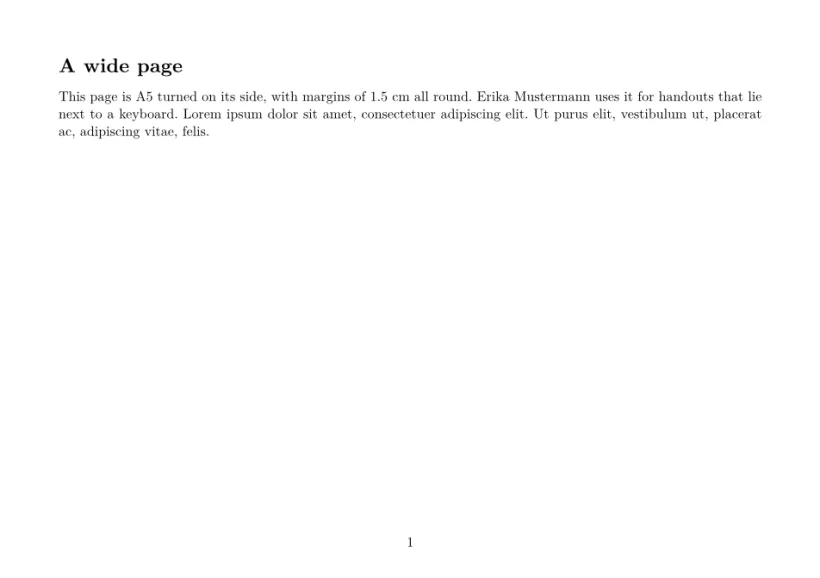
DL 信封:用 paperwidth 和 paperheight 设置任意尺寸
\documentclass{article}
\usepackage[paperwidth=220mm,paperheight=110mm,margin=12mm]{geometry}
\pagestyle{empty}
\begin{document}
Erika Mustermann, Musterstraße 44, 12345 Musterstadt

\begin{flushright}
Hans Mustermann\\
Beispielweg 44\\
54321 Beispielstadt
\end{flushright}
\end{document}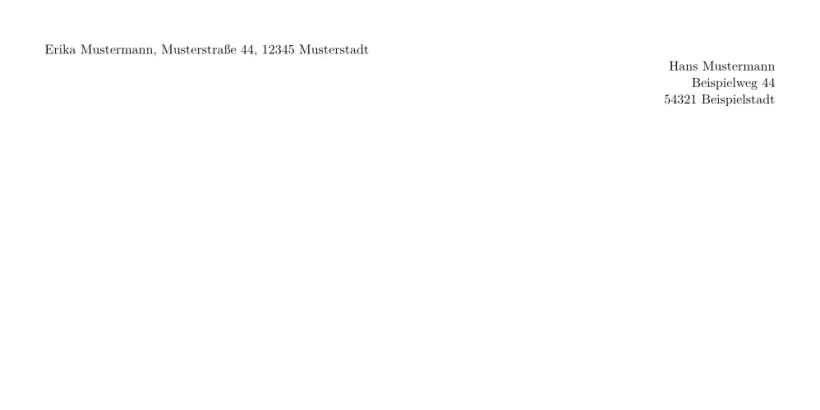
在编辑器中,新建项目 会替你完成这些设置:纸张列表中有标准尺寸、信封、卡片、海报和幻灯片,还有纵向 / 横向切换。标准尺寸会写入文档类选项;其他尺寸以及横向会写入一行 geometry。
页边距
不使用 geometry 时,页边距随纸张大小而定,与标准 LaTeX 文档类相近:
| 纸张 | 左右 | 上下 |
|---|---|---|
| A4 | 1.4 in (3.6 cm) | 1.3 in (3.3 cm) |
| Letter、A5、B5、Legal 和 Executive | 1.5 in (3.8 cm) | 1.25 in (3.2 cm) |
使用 geometry 时,你可以在导言区中用 \usepackage[...]{geometry} 或 \geometry{...} 自行设置:
| 键 | 含义 |
|---|---|
margin, hmargin, vmargin | 四边页边距;左右;上下(一个值,或写成 {2cm,3cm} 的两个值) |
left, right, top, bottom(还有 inner、outer、lmargin ...) | 单侧页边距 |
textwidth, textheight, text={w,h}, scale | 版心的大小;页边距随之确定 |
centering, hmarginratio, vmarginratio | 只给出版心或一侧页边距时,剩余空间如何分配 |
includehead, includefoot, headheight, headsep, footskip | 在页边距内为页眉和页脚留出的空间 |
bindingoffset | 左侧额外的装订空间 |
columnsep | 栏间距 |
与 geometry 宏包一样,每个方向上只需给出页边距、版心、页边距三者中的两个:left=2cm, textwidth=15cm 就确定了右页边距。只给出一侧页边距时,水平方向另一侧与之相同,垂直方向另一侧是它的一倍半(geometry 的比例 1:1 和 2:3)。在非标准尺寸且未给出页边距的页面上,版心占页面的 70 %,与 geometry 的 scale=0.7 相同。
A5 纸,页边距 1 cm
\documentclass[a5paper]{article}
\usepackage[margin=1cm]{geometry}
\begin{document}
This page asks for 1 cm margins on A5 paper, and gets them: the text
runs almost to the edge of the paper, as it does in a TeX
installation. Lorem ipsum dolor sit amet, consectetuer adipiscing
elit. Ut purus elit, vestibulum ut, placerat ac, adipiscing vitae,
felis. Curabitur dictum gravida mauris.
\end{document}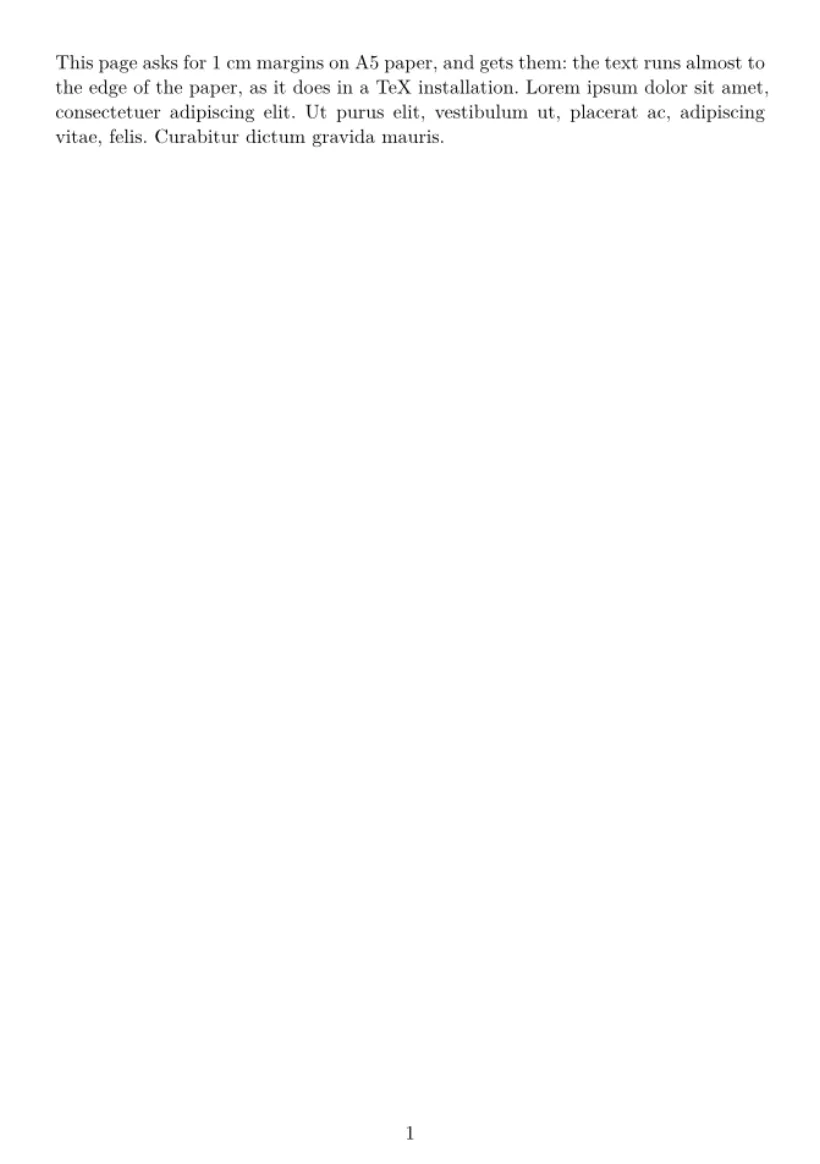
在屏幕上不产生变化的选项,例如 showframe、驱动选项(pdftex、dvips)、twoside 和边注设置,会被静默接受。其他任何选项都会被忽略,“问题”标签页中会有一条提示列出它。正文中的 \newgeometry 和 \restoregeometry 会被忽略:整个文档沿用导言区设置的页面。
页眉、页脚和页码
普通文档的每一页都在底部居中显示页码。
| 命令或宏包 | 在 Scissor LaTeX 中 |
|---|---|
导言区中的 \pagestyle{empty}、\pagenumbering{gobble} | 可用:没有页码。 |
正文中的 \pagestyle、\thispagestyle{...} | 忽略:页码保留。 |
\pagenumbering{roman} | 忽略:页码为阿拉伯数字。 |
fancyhdr: \fancyhead, \fancyfoot, \lhead ... | 忽略:没有页眉。 |
会议版式会在其格式要求的位置绘制自己的页眉和页脚。
行距和段落
行距和段落设置由文档类决定:
| 设置 | 在 Scissor LaTeX 中 |
|---|---|
\onehalfspacing, \doublespacing, \linespread{1.5} (setspace) | 忽略。 |
\setlength{\parindent}{0pt} | 忽略:段落保持缩进。 |
\setlength{\parskip}{1em} | 忽略。 |
\noindent | 忽略。 |
间距设置不会改变文本
\documentclass{article}
\usepackage{setspace}
\onehalfspacing
\setlength{\parindent}{0pt}
\begin{document}
The first paragraph is set with the normal line spacing,
although the preamble asks for one and a half.

The second paragraph still starts with an indent, although
the preamble sets the indent to zero.
\end{document}
分页
\newpage、\clearpage 和 \cleardoublepage 开始新的一页。\pagebreak 也是如此。\enlargethispage 和 \nopagebreak 会被忽略。
与 TeX 安装的不同之处
在这里排好的文档在 TeX 安装中会保留其选项,届时 fancyhdr 和 setspace 也会生效。宏包页面见 geometry;完整手册在 CTAN 上:geometry、fancyhdr 和 setspace。
常见问题
如何在 LaTeX 中设置 A4 纸?
在文档类选项中加上 a4paper:\documentclass[a4paper]{article}。Scissor LaTeX 会读取它,使用 A4 纸,页边距比 Letter 纸略窄。
如何在 LaTeX 中更改页边距?
加载 geometry,例如 \usepackage[margin=2.5cm]{geometry}。Scissor LaTeX 会应用它,与 TeX 安装相同。
如何把页面设为横向?
写 \usepackage[a4paper,landscape]{geometry}。文档类选项 landscape 也可以。
如何制作双栏文档?
写 \documentclass[twocolumn]{article}。对于会议格式的论文,请使用会议模板,它们还会让标题和宽图横跨两栏。
本页的每个示例都在构建网站时由 Scissor LaTeX 排版。 最后更新:2026-11-07