


文档结构
LaTeX 文档分为两部分。导言区从 \documentclass 到 \begin{document},用于设置文档;正文位于 \begin{document} 和 \end{document} 之间,包含要输出的内容。
框架
每个文档都以 \documentclass{...} 开头,并且只有一个 document 环境。\end{document} 之后的任何内容都会被忽略。
\documentclass[11pt,a4paper]{article}   % the class and its options
\usepackage{amsmath}                    % packages
\title{...}                             % settings for the title
\begin{document}                        % the body starts
  ...
\end{document}                          % the body ends
文档类
文档类决定你写的是哪种文档以及它的外观。Scissor LaTeX 为每一类文档类都准备了自己的版式。
| 你写的 | 排版方式 | 说明 |
|---|---|---|
article、scrartcl 及其他文档类 | article | 有节,没有章 |
report, scrreprt | report | 每章另起一页 |
book, scrbook, memoir | book | 有章、前置部分和后置部分 |
letter, scrlttr2 | letter | |
beamer | article 文本 | 不生成幻灯片;各个 frame 变成普通文本 |
IEEEtran, acmart, llncs | 仿会议版式 | 参见仿会议风格模板 |
方括号中的选项用于设置纸张和字号。会被读取的有:a4paper、a5paper、b5paper、letterpaper、legalpaper、executivepaper、10pt、11pt、12pt 和 twocolumn。其他选项会被接受并忽略。没有纸张选项时,页面为 US Letter,和 TeX 发行版中一样。更多内容请参阅文档类和页面布局。
A5 纸、12 pt 的 report:章从新的一页开始
\documentclass[12pt,a5paper]{report}
\begin{document}
\chapter{Field work}
We spent 44 days by the river and counted
the birds every morning.
\end{document}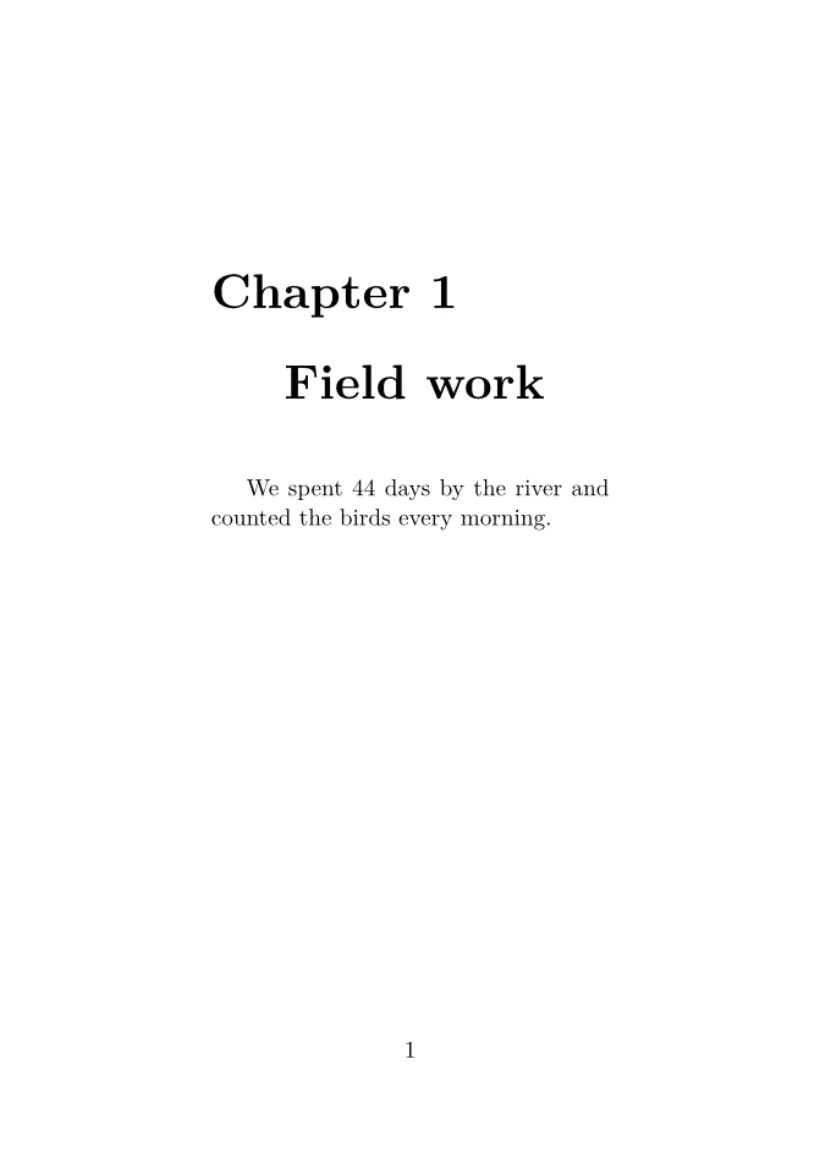
导言区
\documentclass 和 \begin{document} 之间的所有内容就是导言区。它不输出任何内容,用来放置:
在 Scissor LaTeX 中,\usepackage 从不会让文档停止排版。宏包不是从文件加载的,而是直接理解常用宏包的命令。编辑器不认识的宏包会被忽略,“问题”标签页会说明这一点;来自它的命令会被跳过,其中的文字保留。宏包参考列出了每个宏包中哪些内容可用。
未知宏包会被报告,文档仍会排版
\documentclass{article}
\usepackage{amsmath}
\usepackage{fancyquotes}
\begin{document}
The document typesets without the package.
\end{document}
“问题”标签页: Package fancyquotes isn't supported in the preview, so its formatting is not applied. If it is your own package, add fancyquotes.sty to the project.
标题块
\title、\author 和 \date 保存标题信息,\maketitle 在正文中你放置它的位置输出这些信息,通常就在开头。多位作者用 \and 连接。
标题、作者和日期
\documentclass{article}
\title{Counting Birds by the River}
\author{Erika Mustermann \and Hans Mustermann}
\date{Spring 2026}
\begin{document}
\maketitle
\section{Introduction}
We counted birds every morning for 44 days.
\end{document}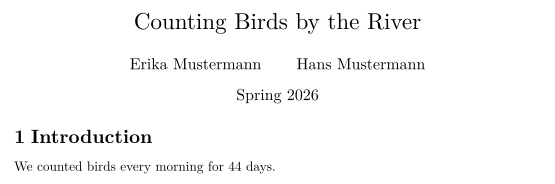
摘要
在 article 或 report 中,abstract 环境会在“Abstract”标题下输出一段简短的摘要,排得比正文稍窄、稍小。请把它放在 \maketitle 之后。
标题之后的摘要
\documentclass{article}
\title{Counting Birds by the River}
\author{John Doe}
\date{}
\begin{document}
\maketitle
\begin{abstract}
We report daily bird counts from one river bank over
44 days. Most birds were seen in the first hour after
sunrise.
\end{abstract}
\section{Method}
Two observers counted for one hour each morning.
\end{document}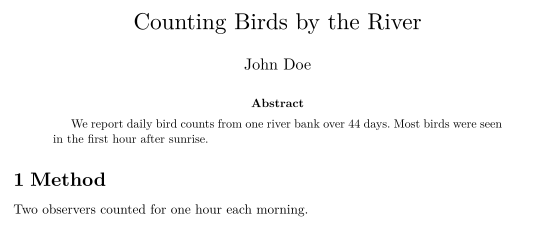
正文
正文包含你的文字,分为章节和段落,其中可以有列表、数学公式、表格和图。长文档可以拆分成多个文件;参见多文件项目。
与 TeX 发行版的区别
常见问题
LaTeX 导言区里放什么?
\documentclass 行、\usepackage 行、你自己的命令,以及 \title 和 \author 等设置。导言区中的内容本身都不会被输出。
\maketitle 放在哪里?
放在正文中、\begin{document} 之后,标题应该出现的位置:通常是第一行。
能使用没有列出的文档类吗?
能。任何文档类名都可以使用;Scissor LaTeX 不认识的文档类会按 article 排版。
本页的每个示例都在构建网站时由 Scissor LaTeX 排版。 最后更新:2026-11-07