


章節和目錄
在每個部分開始的地方寫 \section{Title}、\subsection{Title} 和 \subsubsection{Title};它們會自動編號。\tableofcontents 會根據這些標題印出帶有頁碼的目錄。
標題
每個章節指令都在大括號中接收標題文字。下列層級會自動編號:1、1.1、1.1.1。
三個層級的標題
\section{Methods}
We used two instruments.
\subsection{Thermometers}
Both were calibrated in March.
\subsubsection{Placement}
One in the shade, one in the sun.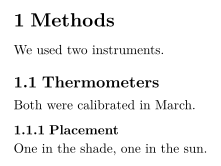
| 指令 | 層級 | 可用於 |
|---|---|---|
\part{...} | 部 | 所有類別(請見下方說明) |
\chapter{...} | 章 | report 和 book |
\section{...} | 節 | 所有類別 |
\subsection{...} | 小節 | 所有類別 |
\subsubsection{...} | 次小節 | 所有類別 |
\paragraph{...} | 段落開頭的粗體標題 | 所有類別 |
\subparagraph{...} | 同上,低一個層級 | 所有類別 |
\paragraph 和 \subparagraph 是行內標題:文字會在同一行接著排下去。
用 \paragraph 製作行內標題
\paragraph{Weather.} Sunny on most days, with rain
on the 4th and the 14th.
\paragraph{Equipment.} Nothing broke.
不編號的標題
加上星號就能省略編號:\section*{Acknowledgements}。這適用於每個層級。
加星號的章節沒有編號
\section{Results}
The mean was 44.
\section*{Acknowledgements}
We thank Hans Mustermann for the thermometers.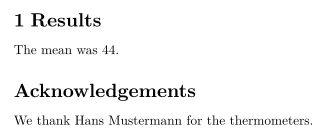
目錄
\tableofcontents 會在你寫下它的位置印出各個標題,以及它們的編號和頁碼。目錄在每次按鍵時都會更新,所以不需要像在 TeX 安裝環境中那樣排版兩次。
放在開頭的目錄
\documentclass{article}
\begin{document}
\tableofcontents
\section{Introduction}
Why we count birds.
\subsection{Earlier work}
What others found.
\section{Method}
How we counted.
\end{document}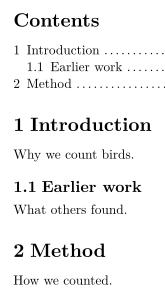
在 TeX 安裝環境中,\section[Short title]{Long title} 會為目錄提供簡短的標題。Scissor LaTeX 在兩個地方都使用完整標題。\setcounter{tocdepth}{...} 和 \setcounter{secnumdepth}{...} 會被忽略:直到 \subsubsection 的每個層級都會編號並列入目錄。\listoffigures 和 \listoftables 不會印出任何內容。
report 或 book 中的章
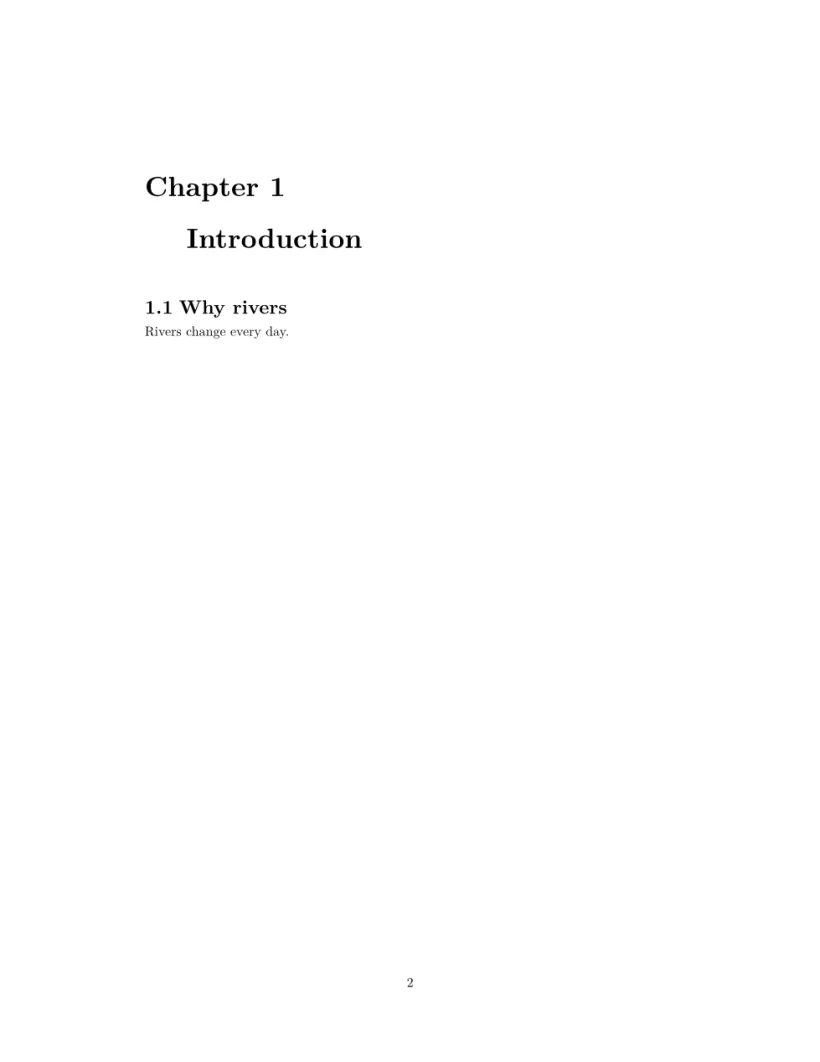
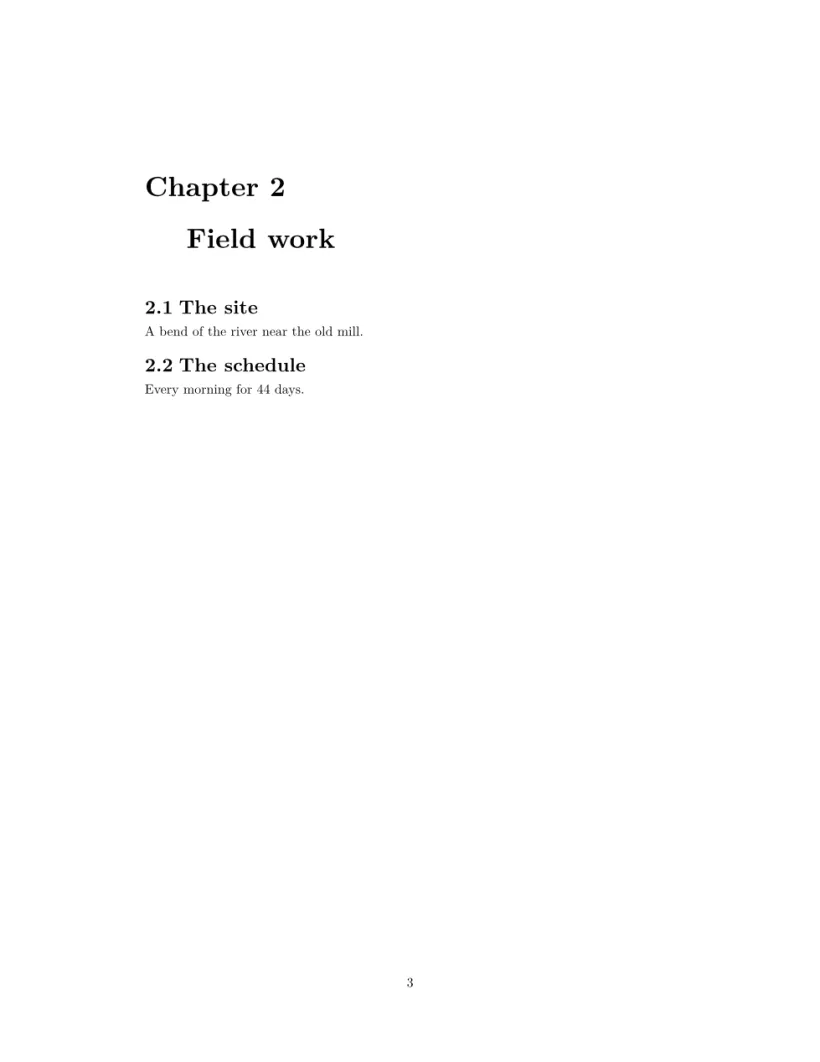
使用 \documentclass{report} 或 book 時,\chapter 是最上層。每一章都從新的一頁開始,標題上方有「Chapter 1」,節的編號為 1.1、1.2,目錄則會獨立成一頁。
一份 report:目錄頁,接著每章一頁
\documentclass{report}
\begin{document}
\tableofcontents
\chapter{Introduction}
\section{Why rivers}
Rivers change every day.
\chapter{Field work}
\section{The site}
A bend of the river near the old mill.
\section{The schedule}
Every morning for 44 days.
\end{document}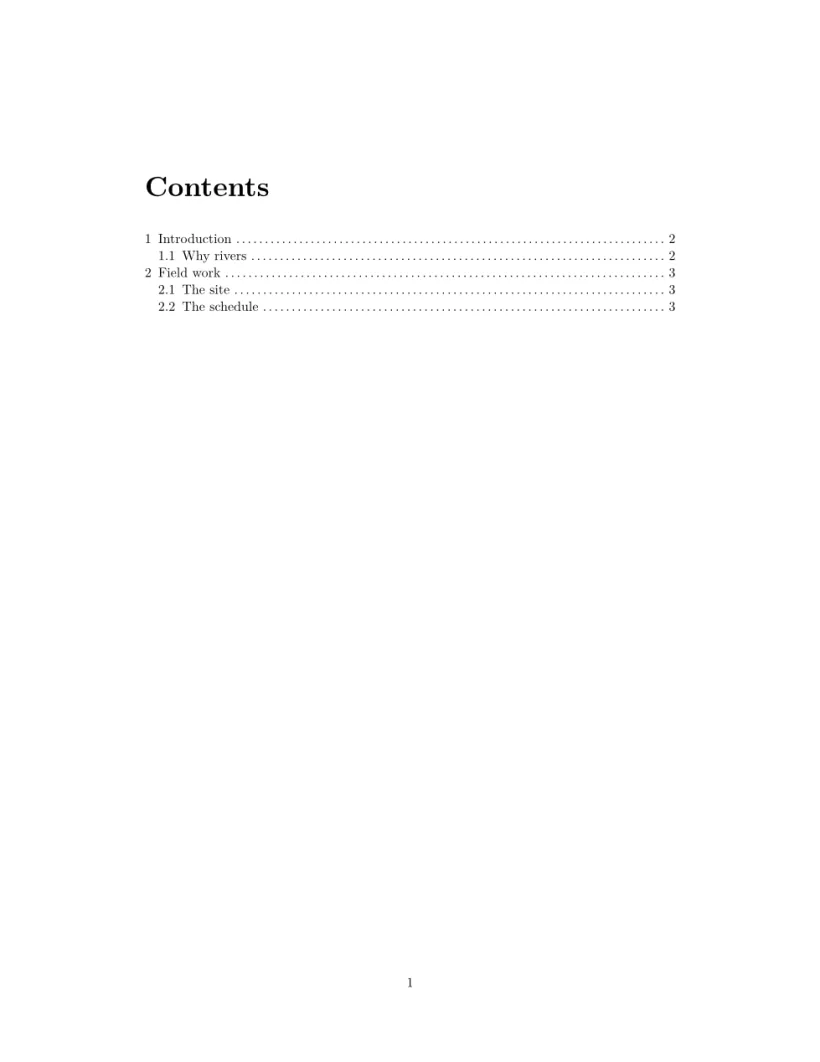
附錄
在 \appendix 之後,節會以字母 A、B、C 標示,而不是數字。在第一個附錄章節之前寫一次就好。在 report 或 book 中,\appendix 之後的章也會以字母標示,但標題是「Chapter A」,而 TeX 安裝環境會寫「Appendix A」。
\appendix 之後的節以字母標示
\section{Conclusion}
Birds prefer mornings.
\appendix
\section{Raw counts}
All 44 daily counts.
\section{Equipment list}
Two thermometers, one notebook.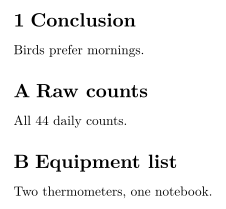
章節的標籤和參照
在標題後面緊接著寫 \label{sec:method},再在任何地方寫 \ref{sec:method} 就能印出它的編號。請見標籤和交互參照。
與 TeX 安裝環境的差異
另請參見文件結構、交互參照和 hyperref、url。
常見問題
怎麼在 LaTeX 中製作不編號的章節?
加上星號:\section*{Title}。在 Scissor LaTeX 中,它仍會出現在目錄裡,但沒有編號。
為什麼我的目錄在 TeX 安裝環境中是空的,在這裡卻不是?
TeX 安裝環境需要執行兩次才能填入目錄。Scissor LaTeX 每次你打字時都會一次建好目錄。
怎麼使用章?
使用 \documentclass{report} 或 \documentclass{book}。這樣每一章都會從新的一頁開始,節也會在章內編號。
本頁的每個範例都在建置網站時由 Scissor LaTeX 排版。 最後更新:2026-11-07