


섹션과 목차
각 부분이 시작되는 곳에 \section{Title}, \subsection{Title}, \subsubsection{Title}을 쓰세요. 번호는 자동으로 매겨집니다. \tableofcontents는 이 제목들로 쪽 번호가 붙은 목차를 출력합니다.
제목
각 섹션 명령은 중괄호 안에 제목 텍스트를 받습니다. 아래 수준들은 1, 1.1, 1.1.1처럼 자동으로 번호가 매겨집니다.
세 수준의 제목
\section{Methods}
We used two instruments.
\subsection{Thermometers}
Both were calibrated in March.
\subsubsection{Placement}
One in the shade, one in the sun.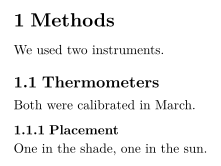
| 명령 | 수준 | 사용 가능한 클래스 |
|---|---|---|
\part{...} | 부 | 모든 클래스 (아래 참고 사항 참조) |
\chapter{...} | 장 | report와 book |
\section{...} | 섹션 | 모든 클래스 |
\subsection{...} | 하위 섹션 | 모든 클래스 |
\subsubsection{...} | 하위 하위 섹션 | 모든 클래스 |
\paragraph{...} | 문단 첫머리의 굵은 제목 | 모든 클래스 |
\subparagraph{...} | 같은 형식, 한 수준 아래 | 모든 클래스 |
\paragraph와 \subparagraph는 본문에 이어지는 제목입니다. 텍스트가 같은 줄에서 계속됩니다.
\paragraph로 본문에 이어지는 제목
\paragraph{Weather.} Sunny on most days, with rain
on the 4th and the 14th.
\paragraph{Equipment.} Nothing broke.
번호 없는 제목
번호를 빼려면 별표를 붙이세요: \section*{Acknowledgements}. 모든 수준에서 작동합니다.
별표가 붙은 섹션에는 번호가 없습니다
\section{Results}
The mean was 44.
\section*{Acknowledgements}
We thank Hans Mustermann for the thermometers.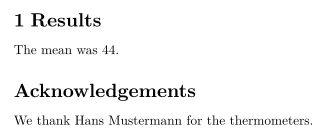
목차
\tableofcontents는 쓴 자리에 제목을 번호와 쪽 번호와 함께 출력합니다. 키를 누를 때마다 갱신되므로 TeX 설치 환경처럼 두 번 조판할 필요가 없습니다.
맨 위의 목차
\documentclass{article}
\begin{document}
\tableofcontents
\section{Introduction}
Why we count birds.
\subsection{Earlier work}
What others found.
\section{Method}
How we counted.
\end{document}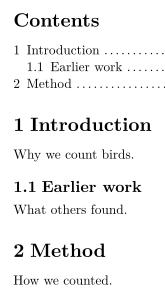
TeX 설치 환경에서 \section[Short title]{Long title}은 목차에 쓸 짧은 형식을 지정합니다. Scissor LaTeX는 두 곳 모두에 긴 제목을 씁니다. \setcounter{tocdepth}{...}와 \setcounter{secnumdepth}{...}는 무시되며, \subsubsection까지 모든 수준에 번호가 붙고 목차에 실립니다. \listoffigures와 \listoftables는 아무것도 출력하지 않습니다.
report나 book의 장
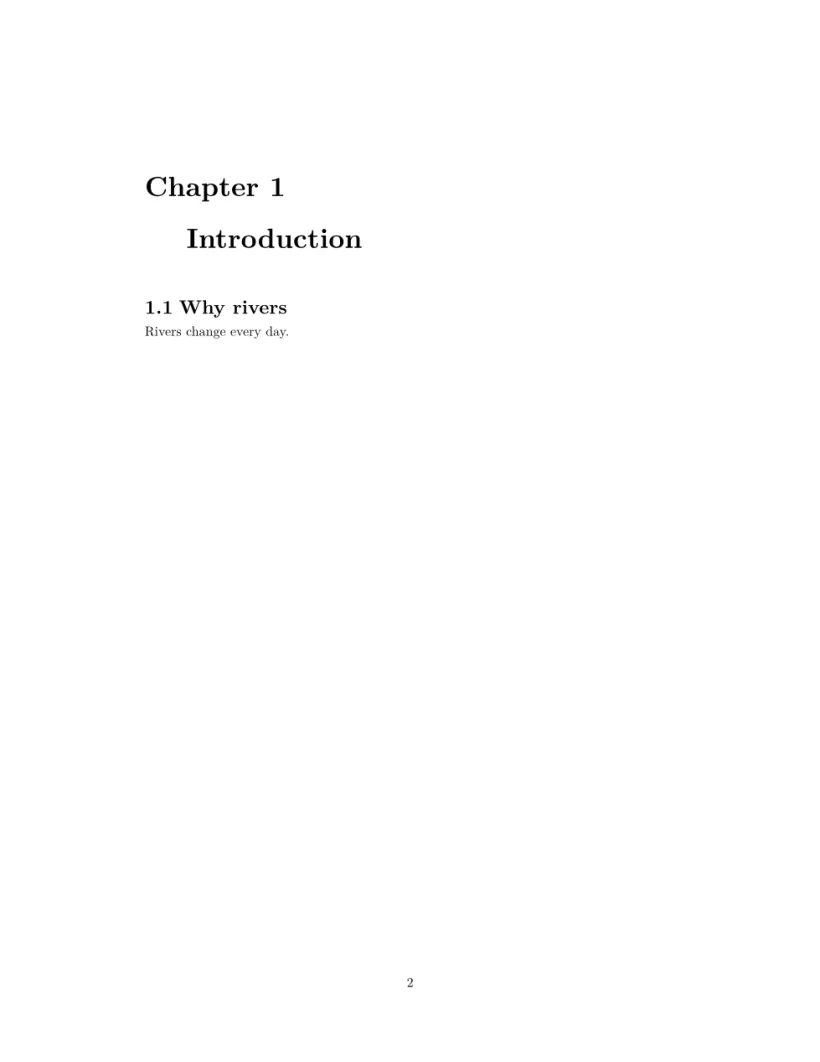
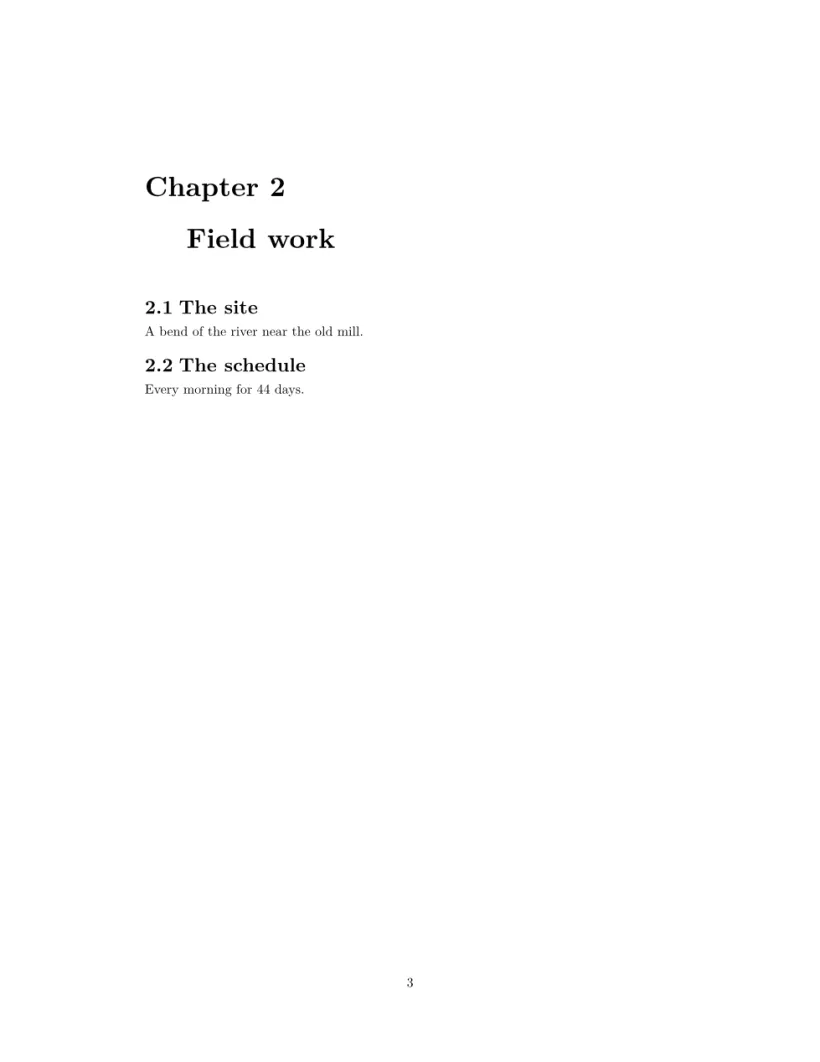
\documentclass{report} 또는 book에서는 \chapter가 최상위 수준입니다. 각 장은 새 페이지에서 시작하며 제목 위에 "Chapter 1"이 붙고, 섹션은 1.1, 1.2로 번호가 매겨지며, 목차는 별도 페이지를 차지합니다.
report: 목차 페이지 뒤에 장마다 한 페이지
\documentclass{report}
\begin{document}
\tableofcontents
\chapter{Introduction}
\section{Why rivers}
Rivers change every day.
\chapter{Field work}
\section{The site}
A bend of the river near the old mill.
\section{The schedule}
Every morning for 44 days.
\end{document}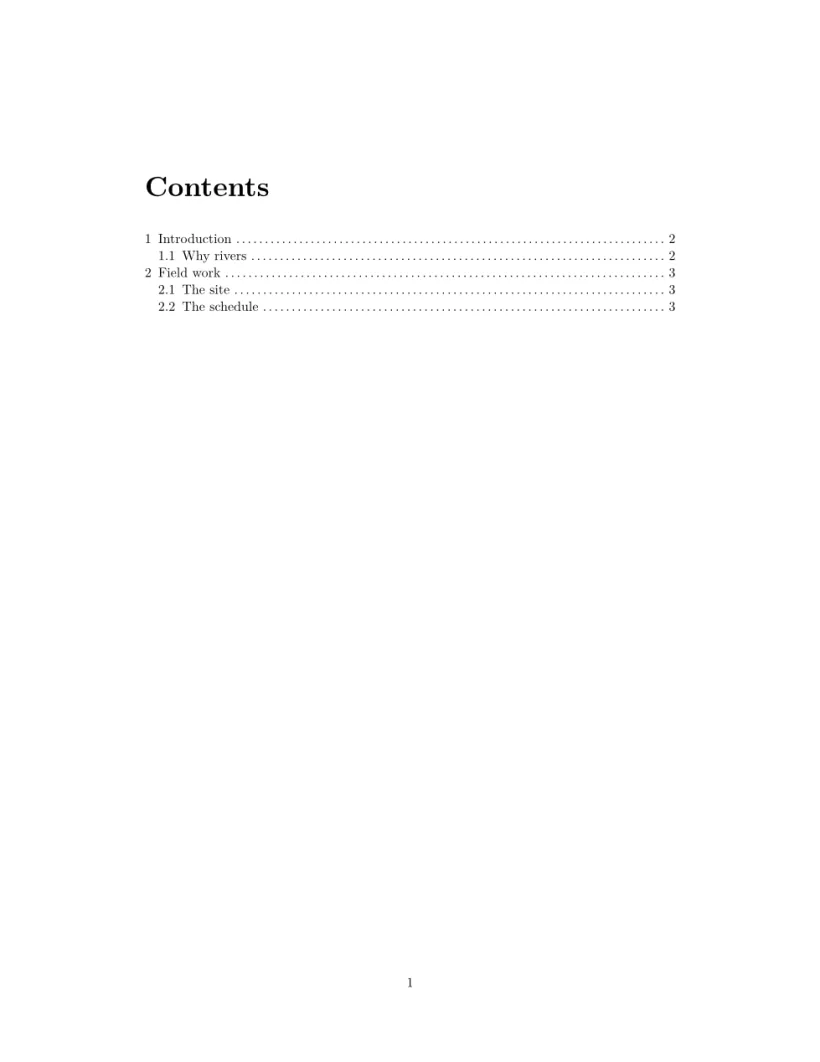
부록
\appendix 뒤의 섹션에는 숫자 대신 A, B, C 문자가 붙습니다. 첫 부록 섹션 앞에 한 번만 쓰세요. report나 book에서는 \appendix 뒤의 장에도 문자가 붙지만, TeX 설치 환경이 "Appendix A"라고 쓰는 곳에 "Chapter A"라는 머리말이 붙습니다.
\appendix 뒤의 섹션에는 문자가 붙습니다
\section{Conclusion}
Birds prefer mornings.
\appendix
\section{Raw counts}
All 44 daily counts.
\section{Equipment list}
Two thermometers, one notebook.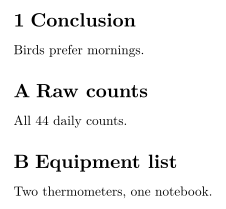
레이블과 섹션 참조
제목 바로 뒤에 \label{sec:method}를 넣고, 어디서든 \ref{sec:method}를 쓰면 그 번호가 출력됩니다. 레이블과 상호 참조를 참고하세요.
TeX 설치 환경과 다른 점
문서 구조, 상호 참조, hyperref, url도 참고하세요.
질문과 답변
LaTeX에서 번호 없는 섹션을 만들려면 어떻게 하나요?
별표를 붙이세요: \section*{Title}. Scissor LaTeX에서는 번호 없이 목차에 계속 나타납니다.
TeX 설치 환경에서는 목차가 비어 있는데 여기서는 왜 그렇지 않나요?
TeX 설치 환경은 목차를 채우려면 두 번 실행해야 합니다. Scissor LaTeX는 입력할 때마다 한 번에 목차를 만듭니다.
장은 어떻게 쓰나요?
\documentclass{report} 또는 \documentclass{book}을 쓰세요. 그러면 장이 새 페이지에서 시작하고, 섹션은 장 안에서 번호가 매겨집니다.
이 페이지의 모든 예제는 사이트를 빌드할 때 Scissor LaTeX로 조판됩니다. 마지막 업데이트: 2026-11-07