


章节和目录
在每部分开始的地方写 \section{Title}、\subsection{Title} 和 \subsubsection{Title},它们会自动编号。\tableofcontents 根据这些标题输出带页码的目录。
标题
每个分节命令都把标题文本放在花括号中。下面这些层级会自动编号:1、1.1、1.1.1。
三个层级的标题
\section{Methods}
We used two instruments.
\subsection{Thermometers}
Both were calibrated in March.
\subsubsection{Placement}
One in the shade, one in the sun.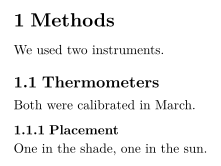
| 命令 | 层级 | 可用于 |
|---|---|---|
\part{...} | 部分 | 所有文档类(见下方说明) |
\chapter{...} | 章 | report 和 book |
\section{...} | 节 | 所有文档类 |
\subsection{...} | 小节 | 所有文档类 |
\subsubsection{...} | 小小节 | 所有文档类 |
\paragraph{...} | 段落开头的粗体标题 | 所有文档类 |
\subparagraph{...} | 同上,低一级 | 所有文档类 |
\paragraph 和 \subparagraph 是行内标题:正文在同一行接着排。
用 \paragraph 创建行内标题
\paragraph{Weather.} Sunny on most days, with rain
on the 4th and the 14th.
\paragraph{Equipment.} Nothing broke.
不编号的标题
加一个星号即可省略编号:\section*{Acknowledgements}。这对每个层级都有效。
带星号的节没有编号
\section{Results}
The mean was 44.
\section*{Acknowledgements}
We thank Hans Mustermann for the thermometers.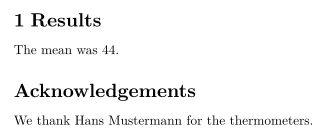
目录
\tableofcontents 在你书写它的位置输出各级标题及其编号和页码。它会随每次按键更新,所以不需要像在 TeX 安装中那样排版两次。
位于开头的目录
\documentclass{article}
\begin{document}
\tableofcontents
\section{Introduction}
Why we count birds.
\subsection{Earlier work}
What others found.
\section{Method}
How we counted.
\end{document}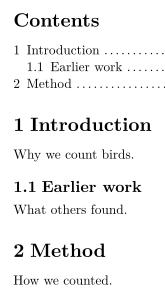
在 TeX 安装中,\section[Short title]{Long title} 为目录提供一个简短形式。Scissor LaTeX 在两处都使用完整标题。\setcounter{tocdepth}{...} 和 \setcounter{secnumdepth}{...} 会被忽略:直到 \subsubsection 的每个层级都会编号并列入目录。\listoffigures 和 \listoftables 不输出任何内容。
report 或 book 中的章
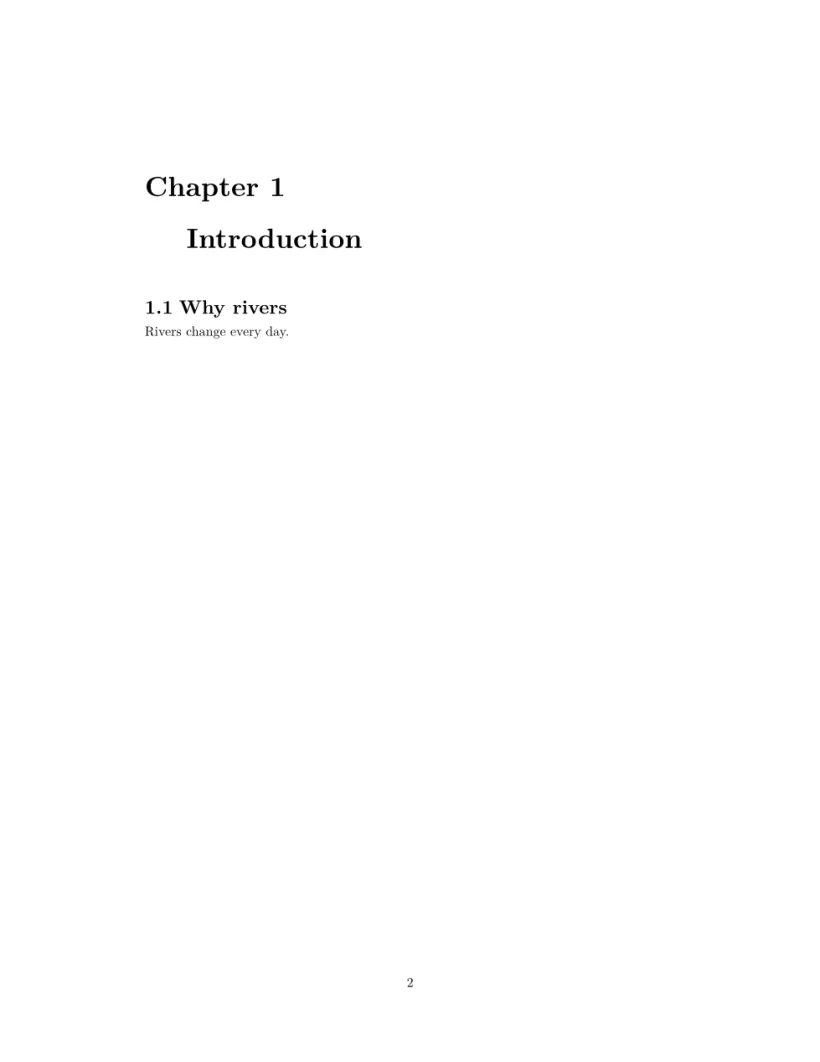
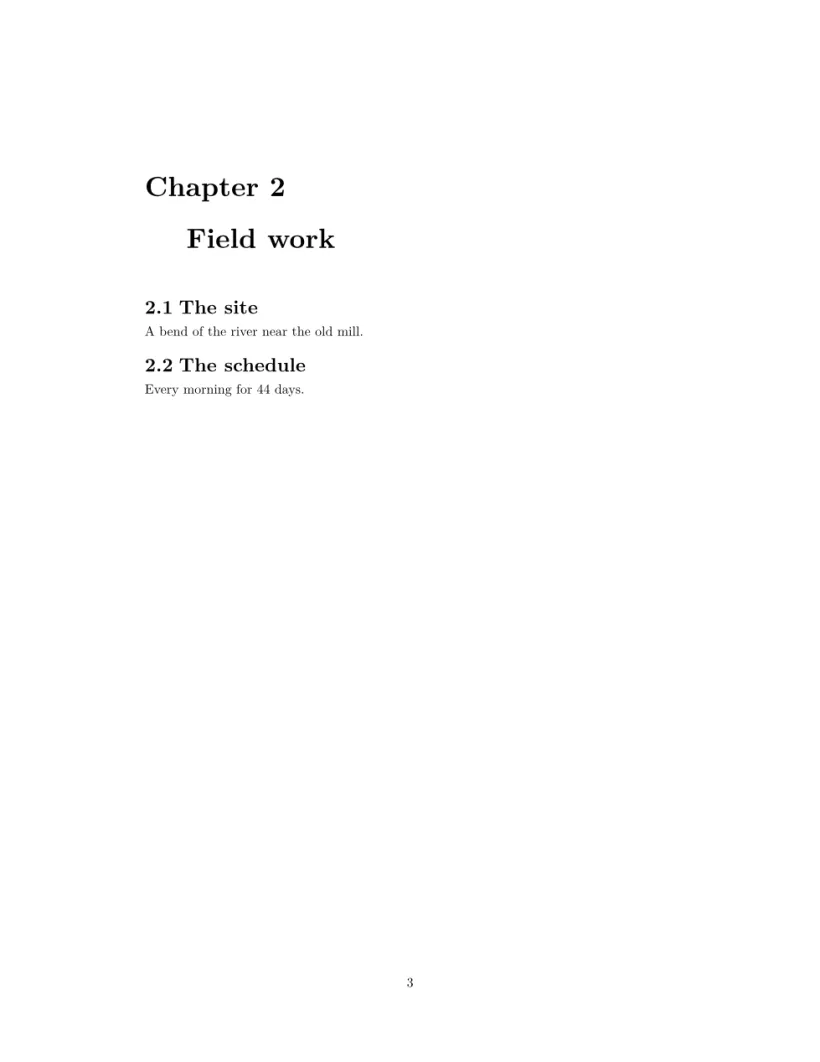
使用 \documentclass{report} 或 book 时,\chapter 是最高层级。每一章从新页面开始,标题上方有“Chapter 1”,节编号为 1.1、1.2,目录单独占一页。
一份报告:先是目录页,然后每章一页
\documentclass{report}
\begin{document}
\tableofcontents
\chapter{Introduction}
\section{Why rivers}
Rivers change every day.
\chapter{Field work}
\section{The site}
A bend of the river near the old mill.
\section{The schedule}
Every morning for 44 days.
\end{document}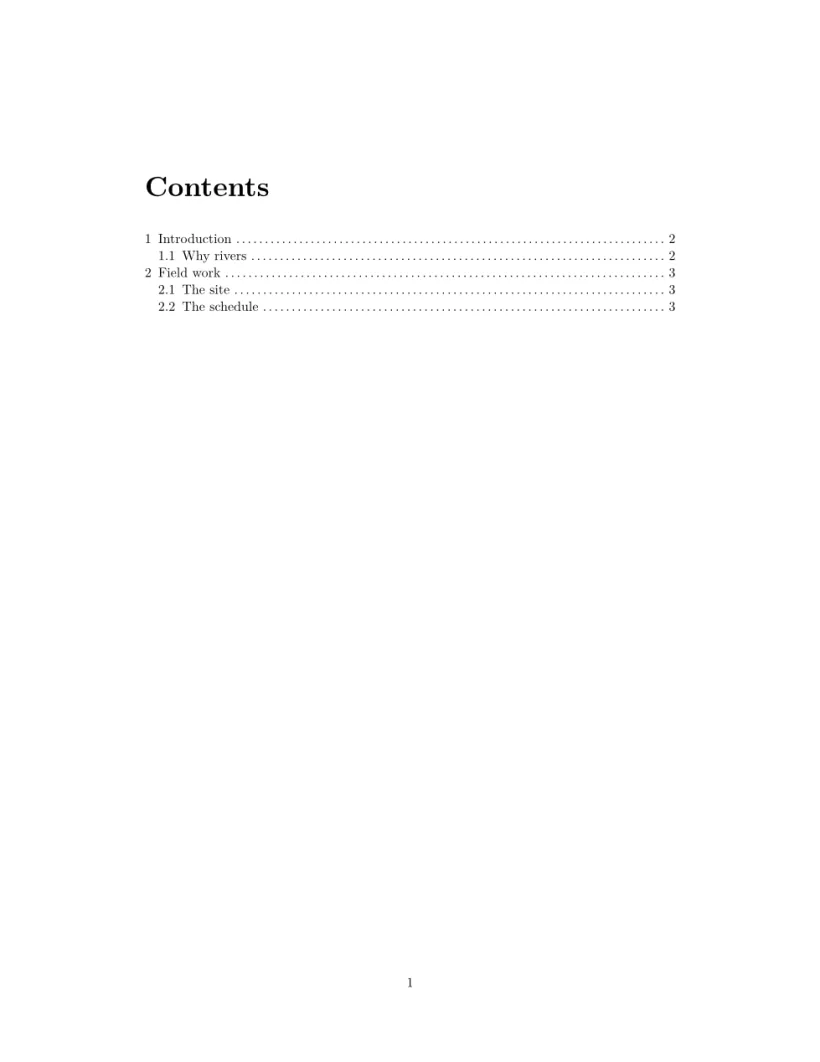
附录
在 \appendix 之后,节用字母 A、B、C 而不是数字编号。只需在第一个附录节之前写一次。在 report 或 book 中,\appendix 之后的章也用字母编号,但标题写作“Chapter A”,而 TeX 安装写作“Appendix A”。
\appendix 之后的节用字母编号
\section{Conclusion}
Birds prefer mornings.
\appendix
\section{Raw counts}
All 44 daily counts.
\section{Equipment list}
Two thermometers, one notebook.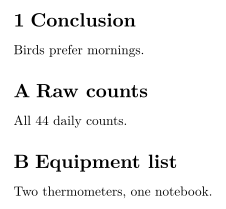
标签和对章节的引用
在标题后面紧接着写 \label{sec:method},然后在任何地方写 \ref{sec:method} 即可输出它的编号。参见标签和交叉引用。
与 TeX 安装的不同之处
另请参见文档结构、交叉引用和 hyperref、url。
常见问题
如何在 LaTeX 中创建不编号的节?
加一个星号:\section*{Title}。在 Scissor LaTeX 中,它仍然会出现在目录里,但没有编号。
为什么我的目录在 TeX 安装中是空的,在这里却不是?
TeX 安装需要运行两次才能填好目录。Scissor LaTeX 每次你输入时都会一次性生成目录。
如何使用章?
使用 \documentclass{report} 或 \documentclass{book}。这样每章会从新页面开始,节在章内编号。
本页的每个示例都在构建网站时由 Scissor LaTeX 排版。 最后更新:2026-11-07