


Scissor LaTeX 中的 geometry 和頁面邊界
geometry 套件在 Scissor LaTeX 中可以使用:導言區中的 \usepackage[...]{geometry} 和 \geometry{...} 會設定紙張(a0paper 到 a6paper、letterpaper ...,或 paperwidth 和 paperheight)、landscape,以及邊界和文字區塊(margin、left、textwidth、includehead ...)。\newgeometry 會被忽略,沒有套用的選項會在一則訊息中列出。
套件的用途
geometry 用來設定紙張大小和頁面邊界:\usepackage[a4paper, margin=2.5cm]{geometry} 或 \geometry{left=3cm, right=2cm}。\newgeometry 從某一頁開始改變邊界,\restoregeometry 則恢復原本的邊界。
在這裡可用的功能
| 功能 | 在 Scissor LaTeX 中 | 備註 |
|---|---|---|
導言區中的 \usepackage[...]{geometry}、\geometry{...} | 可用 | 多行 \geometry 會累加,和 LaTeX 中一樣。 |
紙張 a0paper 到 a6paper、b4paper 到 b6paper、letterpaper、legalpaper、executivepaper、paper=... | 可用 | |
paperwidth、paperheight、papersize={w,h} | 可用 | 1 cm 到 5 m 之間的任何大小。 |
landscape、portrait | 可用 | 頁面會被轉向。 |
margin、hmargin、vmargin、left、right、top、bottom、inner、outer | 可用 | 長度可用 mm、cm、in、pt、bp、em ...,或 0.1\paperwidth。 |
textwidth、textheight、width、height、text、body、total、scale | 可用 | 邊界會依頁面計算出來。 |
centering、hmarginratio、vmarginratio、marginratio | 可用 | |
includehead、includefoot、includeheadfoot、headheight、headsep、footskip、bindingoffset | 可用 | |
columnsep、twocolumn | 可用 | 欄距;雙欄。 |
showframe、驅動程式選項、twoside、marginparwidth 以及其他在這裡沒有可見效果的選項 | 忽略 | 直接接受,沒有訊息。 |
其他選項(hdivide、vdivide ...) | 忽略 | 會被忽略;「問題」分頁中會有一則訊息列出它們。 |
\newgeometry{...}、\restoregeometry | 忽略 | 整份文件沿用導言區設定的頁面。 |
文件類別選項 a4paper、a5paper、b5paper、letterpaper、legalpaper、executivepaper、landscape | 可用 | 不使用 geometry 時也可以。 |
沒有邊界選項時,標準紙張上的頁面沿用文件類別的邊界;在其他任何頁面上或橫向時,文字區塊佔頁面的 70 %,和 geometry 的預設值 scale=0.7 相同。研討會和期刊版面會保持自己的頁面,除非你的文件用 geometry 設定了紙張、方向或邊界。
範例
A4 紙,左右邊界 2 cm,上下邊界 2.5 cm:
用 geometry 設定邊界
\documentclass{article}
\usepackage[a4paper, hmargin=2cm, vmargin=2.5cm]{geometry}
\begin{document}
\section{Margins}
This page is A4 with 2 cm margins at the sides and 2.5 cm at the top
and bottom. Lorem ipsum dolor sit amet, consectetuer adipiscing elit.
Ut purus elit, vestibulum ut, placerat ac, adipiscing vitae, felis.
Curabitur dictum gravida mauris. Erika Mustermann and John Doe
measured 44 samples.
\end{document}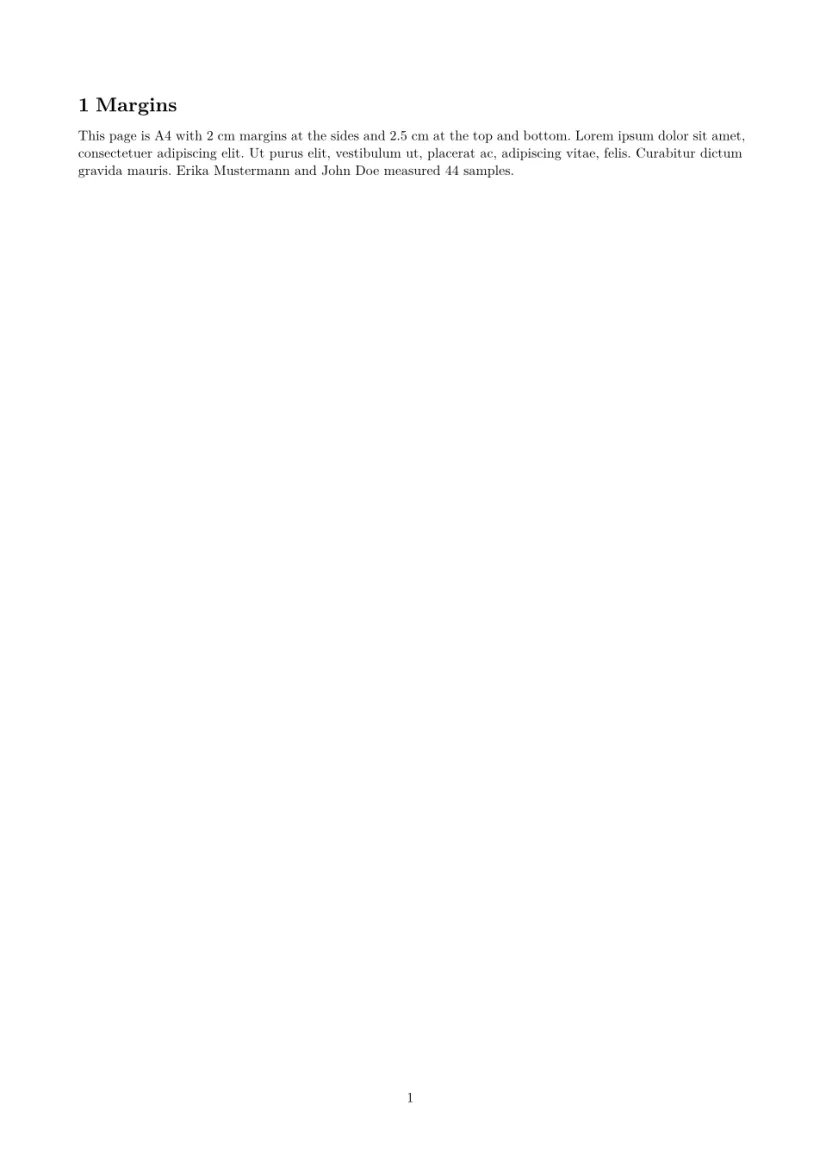
任何大小的頁面,這裡是一張 5 × 3 英吋、沒有頁碼的索引卡:
paperwidth 和 paperheight
\documentclass{article}
\usepackage[paperwidth=5in, paperheight=3in, margin=0.3in]{geometry}
\pagestyle{empty}
\begin{document}
\textbf{Index card 44}

Hans Mustermann: call back about the bridge drawings on Monday, and
send the corrected table to John Doe.
\end{document}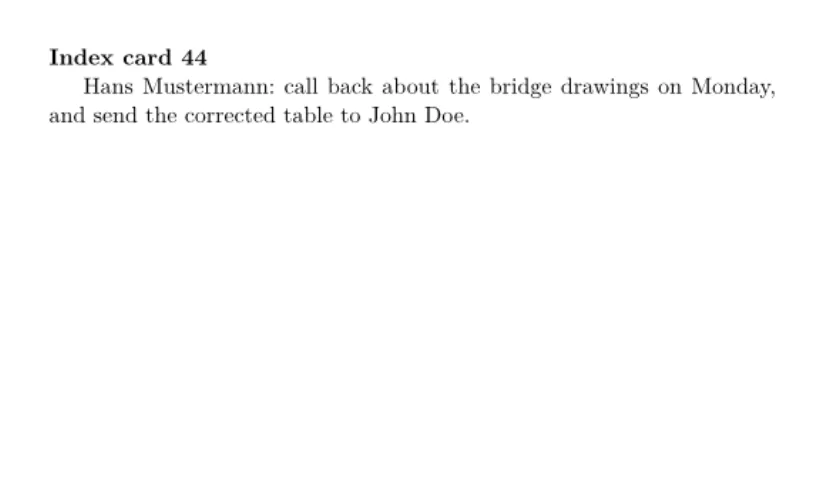
轉成橫向的 A4 紙,用文字區塊大小取代邊界:
landscape 和 textwidth
\documentclass{article}
\usepackage[a4paper, landscape, textwidth=20cm, textheight=14cm, centering]{geometry}
\begin{document}
\section{A landscape page}
The text block is 20 by 14 cm, centred on an A4 page turned on its
side. Lorem ipsum dolor sit amet, consectetuer adipiscing elit. Ut
purus elit, vestibulum ut, placerat ac, adipiscing vitae, felis.
\end{document}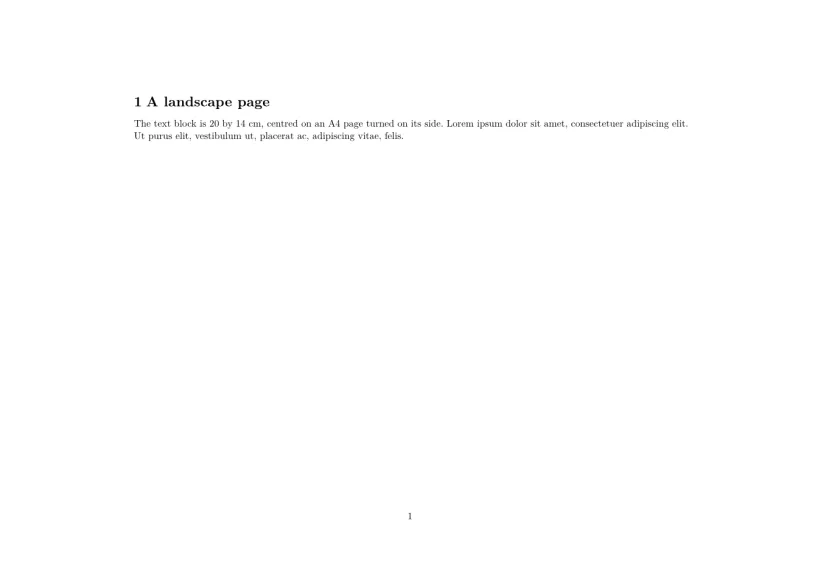
相容性
- 從 TeX 安裝環境搬到這裡:紙張、方向和邊界都和那裡的結果一樣。用
\newgeometry改變的版面,會在整份文件中沿用第一頁的版面。 - 從這裡搬到 TeX 安裝環境:文件在那裡不需修改就能編譯,頁面也相同。
完整手冊在 CTAN 上:ctan.org/pkg/geometry。使用指南請見頁面版面、邊界與紙張大小和文件類別。
常見問題
在 Scissor LaTeX 中要怎麼更改邊界?
和在任何 LaTeX 中一樣,使用 geometry:\usepackage[margin=2cm]{geometry},或用 left、right、top 和 bottom 分別設定每一邊的邊界。
要怎麼印在信封或卡片上?
寫出大小即可:DL 信封可以用 \usepackage[paperwidth=220mm,paperheight=110mm,margin=10mm]{geometry}。新增專案 中的「卡片與印刷品」範本提供了信封、明信片、名片、海報、證書和傳單作為起點。
為什麼我的研討會範本忽略了我的邊界?
並沒有忽略:研討會或期刊版面會保持自己的頁面,直到你的文件用 geometry 設定了邊界或紙張。這時會以你的設定為準。
本頁的每個範例都在建置網站時由 Scissor LaTeX 排版。 最後更新:2026-11-07