


arXiv 預印本 LaTeX 範本(arxiv.sty 樣式)
arXiv 接受任何版面;一種常見的預印本外觀是來自 github.com/kourgeorge/arxiv-style 的社群 arxiv.sty 樣式。Scissor LaTeX 提供免費的仿格式版面,讓你在瀏覽器中撰寫草稿,不需要帳號:從 arXiv 預印本範本開始,或在 article 中加上 \usepackage{arxiv}。同一個 .tex 搭配原始樣式檔也能編譯。
在編輯器中開啟 arXiv preprint 範本 免費,在瀏覽器中,無需帳號
範本
arXiv 預印本範本是一篇簡短的數學物理論文,有三位作者、一個附證明的定理、一個 pgfplots 圖、一個 booktabs 表格和作者—年份格式的參考文獻。在編輯器中開啟 arXiv 預印本範本即可看到完整內容;下方的範例則展示它的標題區塊。
啟用方式
這個樣式是建立在 article 之上的套件:
\documentclass{article}
\usepackage{arxiv}
Scissor LaTeX 找到這一行時,就會使用預印本的外觀:類似 Times 的內文字型(TeX Gyre Termes,第一次使用時下載)、位於兩條橫線之間的標題、標題下方的「A Preprint」、粗體置中的作者,以及之後各頁的頁首。「問題」分頁會顯示一則說明,指出仿格式版面已啟用,以及要在其他地方編譯時可以在哪裡取得 arxiv.sty。
標題區塊、摘要和關鍵詞
\documentclass{article}
\usepackage{arxiv}
\usepackage{amsmath}

\title{Decay Rates of a Damped Chain of 44 Oscillators}
\author{Erika Mustermann \\ Department of Mathematics \\ Example University \\
  \texttt{erika@example.org}
  \And
  John Doe \\ Institute of Example Studies \\ Exampleton \\
  \texttt{john.doe@example.org}}
\date{}
\renewcommand{\shorttitle}{Decay rates of a damped chain}

\begin{document}
\maketitle

\begin{abstract}
We bound the spectral gap of a chain of coupled oscillators that is damped at one end,
and compare the bound with numerical runs.
\end{abstract}

\keywords{spectral gap \and damping \and lattice dynamics}

\section{Introduction}
When only the boundary of a chain is damped, energy must travel through the chain before
it is lost, so the decay rate $\gamma$ depends on the length $N$.
\end{document}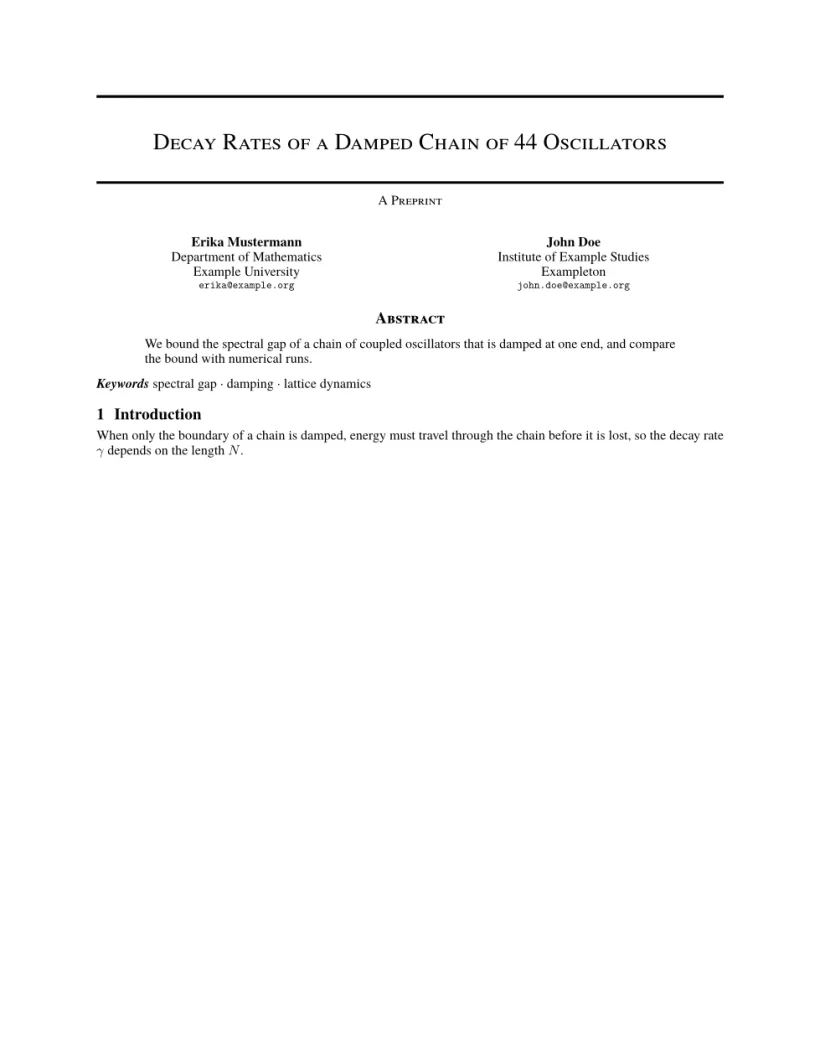
「問題」分頁: Layout in the style of the arXiv preprint style (final mode). Not official. To compile elsewhere, add arxiv.sty from github.com/kourgeorge/arxiv-style.
樣式的指令
| 指令 | 作用 | 在 Scissor LaTeX 中 |
|---|---|---|
\And、\AND | 分隔作者(並排,或換到新的一列) | 可以使用 |
\keywords{a \and b} | 摘要後面的關鍵詞行 | 可以使用 |
\renewcommand{\shorttitle}{..} | 頁首 | 可以使用 |
\renewcommand{\headeright}{..} | 頁首中的「A Preprint」文字 | 可以使用 |
\renewcommand{\undertitle}{..} | 標題下方的「A Preprint」文字 | 可以使用 |
\thanks{..} | 姓名上的註腳 | 可以使用 |
標記文字和頁首都是一般的巨集。這份文件兩者都更改了;第一頁沒有頁首,第二頁則顯示簡短標題和標記文字。
技術報告標記與頁首
\documentclass{article}
\usepackage{arxiv}
\title{Notes on Damped Chains}
\author{Hans Mustermann \\ Example University}
\date{}
\renewcommand{\headeright}{Technical Report}
\renewcommand{\undertitle}{Technical Report}
\renewcommand{\shorttitle}{Notes on damped chains}
\begin{document}
\maketitle
\section{Setting}
The first page has no running head.
\newpage
\section{Results}
From the second page on, the header shows the short title and the label.
\end{document}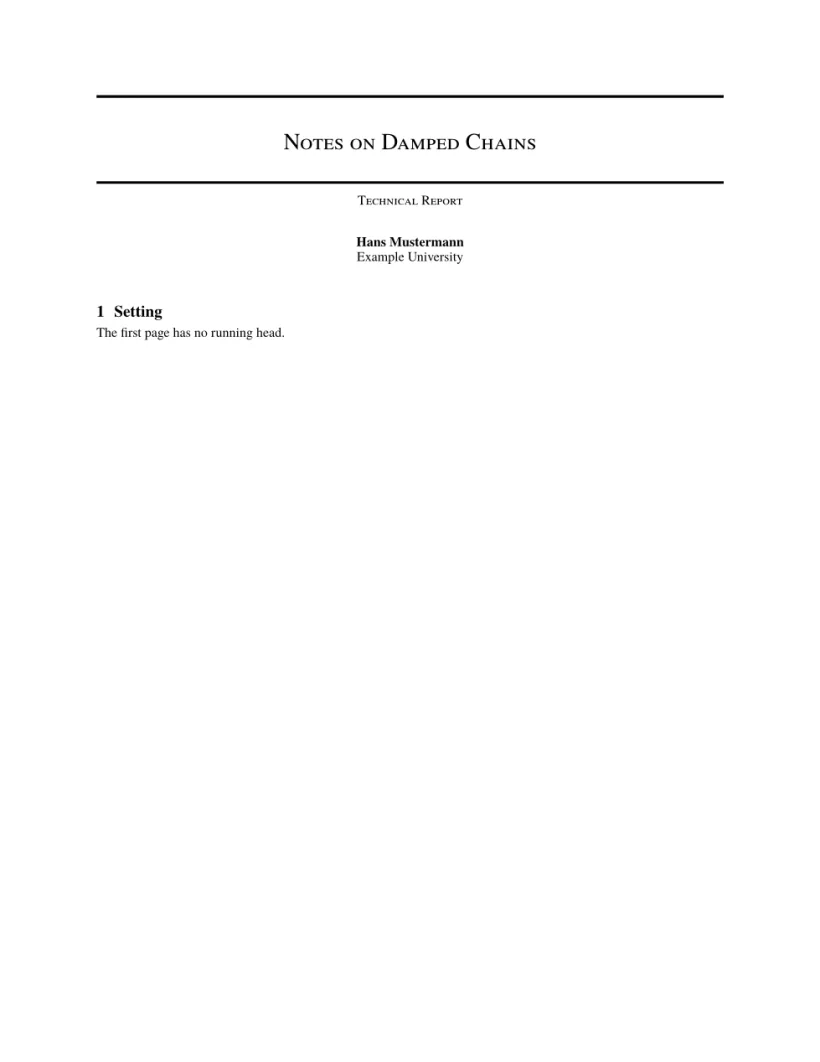

「問題」分頁: Layout in the style of the arXiv preprint style (final mode). Not official. To compile elsewhere, add arxiv.sty from github.com/kourgeorge/arxiv-style.
這個樣式沒有審稿或匿名模式。範本載入 natbib,參考文獻使用 unsrtnat,Scissor LaTeX 會將其排成作者—年份引用,條目依引用順序排列。
與 arxiv.sty 的差異
投稿時,請從 github.com/kourgeorge/arxiv-style 取得 arxiv.sty,並放在你的 .tex 檔案旁邊;同一個檔案不需修改就能編譯。其他版面請參閱仿會議格式範本。
常見問題
arXiv 要求使用特定範本嗎?
不需要。arXiv 接受任何版面的論文。arxiv.sty 樣式是社群中常見的選擇,能讓預印本看起來整齊。
怎麼把「A Preprint」改成「Technical Report」?
在導言區加上 \renewcommand{\headeright}{Technical Report} 和 \renewcommand{\undertitle}{Technical Report}。
本頁的每個範例都在建置網站時由 Scissor LaTeX 排版。 最後更新:2026-11-07