


Scissor LaTeX 中的 geometry 和页边距
geometry 宏包在 Scissor LaTeX 中可用:导言区中的 \usepackage[...]{geometry} 和 \geometry{...} 会设置纸张(a0paper 到 a6paper、letterpaper ...,或 paperwidth 和 paperheight)、landscape 以及页边距和版心(margin、left、textwidth、includehead ...)。\newgeometry 会被忽略,未被应用的选项会在一条提示中列出。
宏包的作用
geometry 设置纸张大小和页边距:\usepackage[a4paper, margin=2.5cm]{geometry} 或 \geometry{left=3cm, right=2cm}。\newgeometry 从某一页开始改变页边距,\restoregeometry 则恢复原来的设置。
这里可用的功能
| 功能 | 在 Scissor LaTeX 中 | 说明 |
|---|---|---|
导言区中的 \usepackage[...]{geometry}、\geometry{...} | 可用 | 多行 \geometry 会叠加,与 LaTeX 中一样。 |
纸张 a0paper 到 a6paper、b4paper 到 b6paper、letterpaper、legalpaper、executivepaper、paper=... | 可用 | |
paperwidth、paperheight、papersize={w,h} | 可用 | 1 cm 到 5 m 之间的任意尺寸。 |
landscape、portrait | 可用 | 页面会被旋转。 |
margin、hmargin、vmargin、left、right、top、bottom、inner、outer | 可用 | 长度可用 mm、cm、in、pt、bp、em ...,或 0.1\paperwidth。 |
textwidth、textheight、width、height、text、body、total、scale | 可用 | 页边距根据页面计算得出。 |
centering、hmarginratio、vmarginratio、marginratio | 可用 | |
includehead、includefoot、includeheadfoot、headheight、headsep、footskip、bindingoffset | 可用 | |
columnsep、twocolumn | 可用 | 栏间距;双栏。 |
showframe、驱动选项、twoside、marginparwidth 以及其他在这里没有可见效果的选项 | 忽略 | 静默接受。 |
其他选项(hdivide、vdivide ...) | 忽略 | 被忽略;“问题”标签页中会有一条提示列出它们。 |
\newgeometry{...}、\restoregeometry | 忽略 | 整个文档沿用导言区设置的页面。 |
文档类选项 a4paper、a5paper、b5paper、letterpaper、legalpaper、executivepaper、landscape | 可用 | 不使用 geometry 时也有效。 |
没有页边距选项时,标准纸张上的页面沿用文档类的页边距;在其他任何页面上或横向时,版心占页面的 70 %,与 geometry 的默认值 scale=0.7 相同。会议和期刊版式保持自己的页面,除非你的文档用 geometry 设置了纸张、方向或页边距。
示例
A4 纸,左右页边距 2 cm,上下页边距 2.5 cm:
用 geometry 设置页边距
\documentclass{article}
\usepackage[a4paper, hmargin=2cm, vmargin=2.5cm]{geometry}
\begin{document}
\section{Margins}
This page is A4 with 2 cm margins at the sides and 2.5 cm at the top
and bottom. Lorem ipsum dolor sit amet, consectetuer adipiscing elit.
Ut purus elit, vestibulum ut, placerat ac, adipiscing vitae, felis.
Curabitur dictum gravida mauris. Erika Mustermann and John Doe
measured 44 samples.
\end{document}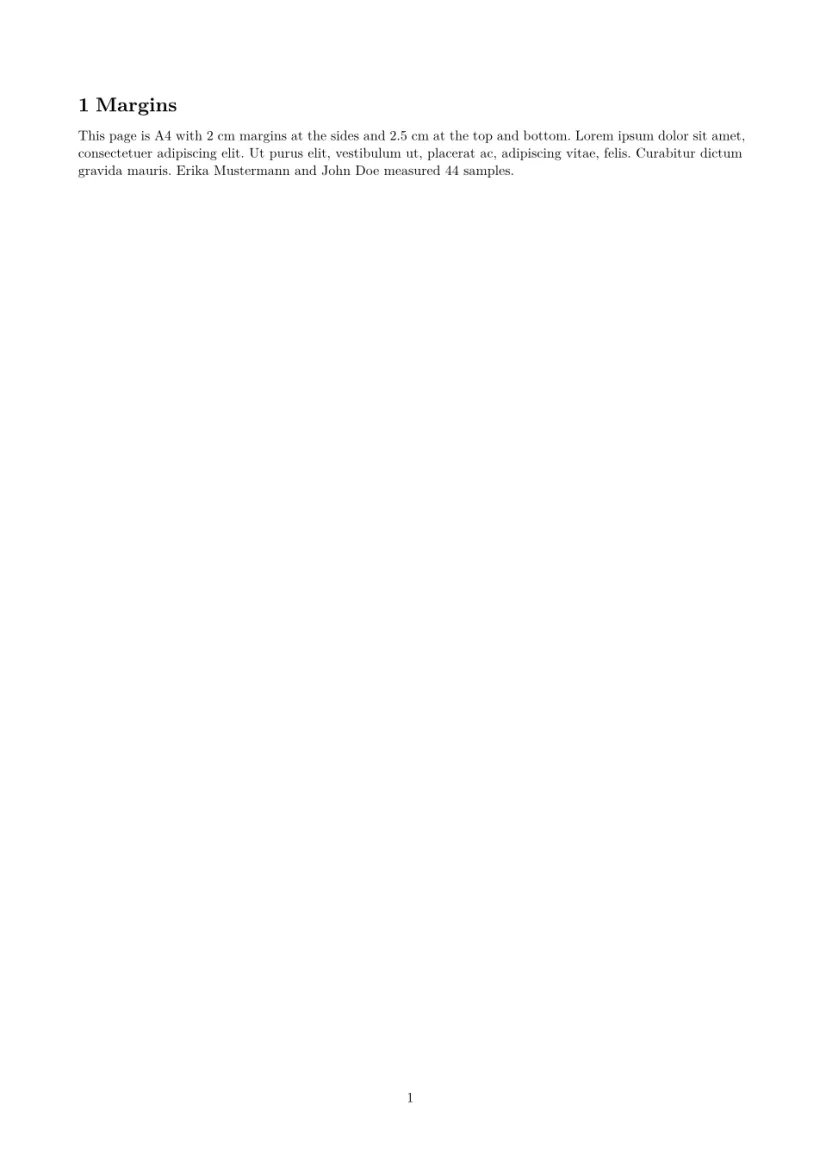
任意尺寸的页面,这里是一张 5 × 3 英寸、没有页码的索引卡:
paperwidth 和 paperheight
\documentclass{article}
\usepackage[paperwidth=5in, paperheight=3in, margin=0.3in]{geometry}
\pagestyle{empty}
\begin{document}
\textbf{Index card 44}

Hans Mustermann: call back about the bridge drawings on Monday, and
send the corrected table to John Doe.
\end{document}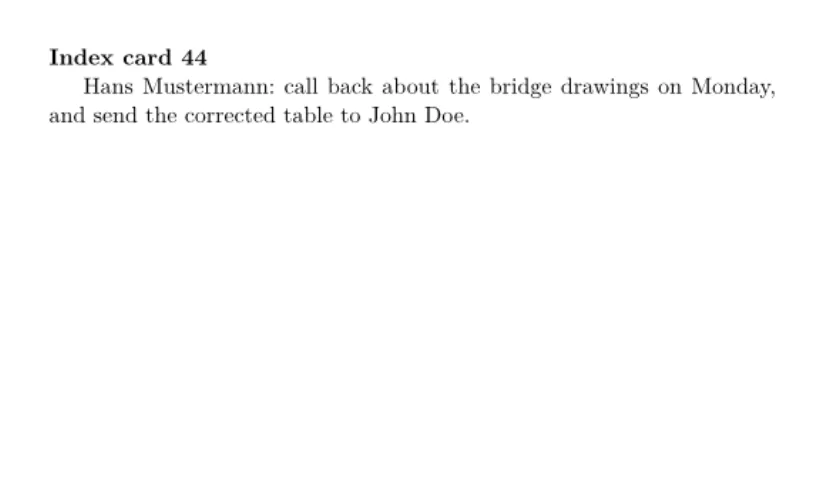
横向的 A4 纸,用版心尺寸代替页边距:
landscape 和 textwidth
\documentclass{article}
\usepackage[a4paper, landscape, textwidth=20cm, textheight=14cm, centering]{geometry}
\begin{document}
\section{A landscape page}
The text block is 20 by 14 cm, centred on an A4 page turned on its
side. Lorem ipsum dolor sit amet, consectetuer adipiscing elit. Ut
purus elit, vestibulum ut, placerat ac, adipiscing vitae, felis.
\end{document}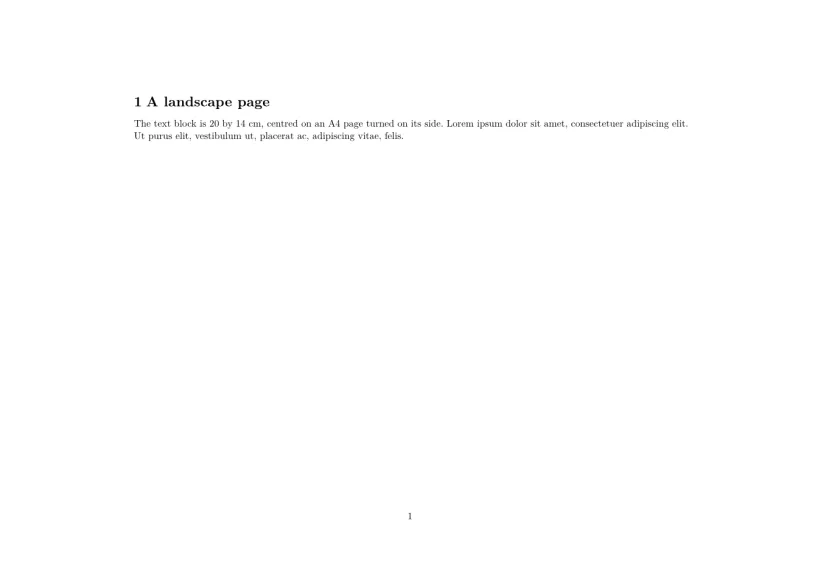
兼容性
- 从 TeX 发行版迁移到这里: 纸张、方向和页边距与那里的结果一致。用
\newgeometry改变的版式,会在整个文档中沿用第一页的版式。 - 从这里迁移到 TeX 发行版: 文档无需修改即可在那里编译,页面也相同。
完整手册见 CTAN:ctan.org/pkg/geometry。使用指南请参阅页面布局、页边距和纸张大小和文档类。
常见问题
如何在 Scissor LaTeX 中修改页边距?
与在任何 LaTeX 中一样,使用 geometry:\usepackage[margin=2cm]{geometry},或者用 left、right、top 和 bottom 分别设置每一侧的页边距。
如何打印信封或卡片?
写明尺寸即可:DL 信封可以用 \usepackage[paperwidth=220mm,paperheight=110mm,margin=10mm]{geometry}。新建项目 中的“卡片和印刷品”模板提供了信封、明信片、名片、海报、证书和传单作为起点。
为什么我的会议模板忽略了我的页边距?
并没有忽略:会议或期刊版式会保持自己的页面,直到你的文档用 geometry 设置了页边距或纸张。此时以你的设置为准。
本页的每个示例都在构建网站时由 Scissor LaTeX 排版。 最后更新:2026-11-07