


arXiv 프리프린트 LaTeX 템플릿(arxiv.sty 스타일)
arXiv는 어떤 레이아웃이든 받아 주며, 많이 쓰는 프리프린트 모양은 github.com/kourgeorge/arxiv-style의 커뮤니티 arxiv.sty 스타일입니다. Scissor LaTeX에는 계정 없이 브라우저에서 초안을 쓸 수 있는 무료 모방 레이아웃이 있습니다. arXiv 프리프린트 템플릿으로 시작하거나 article에 \usepackage{arxiv}를 넣으세요. 같은 .tex가 원래 스타일 파일로도 컴파일됩니다.
arXiv preprint 템플릿을 편집기에서 열기 무료, 브라우저에서, 계정 없이
템플릿
arXiv 프리프린트 템플릿은 저자 세 명, 증명이 있는 정리, pgfplots 그림, booktabs 표, 저자-연도 참고문헌이 들어 있는 짧은 수리물리 논문입니다. 전체를 보려면 편집기에서 arXiv 프리프린트 템플릿 열기를 누르세요. 아래 예제는 제목 블록을 보여 줍니다.
켜는 방법
이 스타일은 article 위에 얹는 패키지입니다.
\documentclass{article}
\usepackage{arxiv}
Scissor LaTeX가 이 줄을 찾으면 프리프린트 모양을 씁니다. Times 같은 본문 글꼴(TeX Gyre Termes, 처음 쓸 때 내려받음), 두 가로줄 사이의 제목, 그 아래의 "A Preprint", 가운데 정렬한 굵은 저자 이름, 다음 페이지부터의 머리글입니다. 문제 탭에는 모방 레이아웃이 켜져 있다는 메모와, 다른 곳에서 컴파일하려면 arxiv.sty를 어디서 받는지가 나옵니다.
제목 블록, 초록, 키워드
\documentclass{article}
\usepackage{arxiv}
\usepackage{amsmath}

\title{Decay Rates of a Damped Chain of 44 Oscillators}
\author{Erika Mustermann \\ Department of Mathematics \\ Example University \\
  \texttt{erika@example.org}
  \And
  John Doe \\ Institute of Example Studies \\ Exampleton \\
  \texttt{john.doe@example.org}}
\date{}
\renewcommand{\shorttitle}{Decay rates of a damped chain}

\begin{document}
\maketitle

\begin{abstract}
We bound the spectral gap of a chain of coupled oscillators that is damped at one end,
and compare the bound with numerical runs.
\end{abstract}

\keywords{spectral gap \and damping \and lattice dynamics}

\section{Introduction}
When only the boundary of a chain is damped, energy must travel through the chain before
it is lost, so the decay rate $\gamma$ depends on the length $N$.
\end{document}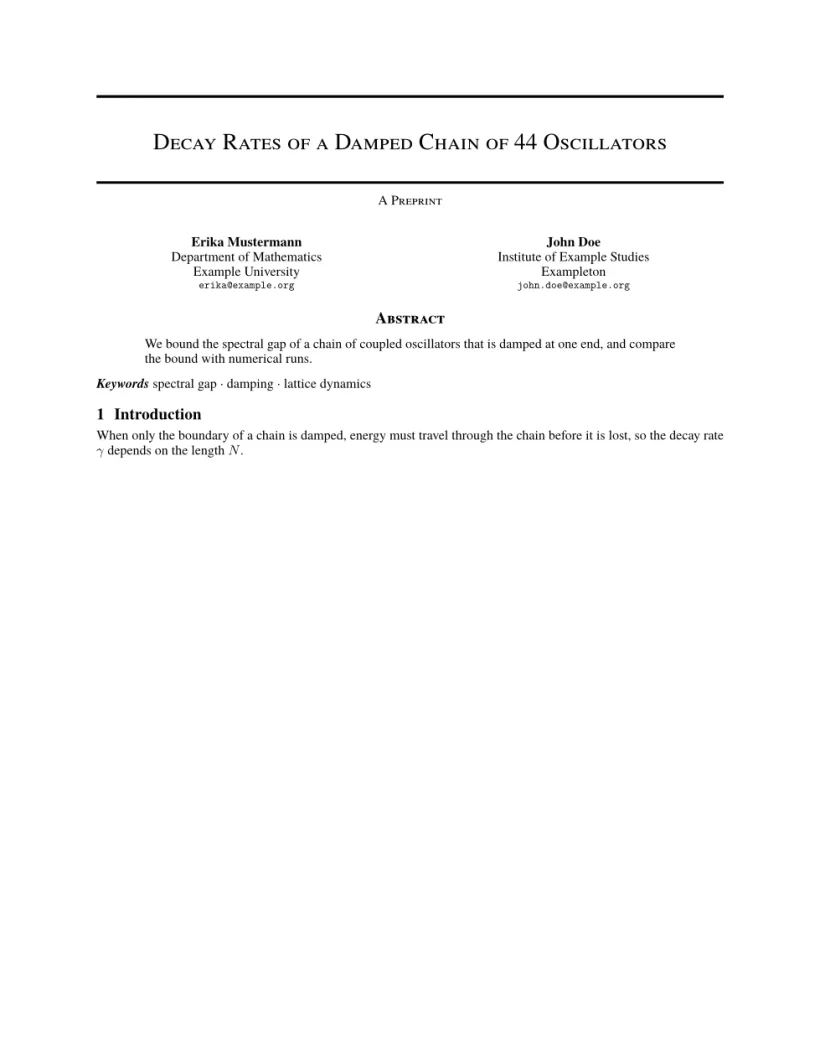
문제 탭: Layout in the style of the arXiv preprint style (final mode). Not official. To compile elsewhere, add arxiv.sty from github.com/kourgeorge/arxiv-style.
스타일의 명령
| 명령 | 하는 일 | Scissor LaTeX에서 |
|---|---|---|
\And, \AND | 저자 구분(나란히, 또는 새 줄에) | 작동함 |
\keywords{a \and b} | 초록 뒤의 키워드 줄 | 작동함 |
\renewcommand{\shorttitle}{..} | 머리글 | 작동함 |
\renewcommand{\headeright}{..} | 머리글의 "A Preprint" 문구 | 작동함 |
\renewcommand{\undertitle}{..} | 제목 아래의 "A Preprint" 문구 | 작동함 |
\thanks{..} | 이름에 붙는 각주 | 작동함 |
레이블과 머리글은 일반 매크로입니다. 아래 문서는 둘 다 바꿉니다. 첫 페이지에는 머리글이 없고, 두 번째 페이지에는 짧은 제목과 레이블이 나옵니다.
기술 보고서 레이블과 머리글
\documentclass{article}
\usepackage{arxiv}
\title{Notes on Damped Chains}
\author{Hans Mustermann \\ Example University}
\date{}
\renewcommand{\headeright}{Technical Report}
\renewcommand{\undertitle}{Technical Report}
\renewcommand{\shorttitle}{Notes on damped chains}
\begin{document}
\maketitle
\section{Setting}
The first page has no running head.
\newpage
\section{Results}
From the second page on, the header shows the short title and the label.
\end{document}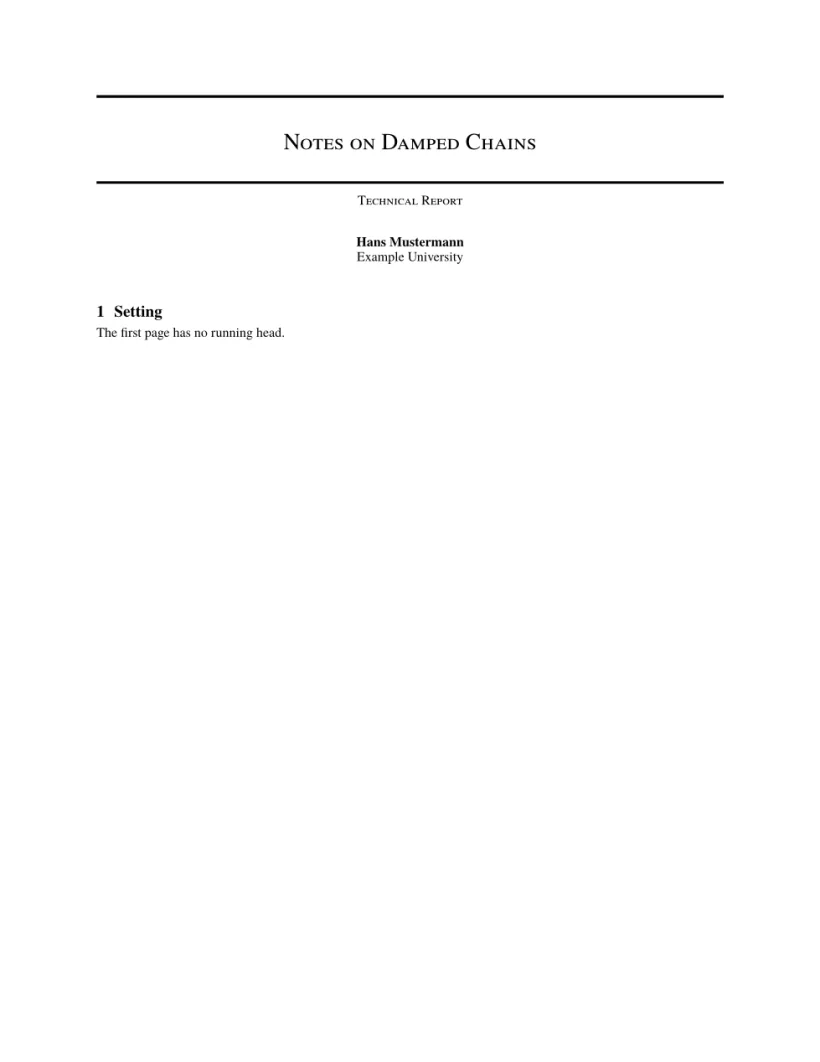
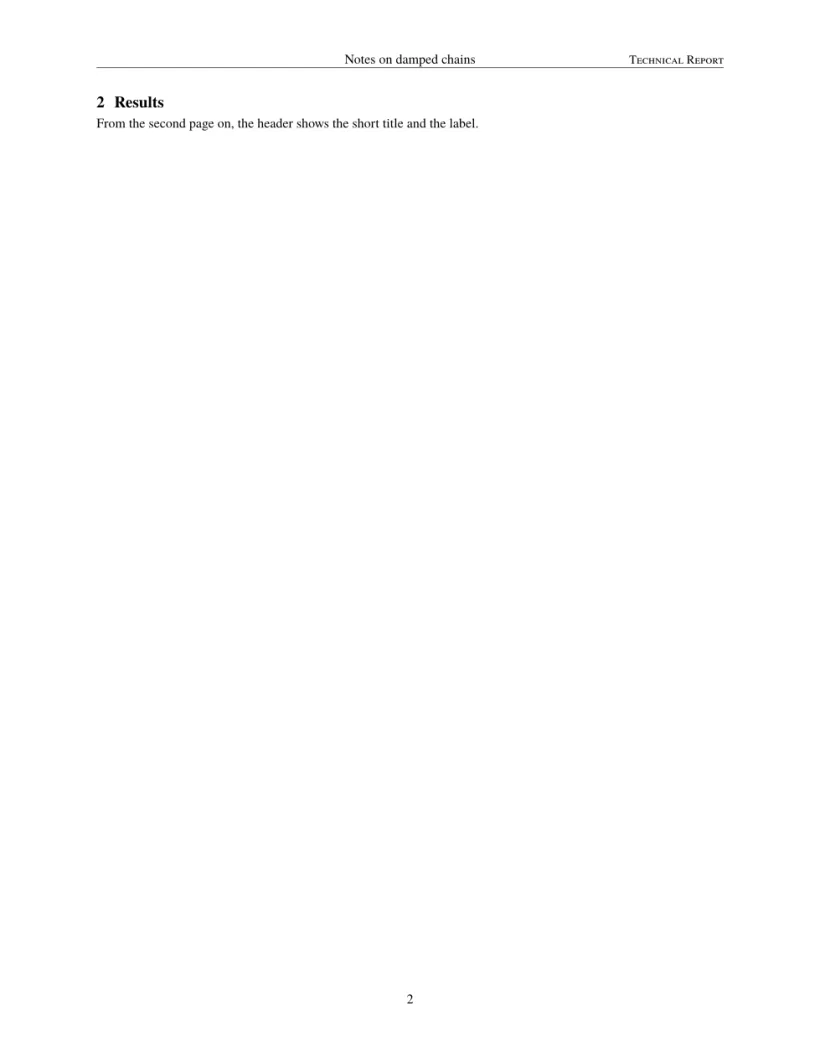
문제 탭: Layout in the style of the arXiv preprint style (final mode). Not official. To compile elsewhere, add arxiv.sty from github.com/kourgeorge/arxiv-style.
이 스타일에는 심사용 모드나 익명 모드가 없습니다. 템플릿은 natbib을 불러오고 참고문헌에 unsrtnat을 쓰며, Scissor LaTeX는 이를 인용 순서대로 항목을 나열한 저자-연도 인용으로 조판합니다.
arxiv.sty와 다른 점
제출할 때는 github.com/kourgeorge/arxiv-style에서 arxiv.sty를 받아 .tex 파일 옆에 두세요. 그러면 같은 파일이 그대로 컴파일됩니다. 다른 레이아웃은 학회 형식 템플릿을 보세요.
시작 템플릿, 학회 레이아웃, 참고문헌도 함께 보세요.
질문과 답변
arXiv에는 정해진 템플릿이 있나요?
아니요. arXiv는 어떤 레이아웃의 논문이든 받아 줍니다. arxiv.sty 스타일은 프리프린트를 깔끔하게 보이게 해 주는, 커뮤니티에서 인기 있는 선택지입니다.
"A Preprint"를 "Technical Report"로 바꾸려면 어떻게 하나요?
프리앰블에 \renewcommand{\headeright}{Technical Report}와 \renewcommand{\undertitle}{Technical Report}를 넣으세요.
이 페이지의 모든 예제는 사이트를 빌드할 때 Scissor LaTeX로 조판됩니다. 마지막 업데이트: 2026-11-07