


arXiv प्रीप्रिंट LaTeX टेम्पलेट (arxiv.sty शैली)
arXiv कोणतीही मांडणी स्वीकारते; प्रीप्रिंटसाठी लोकप्रिय रूप म्हणजे github.com/kourgeorge/arxiv-style मधील कम्युनिटीची arxiv.sty शैली. Scissor LaTeX मध्ये ब्राउझरमध्ये खात्याशिवाय मसुदा लिहिण्यासाठी तिच्यासारखी दिसणारी मोफत मांडणी आहे: arXiv प्रीप्रिंट टेम्पलेटपासून सुरुवात करा, किंवा article मध्ये \usepackage{arxiv} जोडा. तीच .tex मूळ स्टाइल फाइलसह कंपाइल होते.
arXiv preprint साचा एडिटरमध्ये उघडा मोफत, तुमच्या ब्राउझरमध्ये, खात्याशिवाय
टेम्पलेट
arXiv प्रीप्रिंट टेम्पलेट हा तीन लेखकांचा गणितीय भौतिकशास्त्रातील छोटा शोधनिबंध आहे, सिद्धतेसह एक प्रमेय, एक pgfplots आकृती, एक booktabs टेबल आणि लेखक-वर्ष संदर्भांसह. संपूर्ण टेम्पलेट पाहण्यासाठी एडिटरमध्ये arXiv प्रीप्रिंट टेम्पलेट उघडा; पुढील उदाहरण त्याचा शीर्षक भाग दाखवते.
ती सुरू करणे
ही शैली article वरचे एक पॅकेज आहे:
\documentclass{article}
\usepackage{arxiv}
Scissor LaTeX ला ही ओळ सापडल्यावर ते प्रीप्रिंटचे रूप वापरते: Times सारखा मजकूर (TeX Gyre Termes, पहिल्या वापरावेळी डाउनलोड होतो), दोन रेषांच्या मध्ये शीर्षक, त्याखाली "A Preprint", ठळक मध्यभागी लेखक, आणि पुढील पेजांवर रनिंग हेड. समस्या टॅबमध्ये एक टीप दिसते की नक्कल मांडणी सक्रिय आहे, आणि इतरत्र कंपाइल करण्यासाठी arxiv.sty कुठे मिळेल.
शीर्षक भाग, सारांश आणि कीवर्ड्स
\documentclass{article}
\usepackage{arxiv}
\usepackage{amsmath}

\title{Decay Rates of a Damped Chain of 44 Oscillators}
\author{Erika Mustermann \\ Department of Mathematics \\ Example University \\
  \texttt{erika@example.org}
  \And
  John Doe \\ Institute of Example Studies \\ Exampleton \\
  \texttt{john.doe@example.org}}
\date{}
\renewcommand{\shorttitle}{Decay rates of a damped chain}

\begin{document}
\maketitle

\begin{abstract}
We bound the spectral gap of a chain of coupled oscillators that is damped at one end,
and compare the bound with numerical runs.
\end{abstract}

\keywords{spectral gap \and damping \and lattice dynamics}

\section{Introduction}
When only the boundary of a chain is damped, energy must travel through the chain before
it is lost, so the decay rate $\gamma$ depends on the length $N$.
\end{document}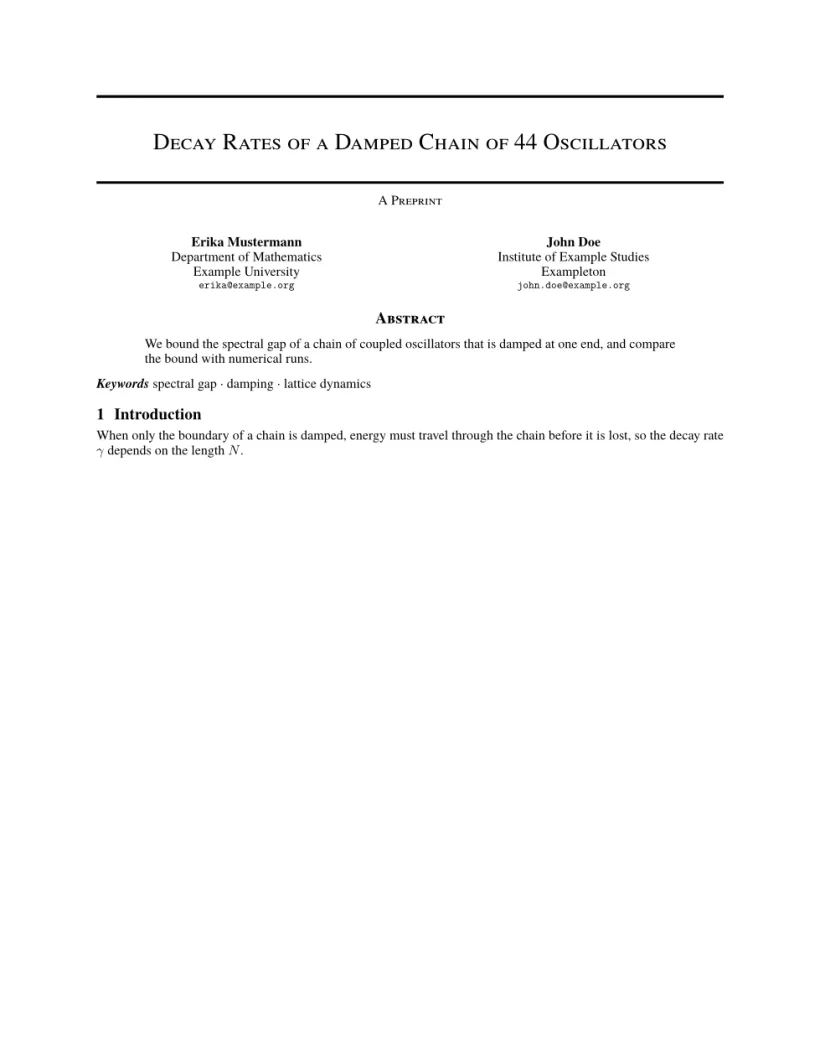
समस्या टॅब: Layout in the style of the arXiv preprint style (final mode). Not official. To compile elsewhere, add arxiv.sty from github.com/kourgeorge/arxiv-style.
शैलीच्या कमांड्स
| कमांड | ती काय करते | Scissor LaTeX मध्ये |
|---|---|---|
\And, \AND | लेखक वेगळे करतात (शेजारी शेजारी, किंवा नवी रांग) | चालते |
\keywords{a \and b} | सारांशानंतर कीवर्ड्सची ओळ | चालते |
\renewcommand{\shorttitle}{..} | रनिंग हेड | चालते |
\renewcommand{\headeright}{..} | हेडरमधील "A Preprint" हा मजकूर | चालते |
\renewcommand{\undertitle}{..} | शीर्षकाखालील "A Preprint" हा मजकूर | चालते |
\thanks{..} | नावावर तळटीप | चालते |
लेबल आणि रनिंग हेड हे साधे मॅक्रो आहेत. हा दस्तऐवज दोन्ही बदलतो; पहिल्या पेजवर हेडर नाही, दुसरे पेज छोटे शीर्षक आणि लेबल दाखवते.
तांत्रिक अहवालाचे लेबल आणि रनिंग हेड
\documentclass{article}
\usepackage{arxiv}
\title{Notes on Damped Chains}
\author{Hans Mustermann \\ Example University}
\date{}
\renewcommand{\headeright}{Technical Report}
\renewcommand{\undertitle}{Technical Report}
\renewcommand{\shorttitle}{Notes on damped chains}
\begin{document}
\maketitle
\section{Setting}
The first page has no running head.
\newpage
\section{Results}
From the second page on, the header shows the short title and the label.
\end{document}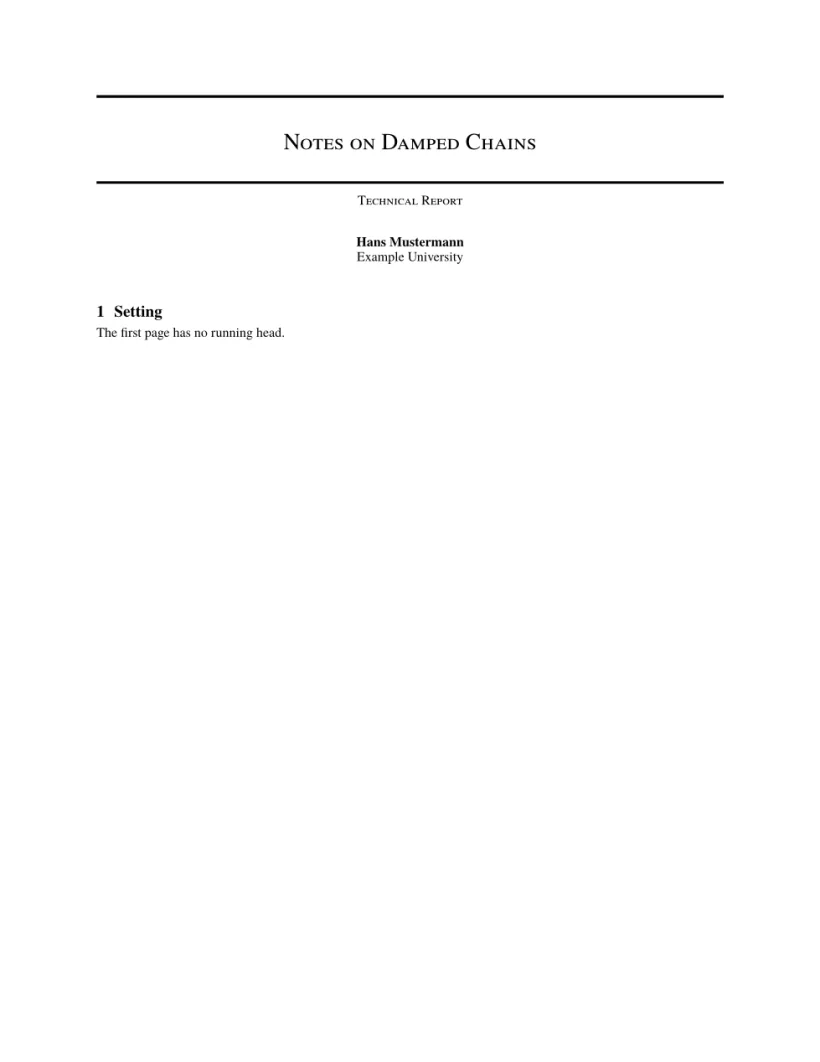

समस्या टॅब: Layout in the style of the arXiv preprint style (final mode). Not official. To compile elsewhere, add arxiv.sty from github.com/kourgeorge/arxiv-style.
या शैलीत रिव्ह्यू किंवा अनामिक मोड नाही. टेम्पलेट natbib लोड करते, आणि त्याची संदर्भसूची unsrtnat वापरते, जी Scissor LaTeX लेखक-वर्ष संदर्भांच्या रूपात, नोंदी संदर्भांच्या क्रमाने ठेवून मांडते.
arxiv.sty पेक्षा काय वेगळे आहे
सबमिट करण्यासाठी, github.com/kourgeorge/arxiv-style मधून arxiv.sty मिळवा आणि ती तुमच्या .tex फाइलच्या शेजारी ठेवा; मग तीच फाइल कोणताही बदल न करता कंपाइल होते. इतर मांडणीसाठी परिषदांसारखी दिसणारी टेम्पलेट पाहा.
हेही पाहा: सुरुवातीची टेम्पलेट, परिषदांच्या मांडणी आणि संदर्भसूची.
प्रश्न आणि उत्तरे
arXiv ला विशिष्ट टेम्पलेट लागते का?
नाही. arXiv कोणत्याही मांडणीतील शोधनिबंध स्वीकारते. arxiv.sty शैली ही कम्युनिटीतील लोकप्रिय निवड आहे जी प्रीप्रिंट नीटनेटका दिसायला मदत करते.
"A Preprint" ऐवजी "Technical Report" कसे लिहायचे?
preamble मध्ये \renewcommand{\headeright}{Technical Report} आणि \renewcommand{\undertitle}{Technical Report} जोडा.
या पेजवरील प्रत्येक उदाहरण साइट तयार होताना Scissor LaTeX टाइपसेट करते. शेवटचे अपडेट: 2026-11-07.