


arXiv プレプリントの LaTeX テンプレート(arxiv.sty 形式)
arXiv はどんなレイアウトも受け付けます。よく使われるプレプリントの体裁は、github.com/kourgeorge/arxiv-style にあるコミュニティの arxiv.sty 形式です。Scissor LaTeX には、ブラウザでアカウントなしで下書きできる無料の模倣版があります。arXiv プレプリントのテンプレートから始めるか、article に \usepackage{arxiv} を追加してください。同じ .tex が元のスタイルファイルでコンパイルできます。
arXiv preprint テンプレートをエディタで開く 無料、ブラウザで、アカウント不要
テンプレート
arXiv プレプリントのテンプレートは、3 人の著者、証明付きの定理、pgfplots の図、booktabs の表、著者年方式の参考文献を含む、短い数理物理の論文です。全体を見るには arXiv プレプリントのテンプレートをエディタで開いてください。下の例では、そのタイトル部分を示しています。
有効にする
この形式は article の上に載るパッケージです。
\documentclass{article}
\usepackage{arxiv}
Scissor LaTeX はこの行を見つけると、プレプリントの体裁を使います。Times 風の本文(TeX Gyre Termes、初回使用時にダウンロード)、2 本の罫線に挟まれたタイトル、その下の「A Preprint」、中央寄せの太字の著者、2 ページ目以降の柱です。「問題」タブには、模倣レイアウトが有効になっていることと、ほかの環境でコンパイルするための arxiv.sty の入手先を示す注意が表示されます。
タイトル部分、概要、キーワード
\documentclass{article}
\usepackage{arxiv}
\usepackage{amsmath}

\title{Decay Rates of a Damped Chain of 44 Oscillators}
\author{Erika Mustermann \\ Department of Mathematics \\ Example University \\
  \texttt{erika@example.org}
  \And
  John Doe \\ Institute of Example Studies \\ Exampleton \\
  \texttt{john.doe@example.org}}
\date{}
\renewcommand{\shorttitle}{Decay rates of a damped chain}

\begin{document}
\maketitle

\begin{abstract}
We bound the spectral gap of a chain of coupled oscillators that is damped at one end,
and compare the bound with numerical runs.
\end{abstract}

\keywords{spectral gap \and damping \and lattice dynamics}

\section{Introduction}
When only the boundary of a chain is damped, energy must travel through the chain before
it is lost, so the decay rate $\gamma$ depends on the length $N$.
\end{document}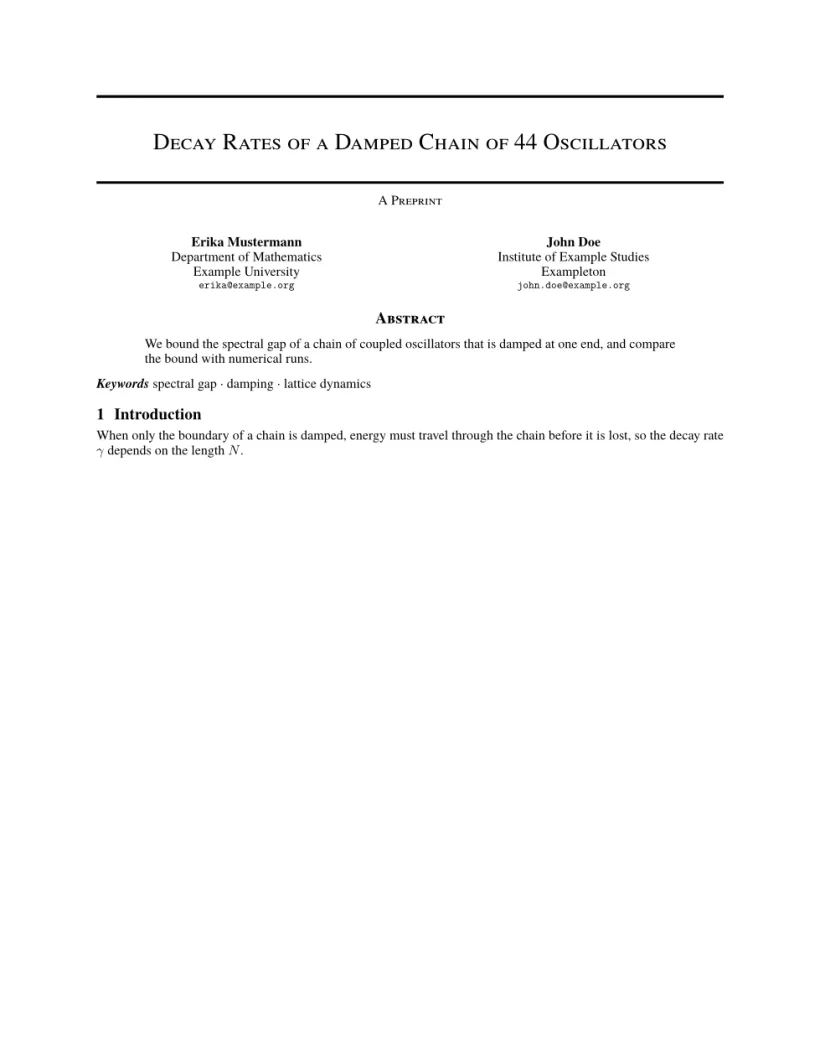
「問題」タブ: Layout in the style of the arXiv preprint style (final mode). Not official. To compile elsewhere, add arxiv.sty from github.com/kourgeorge/arxiv-style.
この形式のコマンド
| コマンド | 働き | Scissor LaTeX での対応 |
|---|---|---|
\And、\AND | 著者を区切る(横に並べる、または新しい行) | 使える |
\keywords{a \and b} | 概要の後のキーワードの行 | 使える |
\renewcommand{\shorttitle}{..} | 柱 | 使える |
\renewcommand{\headeright}{..} | ヘッダーの「A Preprint」というテキスト | 使える |
\renewcommand{\undertitle}{..} | タイトルの下の「A Preprint」というテキスト | 使える |
\thanks{..} | 名前に付ける脚注 | 使える |
ラベルと柱は普通のマクロです。次の文書では両方を変更しています。1 ページ目にはヘッダーがなく、2 ページ目には短いタイトルとラベルが表示されます。
技術報告のラベルと柱
\documentclass{article}
\usepackage{arxiv}
\title{Notes on Damped Chains}
\author{Hans Mustermann \\ Example University}
\date{}
\renewcommand{\headeright}{Technical Report}
\renewcommand{\undertitle}{Technical Report}
\renewcommand{\shorttitle}{Notes on damped chains}
\begin{document}
\maketitle
\section{Setting}
The first page has no running head.
\newpage
\section{Results}
From the second page on, the header shows the short title and the label.
\end{document}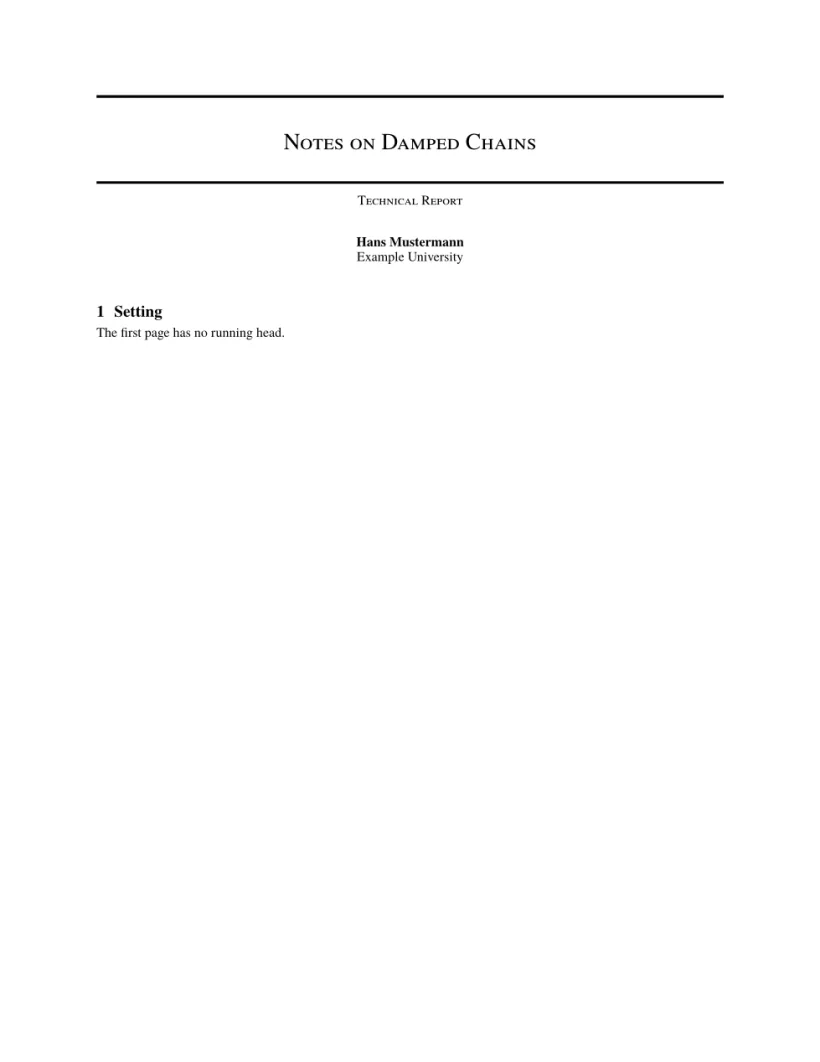

「問題」タブ: Layout in the style of the arXiv preprint style (final mode). Not official. To compile elsewhere, add arxiv.sty from github.com/kourgeorge/arxiv-style.
この形式には査読用や匿名のモードはありません。テンプレートは natbib を読み込み、参考文献には unsrtnat を使っています。Scissor LaTeX はこれを、引用順に並んだ著者年方式の引用として組みます。
arxiv.sty との違い
投稿するには、github.com/kourgeorge/arxiv-style から arxiv.sty を入手し、.tex ファイルの横に置きます。そうすれば同じファイルが変更なしでコンパイルできます。ほかのレイアウトは学会論文風テンプレートをご覧ください。
初期テンプレート、学会論文のレイアウト、参考文献もご覧ください。
よくある質問
arXiv には決まったテンプレートが必要ですか?
いいえ。arXiv はどんなレイアウトの論文も受け付けます。arxiv.sty 形式は、プレプリントを整った見た目にする、コミュニティで人気の選択肢です。
「A Preprint」を「Technical Report」に変えるにはどうすればよいですか?
プリアンブルに \renewcommand{\headeright}{Technical Report} と \renewcommand{\undertitle}{Technical Report} を追加します。
このページの例はすべて、サイトのビルド時に Scissor LaTeX で組版されています。 最終更新:2026-11-07