


arXiv 预印本 LaTeX 模板(arxiv.sty 样式)
arXiv 接受任何版式;一种流行的预印本外观是来自 github.com/kourgeorge/arxiv-style 的社区样式 arxiv.sty。Scissor LaTeX 提供一个免费的仿照版式,供你在浏览器中撰写草稿,无需账号:从 arXiv 预印本模板开始,或者在 article 中加上 \usepackage{arxiv}。同一个 .tex 配合原始样式文件也能编译。
在编辑器中打开 arXiv preprint 模板 免费,在浏览器中,无需账号
模板
arXiv 预印本模板是一篇简短的数学物理论文,包含三位作者、一个带证明的定理、一幅 pgfplots 图、一个 booktabs 表格和作者-年份格式的参考文献。在编辑器中打开 arXiv 预印本模板即可查看全部内容;下面的示例展示了它的标题区。
启用它
这个样式是基于 article 的一个宏包:
\documentclass{article}
\usepackage{arxiv}
Scissor LaTeX 发现这一行后,就会使用预印本外观:类似 Times 的正文(TeX Gyre Termes,首次使用时下载)、两条横线之间的标题、标题下方的“A Preprint”、居中的粗体作者,以及后续页面上的页眉。“问题”标签页会显示一条说明,指出仿照版式已启用,以及在哪里获取 arxiv.sty 以便在其他地方编译。
标题区、摘要和关键词
\documentclass{article}
\usepackage{arxiv}
\usepackage{amsmath}

\title{Decay Rates of a Damped Chain of 44 Oscillators}
\author{Erika Mustermann \\ Department of Mathematics \\ Example University \\
  \texttt{erika@example.org}
  \And
  John Doe \\ Institute of Example Studies \\ Exampleton \\
  \texttt{john.doe@example.org}}
\date{}
\renewcommand{\shorttitle}{Decay rates of a damped chain}

\begin{document}
\maketitle

\begin{abstract}
We bound the spectral gap of a chain of coupled oscillators that is damped at one end,
and compare the bound with numerical runs.
\end{abstract}

\keywords{spectral gap \and damping \and lattice dynamics}

\section{Introduction}
When only the boundary of a chain is damped, energy must travel through the chain before
it is lost, so the decay rate $\gamma$ depends on the length $N$.
\end{document}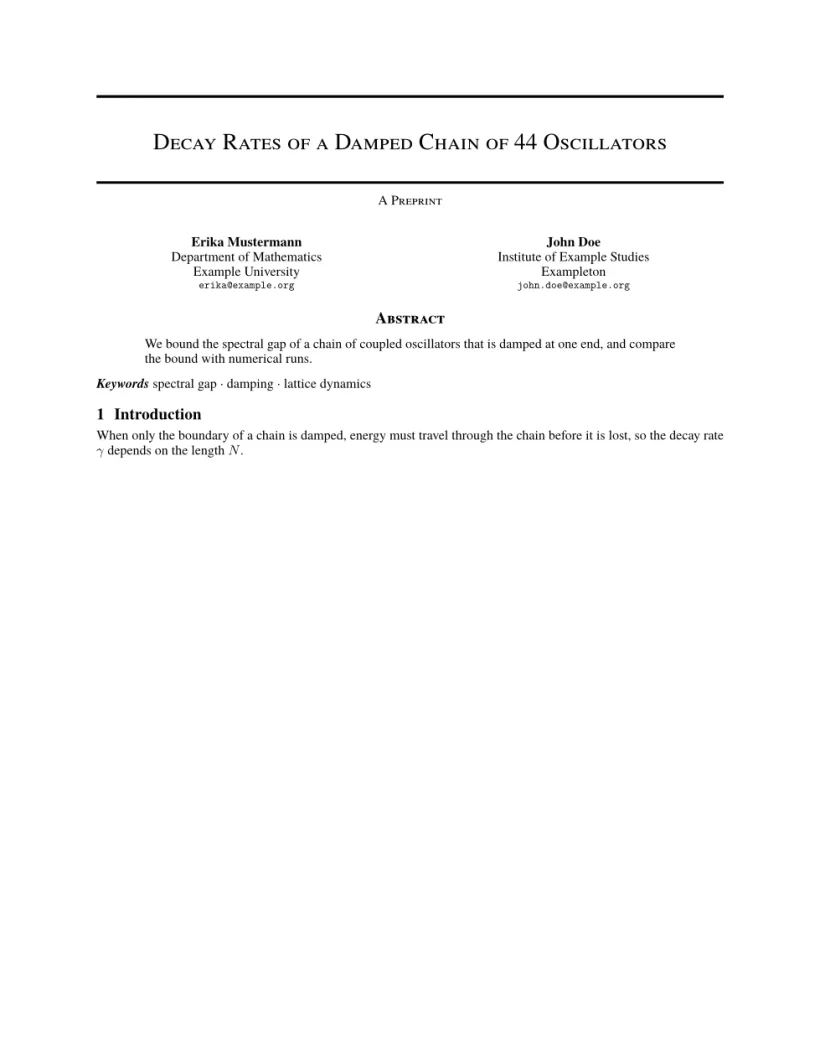
“问题”标签页: Layout in the style of the arXiv preprint style (final mode). Not official. To compile elsewhere, add arxiv.sty from github.com/kourgeorge/arxiv-style.
样式的命令
| 命令 | 作用 | 在 Scissor LaTeX 中 |
|---|---|---|
\And、\AND | 分隔作者(并排,或另起一行) | 支持 |
\keywords{a \and b} | 摘要之后的关键词行 | 支持 |
\renewcommand{\shorttitle}{..} | 页眉 | 支持 |
\renewcommand{\headeright}{..} | 页眉中的“A Preprint”文字 | 支持 |
\renewcommand{\undertitle}{..} | 标题下方的“A Preprint”文字 | 支持 |
\thanks{..} | 姓名上的脚注 | 支持 |
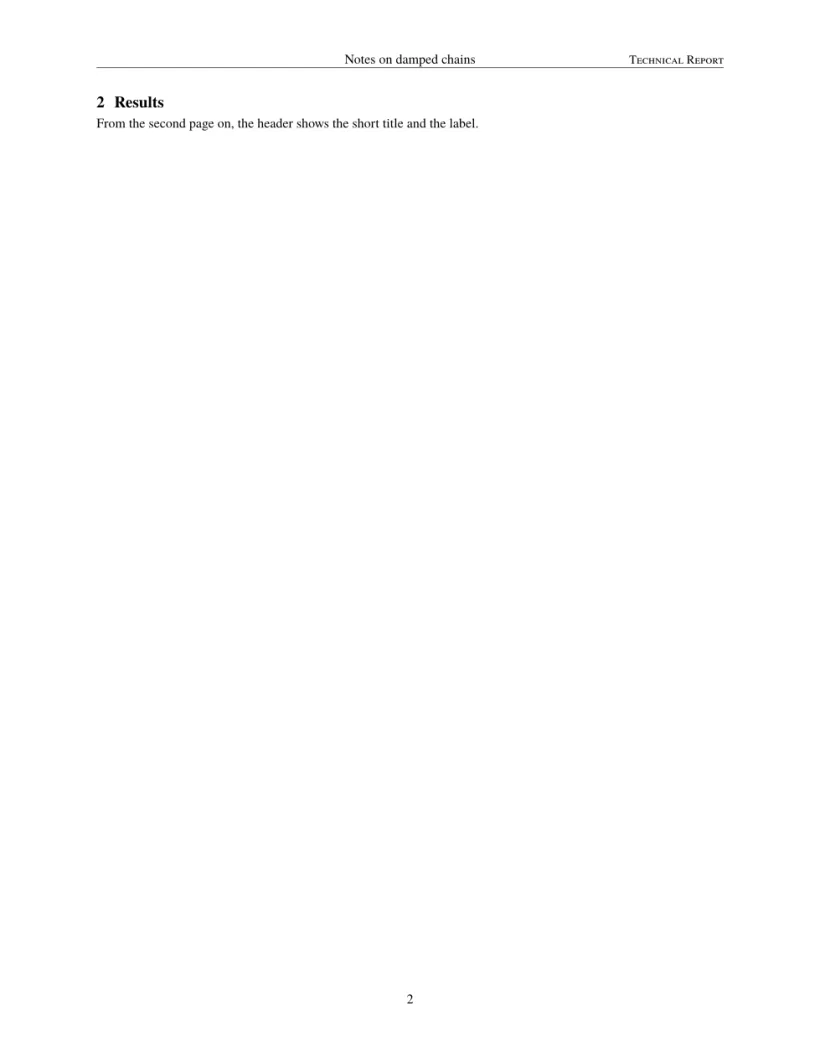
标签和页眉都是普通的宏。这个文档修改了两者;第一页没有页眉,第二页显示短标题和标签。
技术报告标签和页眉
\documentclass{article}
\usepackage{arxiv}
\title{Notes on Damped Chains}
\author{Hans Mustermann \\ Example University}
\date{}
\renewcommand{\headeright}{Technical Report}
\renewcommand{\undertitle}{Technical Report}
\renewcommand{\shorttitle}{Notes on damped chains}
\begin{document}
\maketitle
\section{Setting}
The first page has no running head.
\newpage
\section{Results}
From the second page on, the header shows the short title and the label.
\end{document}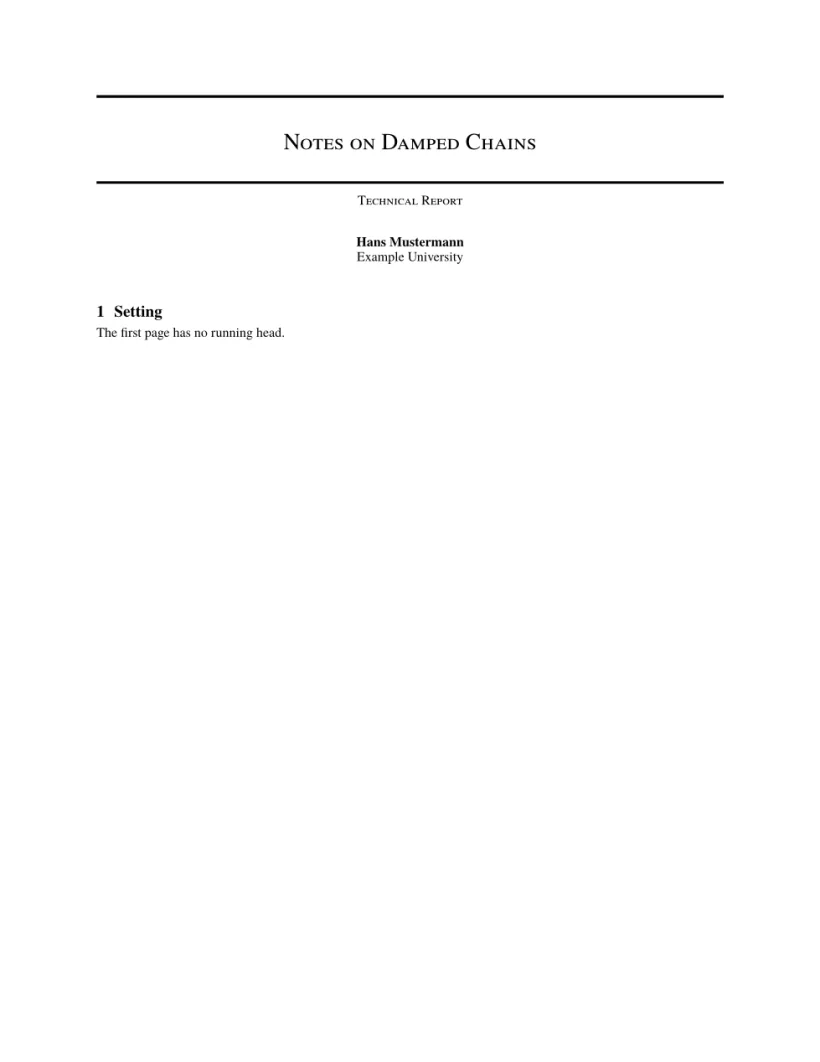
“问题”标签页: Layout in the style of the arXiv preprint style (final mode). Not official. To compile elsewhere, add arxiv.sty from github.com/kourgeorge/arxiv-style.
这个样式没有评审模式或匿名模式。模板加载了 natbib,其参考文献使用 unsrtnat,Scissor LaTeX 将其排为作者-年份格式的引用,条目按引用顺序排列。
与 arxiv.sty 的不同之处
投稿时,从 github.com/kourgeorge/arxiv-style 获取 arxiv.sty,并把它放在你的 .tex 文件旁边;同一个文件无需修改即可编译。其他版式请参阅会议仿照模板。
常见问题
arXiv 要求使用特定的模板吗?
不要求。arXiv 接受任何版式的论文。arxiv.sty 样式是社区中流行的选择,能让预印本看起来整洁。
如何把“A Preprint”改为“Technical Report”?
在导言区加上 \renewcommand{\headeright}{Technical Report} 和 \renewcommand{\undertitle}{Technical Report}。
本页的每个示例都在构建网站时由 Scissor LaTeX 排版。 最后更新:2026-11-07