


Scissor LaTeX의 hyperref와 url
Scissor LaTeX에서 hyperref와 url 패키지는 대부분 작동합니다. \href, \url, \hyperref[label]{text}, \autoref, \nameref는 작동하지만, 링크 색이나 PDF 메타데이터 같은 \hypersetup 옵션은 무시되고 \nolinkurl은 알지 못합니다.
패키지가 하는 일
hyperref는 PDF에서 참조, 인용, URL을 클릭할 수 있는 링크로 바꾸고, 링크용 명령을 추가합니다. \href{url}{text}, \url{...}, \hyperref[label]{text}, 그리고 대상의 종류와 번호("Section 2")를 출력하는 \autoref{label}입니다. \hypersetup{...}은 링크 색과 PDF 속성을 설정합니다. url 패키지만으로도 \url을 쓸 수 있습니다.
여기서 작동하는 것
| 명령 | Scissor LaTeX에서 | 비고 |
|---|---|---|
\href{url}{text} | 작동 | mailto: 주소도 됩니다. |
\url{...} | 작동 | _ 같은 문자를 이스케이프할 필요가 없습니다. 주소는 고정폭 글꼴이 아니라 본문 글꼴로 조판됩니다. |
\hyperref[label]{text} | 작동 | 텍스트를 출력합니다. |
\autoref{label} | 작동 | "Section 1", "Figure 2" 등. |
\nameref{label} | 일부 | 섹션 제목이 아니라 번호를 출력합니다. |
\pageref{label} | 작동 | |
\hypersetup{...}, 패키지 옵션 | 생략 | 링크 색, 테두리, PDF 메타데이터는 적용되지 않습니다. |
\nolinkurl{...} | 지원 안 됨 | 문제 탭에 메모를 남기고 건너뛰며, 텍스트는 남습니다. |
예제
웹, 이메일 주소, 섹션으로 가는 링크와 \autoref:
\href, \url, \hyperref, \autoref
\section{Results}\label{sec:results}
The data is on \href{https://example.com/data}{the project page},
and the raw files are at \url{https://example.com/raw_data/v44}.
Write to \href{mailto:erika@example.com}{Erika Mustermann}.
See \hyperref[sec:results]{the results} or \autoref{sec:results}.
그림과 표에 쓰는 \autoref, 그리고 여기서는 번호를 출력하는 \nameref:
\autoref와 \nameref
\section{Method}\label{sec:method}
\begin{table}[h]
  \centering
  \begin{tabular}{lr} Erika & 44 \\ John & 38 \\ \end{tabular}
  \caption{Scores.}\label{tab:scores}
\end{table}
\autoref{tab:scores} lists the scores; \nameref{sec:method}
describes how they were measured.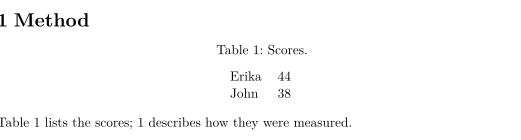
\hypersetup은 받아들여지지만 색은 적용되지 않습니다.
\hypersetup은 무시됨
\documentclass{article}
\usepackage{hyperref}
\hypersetup{colorlinks=true, urlcolor=blue, linkcolor=red}
\begin{document}
A link to \href{https://example.com}{example.com} in plain black.
\end{document}호환성
- TeX 설치 환경에서 여기로: 링크와 참조는 작동합니다.
\hypersetup의 링크 색과 PDF 속성은 적용되지 않으며,\nameref는 제목 대신 번호를 냅니다. - 여기서 TeX 설치 환경으로: 문서는 그곳에서 수정 없이 컴파일됩니다. 평소처럼
hyperref는 패키지 중 마지막에 불러오세요.
전체 설명서는 CTAN에 있습니다: ctan.org/pkg/hyperref, ctan.org/pkg/url. 안내는 링크와 URL과 레이블과 상호 참조를 참고하세요. \cref는 cleveref를 참고하세요.
질문과 답변
내보낸 PDF에서 링크를 클릭할 수 있나요?
\href와 \url의 링크는 해당 주소를 가리키고, \ref, \autoref, \hyperref는 PDF 안의 대상으로 이동합니다.
링크에 색이 없는 이유는 무엇인가요?
\hypersetup과 hyperref의 색 옵션은 무시되므로 링크가 주변 텍스트처럼 보입니다. 덕분에 PDF를 그대로 인쇄하기 좋습니다.
이 페이지의 모든 예제는 사이트를 빌드할 때 Scissor LaTeX로 조판됩니다. 마지막 업데이트: 2026-11-07